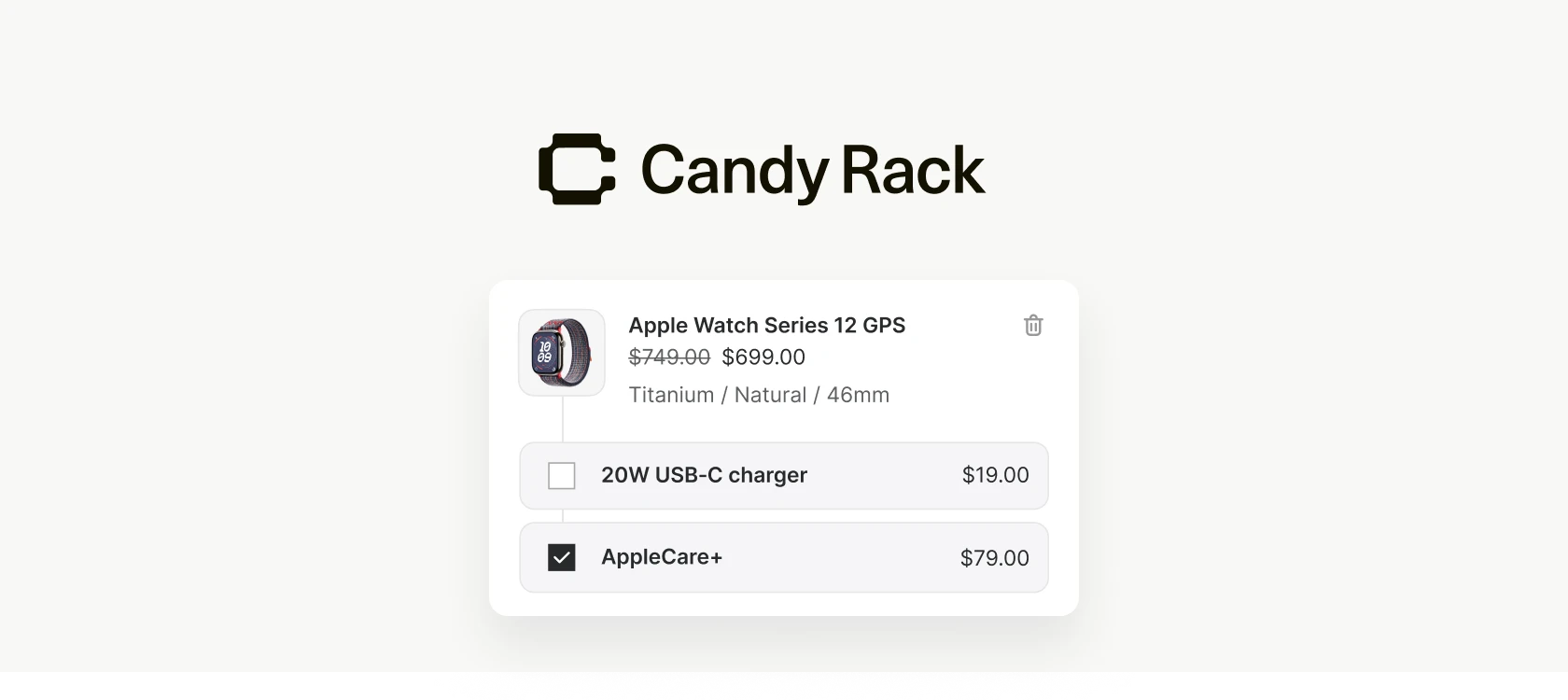
Setting up upsell offers in Candy Rack has always meant choosing the products one by one. That works fine when you have a handful of accessories you want to push, but it gets tedious fast when your catalog runs into hundreds of SKUs, when the products you want to recommend rotate every week, or when "what we sell" simply changes faster than "what's configured in the upsell."
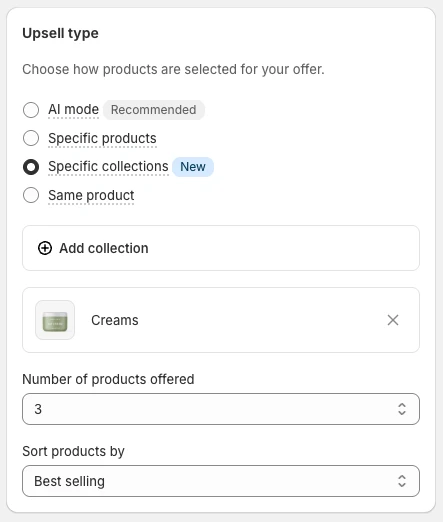
Collection upsells are our fix. Instead of picking individual products, you point an offer at a Shopify collection. The app pulls products from that collection at display time, so the offer stays current as the collection itself changes — no editing required.
How it works
When you build an offer, you now have a new upsell type for collections. You select one or more collections, then configure two things:
- How many products to display. Candy Rack will show that many items from the collection, no more.
- The sort order. You choose how products are ranked before that cap is applied.
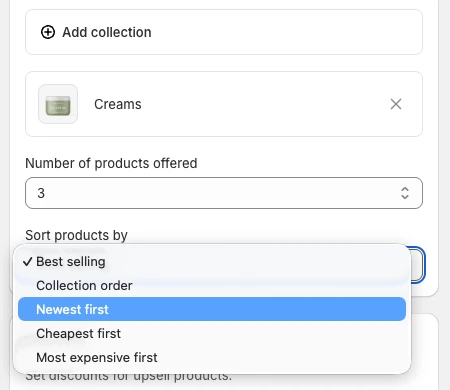
The available sort options are:
- Bestselling — prioritizes what's actually moving in your store
- Collection order — respects the manual ordering you've set in Shopify
- Newest first — surfaces recently added products
- Cheapest first — leads with the lowest price points
- Most expensive first — leads with the highest
That's the whole configuration. The trade-off you're making here is control versus maintenance: you give up hand-picking the exact products in exchange for an offer that updates itself when the underlying collection does.
When this is the right tool
A few patterns where collection upsells are clearly the better choice than individually picked products:
- Large catalogs. If you sell hundreds of complementary items, configuring upsells SKU-by-SKU isn't practical. Point at a "Best sellers" or "Accessories" collection and let Bestselling sort do the work.
- Frequently rotating inventory. Fashion, seasonal, or limited-drop stores already maintain their collections carefully. A collection upsell rides those updates for free.
- Category-led merchandising. When the offer is conceptually about a category — "people buying this also like our new arrivals" — the collection is already the right unit. Picking five products and re-picking them every month is just busywork.
For tight, curated cross-sells — the classic "buy a camera, get the strap and the SD card" pairing — individual product upsells still make more sense. The new type doesn't replace anything; it covers the cases the old one was awkward for. For the broader thinking on which upsell to put where, our upsell strategy guide is still the right starting point.

One gotcha worth knowing
The collection you choose has to be published on your Online Store sales channel. If it isn't, Candy Rack can't read its products and the upsell won't render. This trips people up because a collection can exist in Shopify, be perfectly populated, and still be invisible to the storefront if the sales channel checkbox is off. If your collection upsell looks empty, that's the first thing to check.
Setting one up
The flow is the same as any other upsell:
- Open Candy Rack and create or edit an offer.
- Choose Collection as the upsell type.
- Pick one or more collections.
- Set the number of products to display and the sort order.
- Save and publish the offer.
The configuration takes about thirty seconds once you've decided which collection to point at — which is, in our experience, the part that actually takes the thinking.
Why we built it
The honest reason is that "I have to re-edit my upsells every time I add a product" was one of the most frequent pieces of feedback we got from merchants running larger catalogs. Hand-picking is a fine workflow at small scale and a bad one at scale. Collections are the unit Shopify already uses to group products, and most stores already maintain them carefully for navigation and merchandising. Reusing that work inside Candy Rack was the obvious move.
It's part of the same direction we've been heading with cart upsells, the rewards bar, and custom blocks: give merchants flexible building blocks instead of rigid components, and let the existing Shopify catalog do as much of the work as possible.
Collection upsells are live in Candy Rack today. You'll see the new upsell type the next time you create or edit an offer. If you're not running Candy Rack yet, you can install it from the Shopify App Store — the feature ships in all plans.