A couple of months ago, we released a slide cart as part of our Candy Rack app. Since then, we've been constantly adding new features to make it even better and add more value to your store. Today, we are thrilled to announce one of our most requested features: the rewards bar!
What is the rewards bar?
The new rewards bar sits conveniently at the top in the header of the cart. It acts as a visual progress tracker for your customers. You can easily define the threshold and define what the reward is.
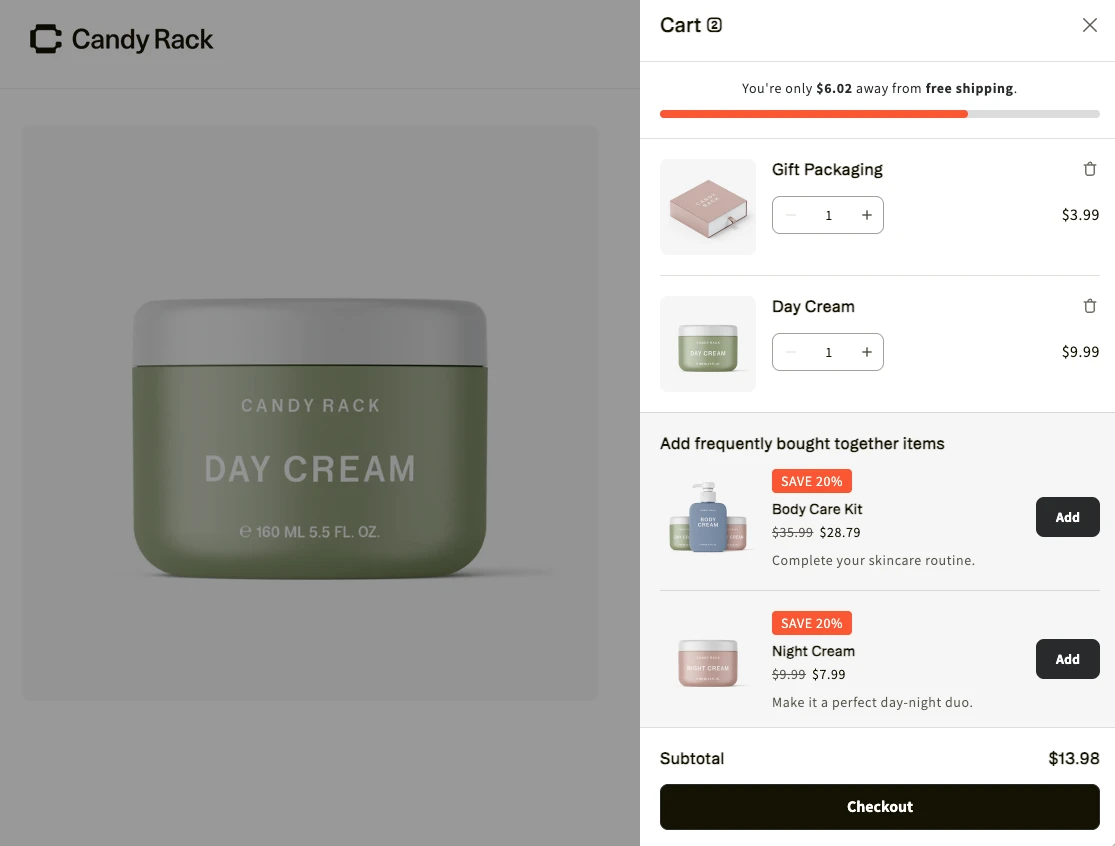
Typically, merchants use it to motivate customers to spend more to reach free shipping or to get a free gift. As shoppers browse and add items, the amount left to reach the reward is dynamically calculated. Once they hit the goal, the rewards bar changes into a state where the reward is granted.
Why you should use it
Adding a rewards bar to your slide cart is an easy win for your store. Here is why:
- Increase Average Order Value (AOV): The bar motivates users to add more products to the cart to increase your AOV.
- Boost conversions: It gives shoppers that extra push to not just add items, but to actually finish the transaction.
- Maximize prime real estate: The cart is practically the last chance for your customers to add more items.
- Seamless upselling: Your upsell offers are right there in the cart, making them very visible. Customers can use these offers to add more products and reach their reward threshold right away.
How to set it up
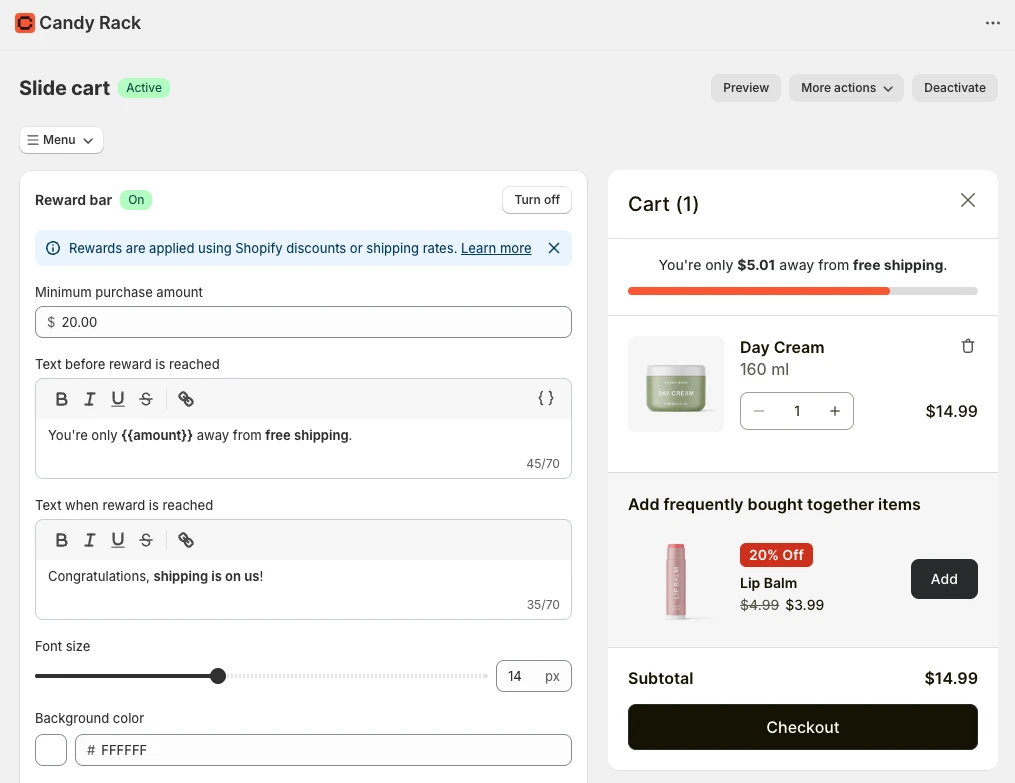
Setting up the rewards bar inside Candy Rack is really simple.
- Open the Candy Rack app and go to slide cart settings, then change to the rewards bar tab.
- Define the minimum purchase amount.
- Set up your custom messaging, including the message shown when the reward is reached.
- Define the visuals so it matches your store perfectly.
Our tip: the ultimate app combo
If you want to offer free gifts, you can pair this new feature with another one of our tools. On our live store, we are using the rewards bar to motivate users to reach a threshold so they get a free gift.
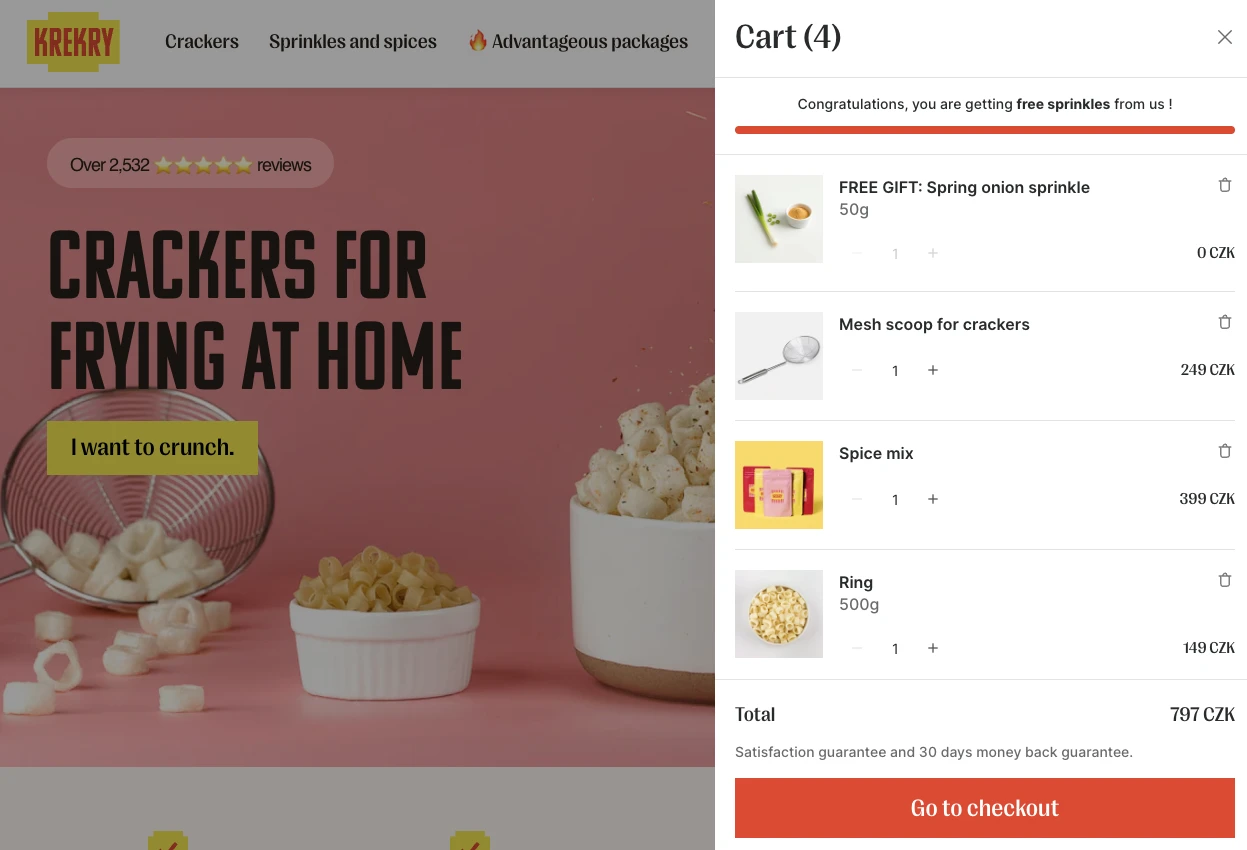
Once the threshold is reached, the free gift is automatically added to the cart. That's because of the Gift Box app! Candy Rack and Gift Box are actually very complementary and work really well together. You can use Candy Rack to motivate customers to spend more and Gift Box to actually add the free products to the cart. It's a fantastic way to increase not just your average order value, but your overall store conversion.