In our Spring '26 Edition recap, we said the natural next step for Shopify's new variant-level publishing was bringing the same control to Nada, so you could hide a sold-out variant without doing it by hand every time. That's now live.
Until this year, Shopify only let you control visibility at the product level: publish or unpublish the whole thing. That was fine until a product had variants. If one size or color sold out, it stayed in the picker anyway, visible and selectable, right up until the customer tried to buy it and hit a wall. You'd spent a click on a sale that was never going to happen.
What changed on Shopify's side
Shopify shipped variant-level publishing in May, then featured it again in the Spring '26 Edition. You can now choose which sales channels and catalogs each variant is published to, from the product page, the variant page, or the bulk editor, instead of only being able to toggle the whole product. Unpublish a sold-out variant from Online Store and it disappears from the picker while the rest of the product, and its other variants, stay exactly as they were. Product-level publishing still takes precedence, so an unpublished product stays hidden no matter what its variants are set to.
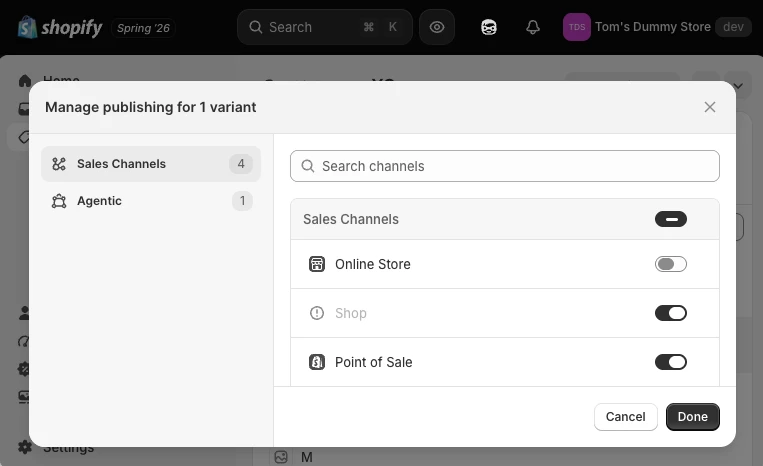
The part Shopify didn't solve is automation. You still have to open the product, or the bulk editor, and flip that toggle yourself, every time something sells out or comes back.
Why we didn't just automate it with Flow
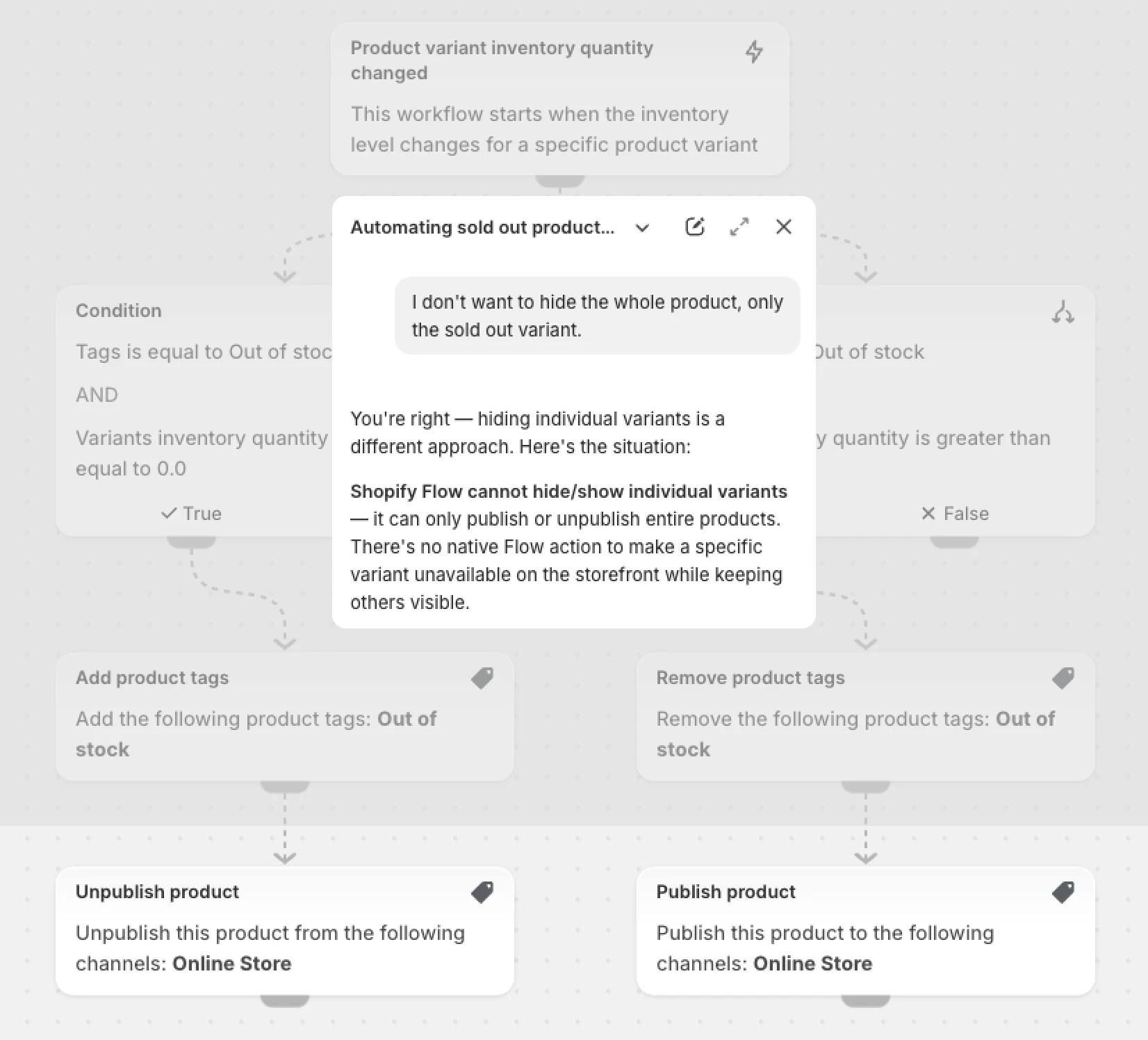
My first instinct was the lazy option: ask Sidekick to build a Flow that unpublishes a variant the moment it's out of stock and republishes it once it's back. Sidekick told me directly that it isn't possible. Variant-level publishing isn't exposed to Flow's triggers or actions yet, so there's no workflow to build. And doing it by hand in the bulk editor stops being realistic once you're past a handful of SKUs. That's the gap we built the new Nada setting to close.
What's new in Nada
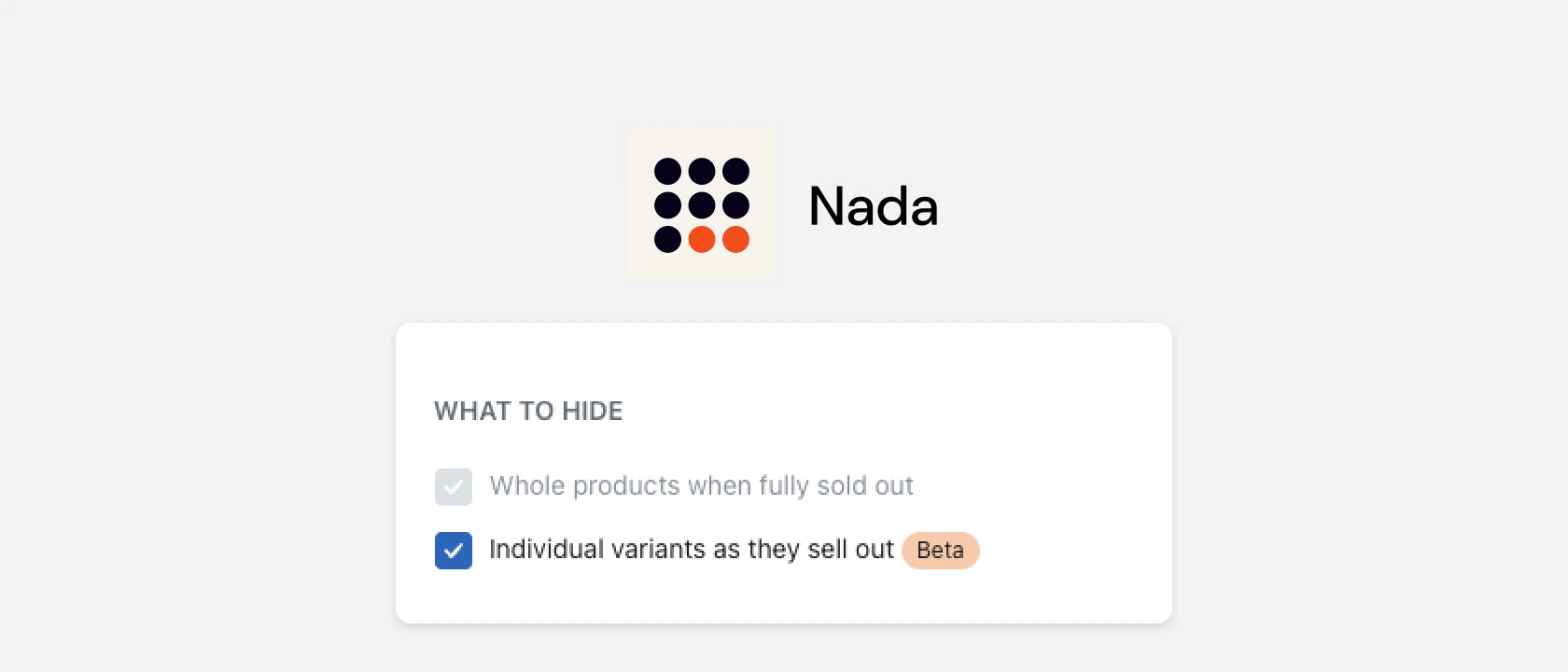
Nada already hides, or pushes to the bottom of your collections, products that are completely sold out. The new setting does the same job one level down: it hides a single variant the moment it sells out, while the rest of the product stays published and purchasable.
It runs on the same inventory tracking Nada already uses. Set a variant's available quantity to zero and save; within a couple of seconds, Nada picks up the change and unpublishes that variant from your Online Store channel. Restock it, and Nada republishes it just as quickly, no manual toggling and no remembering to undo it later.
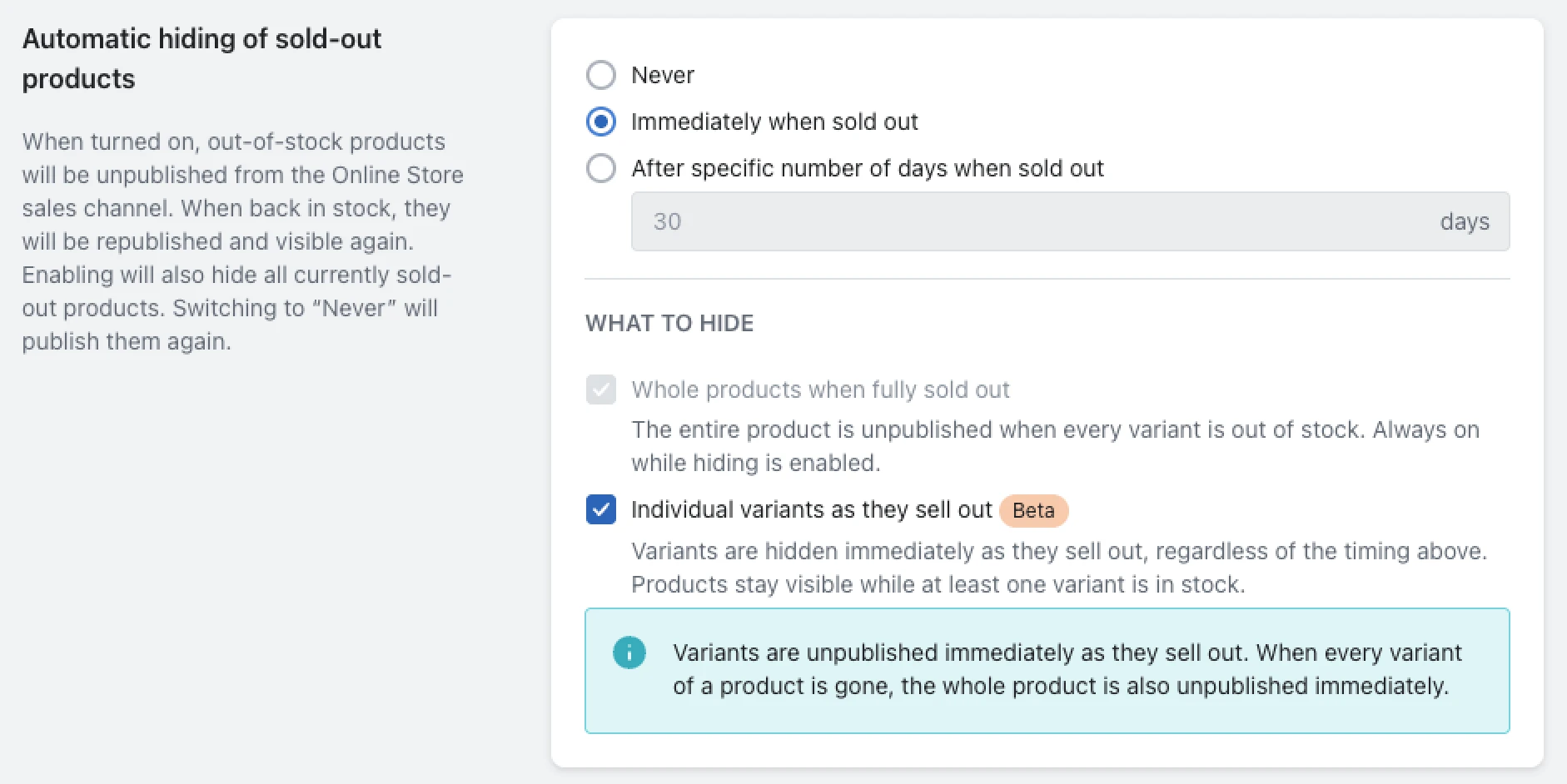
The setting lives in your Nada app settings, as an option to hide individual variants as they sell out. We're rolling it out gradually. If you don't see it yet, message us through the in-app chat icon and we'll switch it on for your store.
Nada runs $9.99/month, with a 7-day free trial. Hiding sold-out variants sits alongside the app's other jobs: pushing fully sold-out products to the bottom of your collections and sending low-stock e-mail alerts before you run out completely. If you're not running it yet, you can install it from the Shopify App Store or read more on the Nada app page.
Hiding a variant isn't the same as hiding the product
Worth keeping separate, since we've argued both sides of this on the blog. We've made the case for keeping sold-out products visible: the page keeps ranking, keeps pulling in traffic, and gives you a shot at selling something else while a bestseller is out. That advice is about whole products, though.
A sold-out variant on an otherwise in-stock product is a narrower problem. The product page and its SEO value are unaffected either way, so the only thing worth fixing is the dead-end option sitting in the picker. Hiding just the variant gets you both outcomes: the page stays live and indexable, and customers only ever see options they can actually buy.
If it's whole products going in and out of stock rather than individual variants, our guide to managing sold and out-of-stock inventory and our piece on inventory-level management cover that broader toolbox. And if you're still hiding sold-out variants with theme-code tricks, our older guide to hiding sold-out products and variants has a whole section on the CSS and Liquid workarounds that, until now, were the only option. There's a native one now.