The European Union is adding one more obligation for online stores. After the “order with obligation to pay” button at checkout, the next mandatory element is a withdrawal button. The intent is simple: returning goods should be as easy for the customer as buying them — a few clicks, no searching, no obstacles.

For merchants this means two concrete things: adding a working online withdrawal form to the store and updating the terms and conditions. In this article we'll show you what exactly the law requires, where the risks are, and how to solve the whole thing on Shopify quickly and in line with the law.
What is changing and from when?
The new rules apply from 19 June 2026. They implement a binding EU directive (EU 2023/2673), which each member state transposes into its national law. At the time of writing, some national implementations — including the Czech one — were still in the legislative process, so the effective date may slip slightly in individual countries. The obligation itself, however, is here to stay: if you sell in the EU, the withdrawal button will sooner or later apply to you.
Our recommendation is clear: don't leave it to the last minute and start the technical implementation early.
How is the withdrawal button supposed to work?
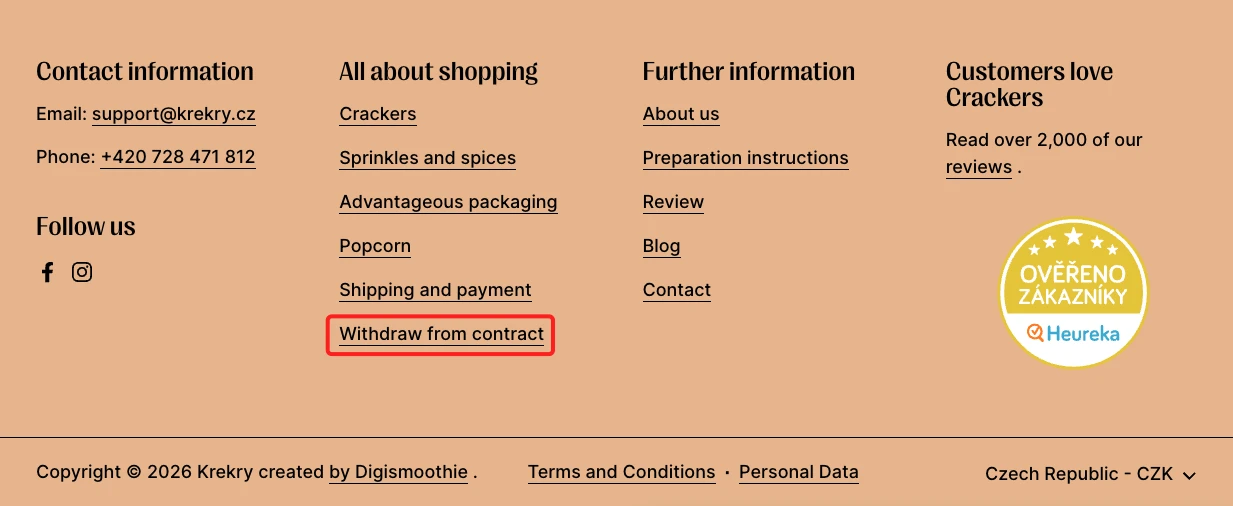
Online stores will have to add a withdrawal form, reachable through a dedicated button labelled “Withdraw from contract” (or a similarly unambiguous name). The customer handles the whole process like this:
- Clicks the “Withdraw from contract” button.
- Fills in their identification, order number, and contact e-mail.
- Confirms the withdrawal with a “Confirm withdrawal” button.
- The store sends a confirmation of receipt, typically by e-mail.
- The customer returns the goods and the store refunds the money.
What to watch out for: accessibility and deadlines
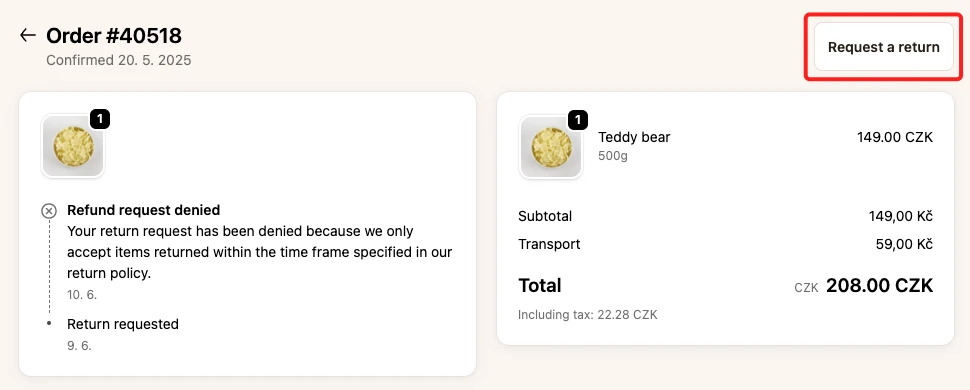
The button must be easy to find and usable without unnecessary hurdles. At the same time, the law doesn't ban smart technical solutions — quite the opposite. The store can make the process much easier by connecting the form to the customer's orders, pre-filling known details, or displaying the button only during the statutory withdrawal period (14 days from delivery as the EU standard).
How we solve it at Digismoothie
The good news: you don't have to build the withdrawal button manually or wait for a developer. At Digismoothie we've designed the process to meet the legal requirements while staying pleasant to use — for the customer as well as for you.
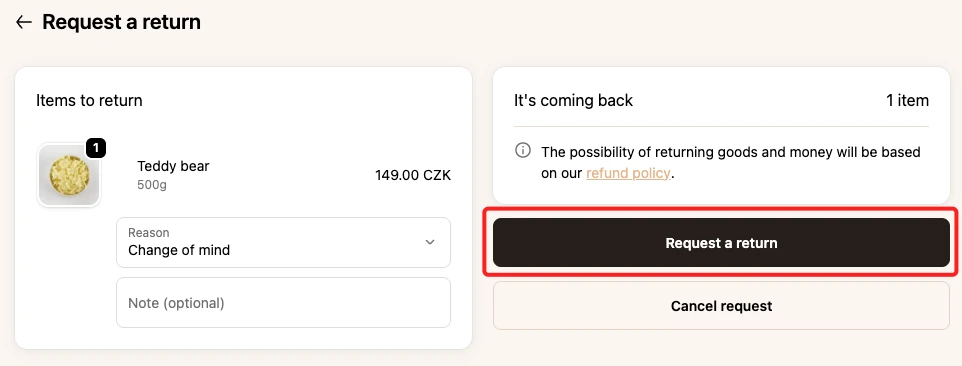
From the customer's perspective it works like this:
- They click the “Withdraw” button.
- They enter their e-mail and see every order they've placed in the store.
- With one click, they can submit a withdrawal request for any of those orders.
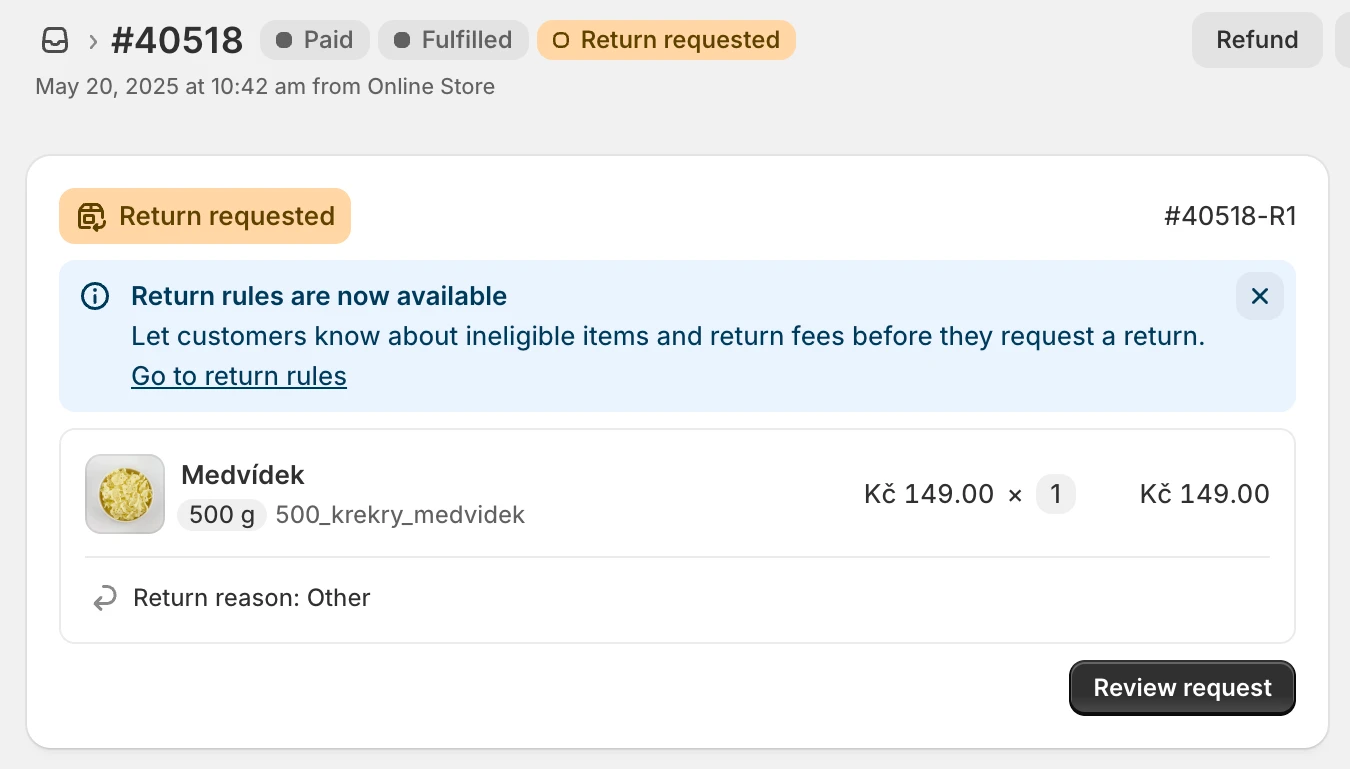
The solution is built on Shopify's native self-serve returns feature. Confirmation e-mails for customers can be edited directly in the notification settings, and you manage returns and claims right in the Shopify order administration.
One important detail: withdrawals vs. warranty claims
The same button will also catch warranty claims and returns outside the statutory period. For the customer this is convenient — they don't need to figure out which legal category their situation falls into. For the store it means one thing: you always need to check internally whether the customer is actually entitled to withdraw.
That's exactly why we recommend sending a first reply along the lines of “we have received your request” — not “we confirm your withdrawal”. It gives you room to review the case and avoids automatically confirming a withdrawal where no such right exists.
Don't forget the terms and conditions
Introducing the withdrawal button goes hand in hand with one more duty: updating your terms and conditions. Luckily, it's no major rebuild — add the information about the new withdrawal option and, ideally, a direct link to the button.
Another option: a dedicated app
If you already run a compliance app in your store, you can cover the requirement there instead. Consentmo, known mainly for its cookie consent banner, has added an EU Withdrawal feature that generates a dedicated “Withdraw contract” page, places the link in your footer, lets customers submit a request without logging in, and sends the verification and confirmation e-mails. Each request is stored in the app with the order number, the selected items, and a reference ID, and the log can be exported to CSV. Note that the app does not cancel orders or issue refunds on its own, so the eligibility check still sits with your team. The feature is part of the Plus and Enterprise plans.
Get the withdrawal button sorted early and without worries
Done well, easy returns are more than a compliance checkbox — they're one of the things that bring customers back. Want to have everything ready before the obligation takes effect? Get in touch — like with our other agency services, we're happy to help with the deployment and the entire process.
This article was written in cooperation with the law firm eLegal.