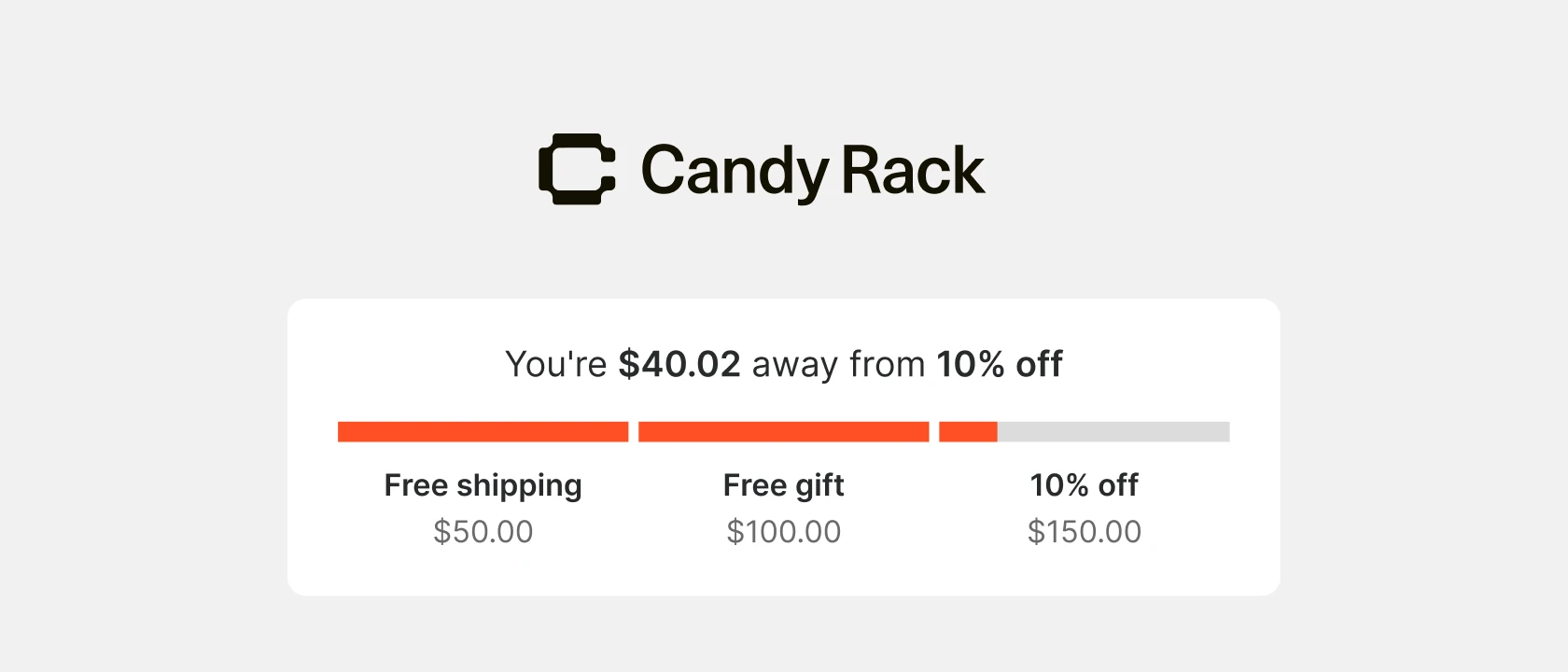
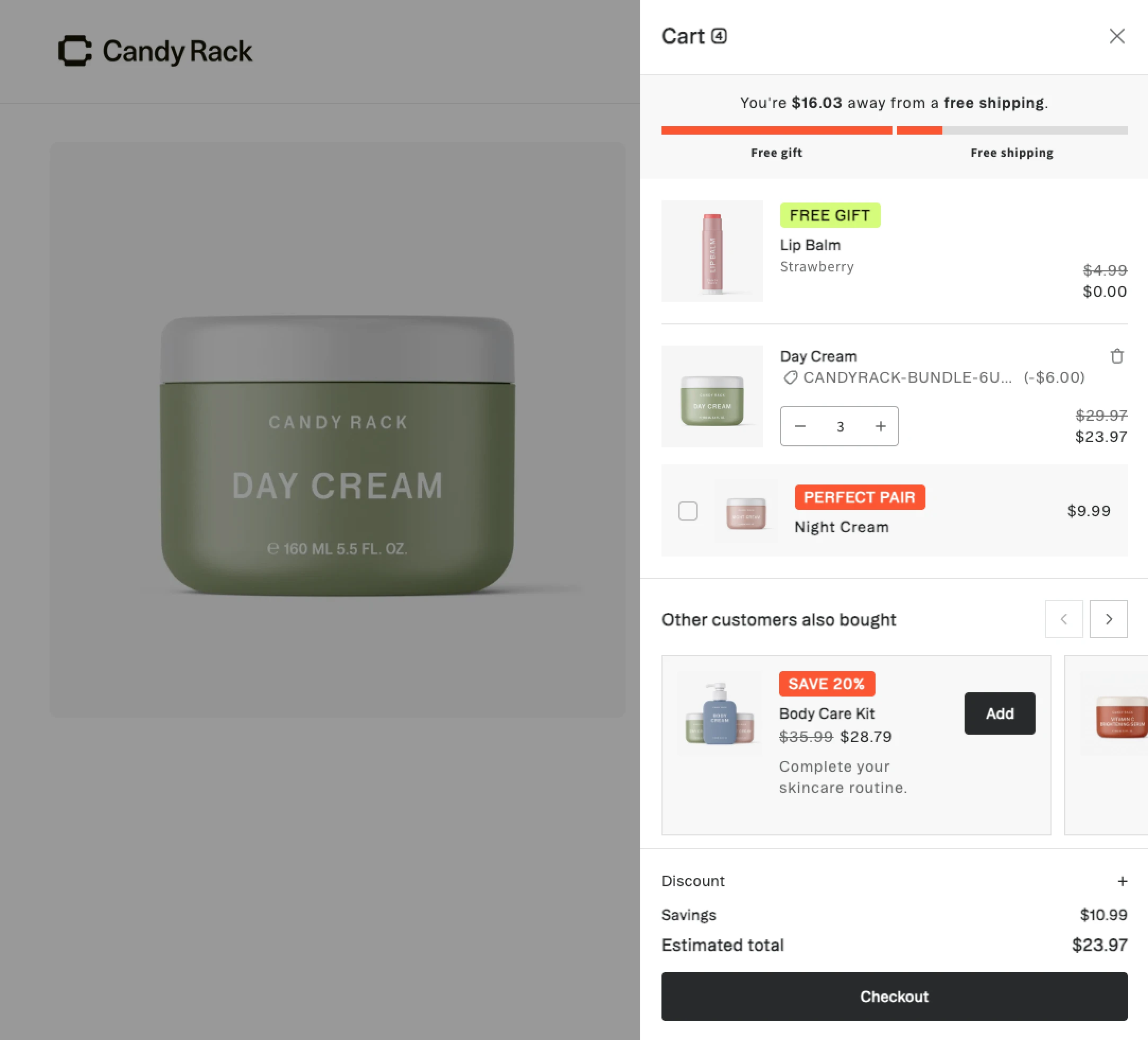
We launched the rewards bar in March with a single threshold in your store currency. Both updates are live in every Candy Rack slide cart now, just in time to set up your Black Friday offers.
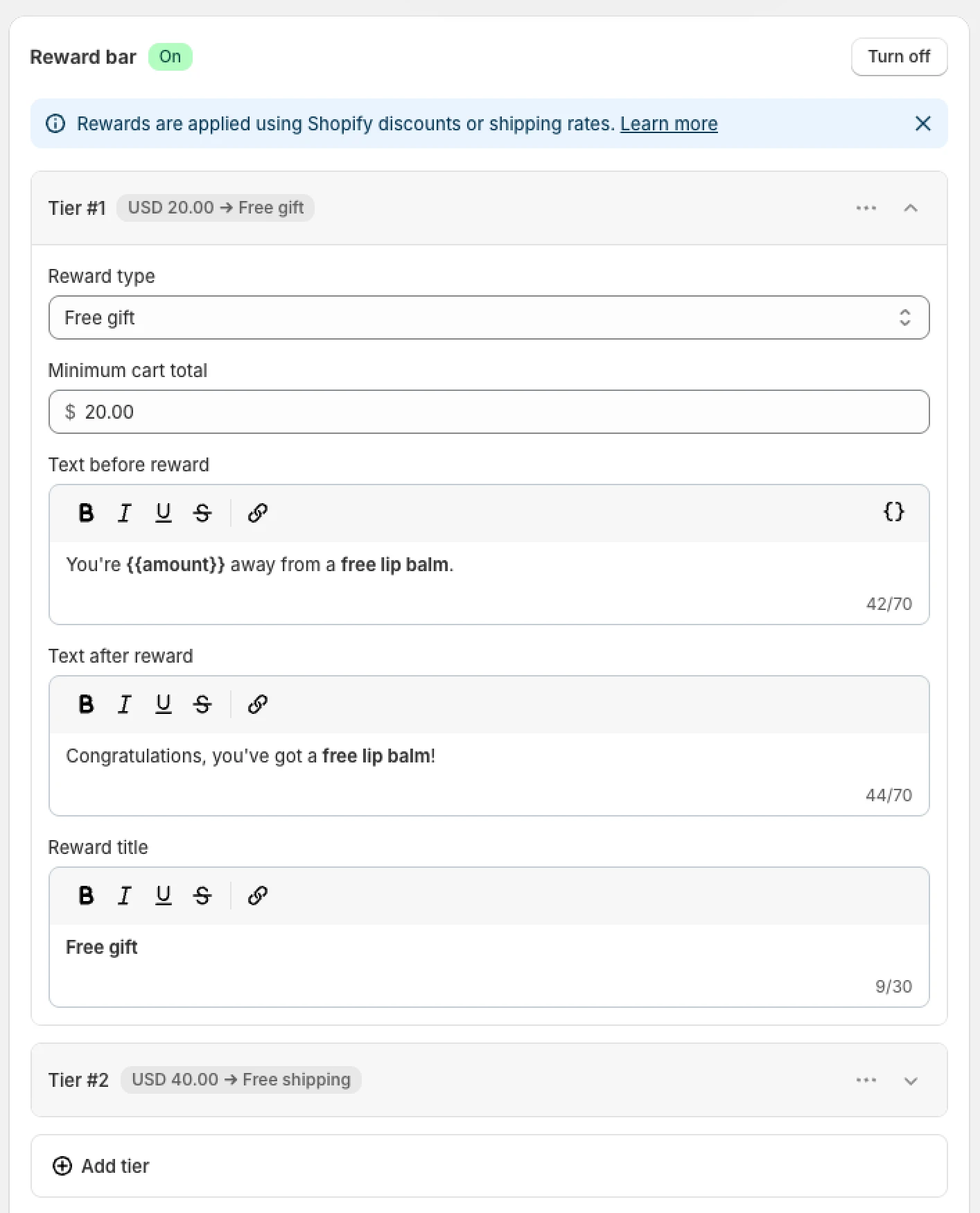
Each tier has its own minimum purchase amount, reward title and messages. In the slide cart, every tier gets its own progress bar, with the reward title and amount shown underneath.
- Show shoppers the next goal. The message uses
#{{amount}}to count down to the next reward they haven't unlocked yet. - Celebrate progress. Short animations play when a product is added, when a reward unlocks and when it's lost again.
- Keep it simple if you want. Your existing rewards bar carries on as a single tier, and you can hide reward titles when there's only one.
A threshold for every market
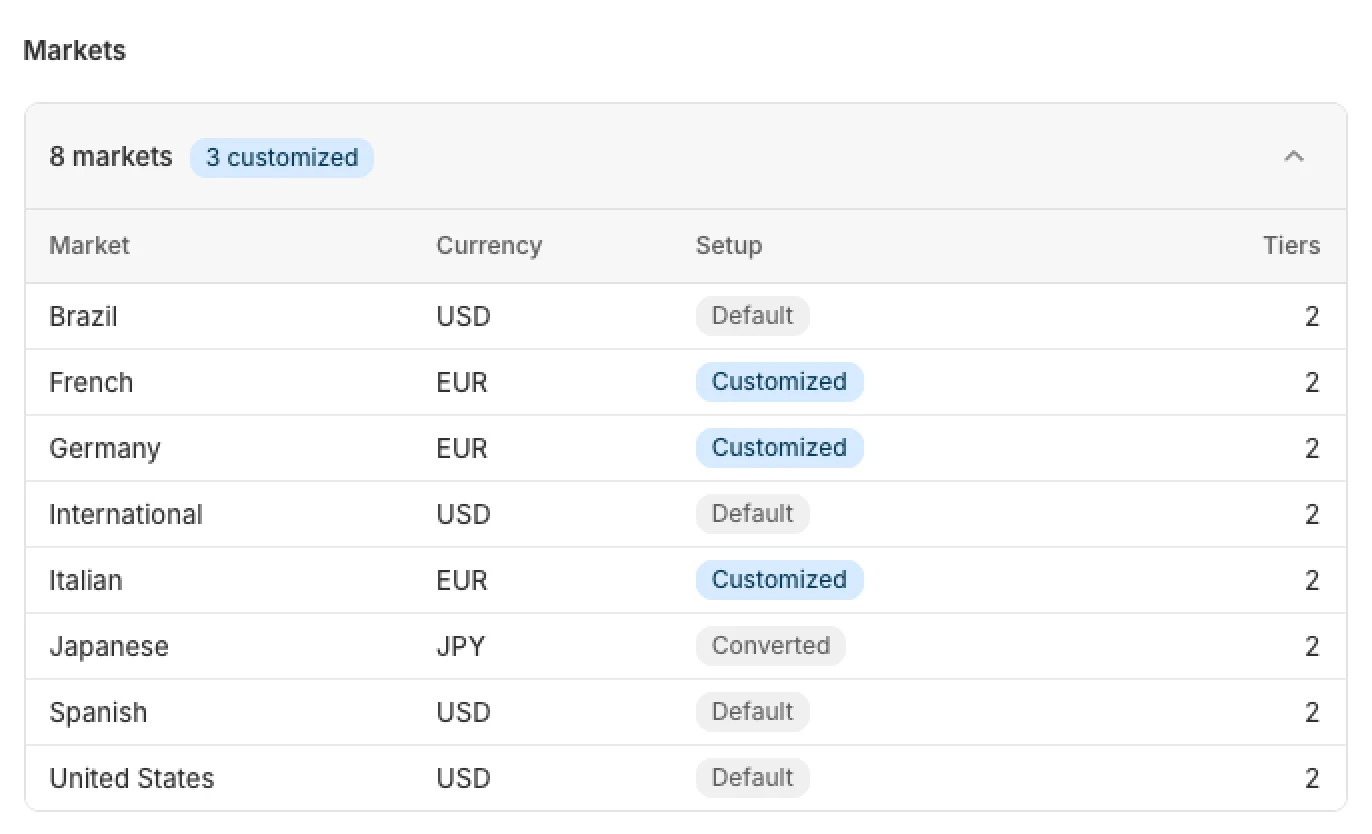
Every tier can have its own amount in each Shopify market. Markets in your store currency use your minimum purchase amount, other markets get it converted with Shopify's exchange rates, and you can replace any converted amount with your own.
- Keep thresholds round. Shoppers aim more easily for €50 than for a converted €46.83.
- Match your local shipping costs. Free shipping to a neighbouring country can start lower than free shipping overseas.
- Turn a tier off where you don't offer that reward, for example free shipping in a market with expensive delivery.
How to set it up
The rewards bar shows shoppers the goal, and Shopify applies the reward. Set up both with the same thresholds and you're ready in a few minutes.
- In Candy Rack, go to Slide cart › Features › Rewards bar.
- Add up to three tiers. For each, enter the minimum purchase amount, a reward title, and the messages shown before and after the reward is reached.
- Open Markets and click Edit amount next to any market where you want your own threshold.
- Under appearance, choose whether to show reward titles and amounts, then set the font sizes and colors.
- Create the rewards themselves with matching thresholds in each market: a free shipping rate or discount in Shopify, or a Free gift offer in Candy Rack.
- Preview the slide cart and add products to check that each tier unlocks at the right amount.
Tips for your Black Friday tiers
Black Friday falls on November 27 this year, so there's still time to set up your tiers and test them. Here's an example ladder for a store with a €45 average order value:
- €50: free shipping
- €80: 10% off the order
- €120: free gift
- Start the first tier just above your AOV median, so most shoppers are one product away.
- Space the tiers so each step takes roughly one more product, not a second basket.
- Keep messages short. Each one has up to 70 characters, and the slide cart is narrow on mobile.
- Help shoppers reach the next tier with upsell offers right in the slide cart.
- Test the bar with your Black Friday discounts applied, so the amounts it shows match what Shopify charges.
Try it in your slide cart
Already using the rewards bar? Your current setup keeps working as one tier, so open your slide cart settings and add the next ones. New to Candy Rack? Install it from the Shopify App Store and try the slide cart free for 8 days.
The Rewards bar help article covers every setting. Have a question or a tier setup that works well for you? Message us through the in-app chat.