
TinySEO, listed on Shopify as Tiny SEO Speed Image Optimizer, is the app many merchants still know as TinyIMG. It has been on the Shopify App Store since June 2019, carries the Built for Shopify badge and started out as an image compressor. Today it combines image optimization with a technical SEO toolkit: site audits, JSON-LD structured data, broken-link redirects, metadata generation, page speed tweaks and AI tools for blog posts and product descriptions. Its listing names Google Search Console, IndexNow, PageFly, Sidekick (Shopify’s AI assistant) and review apps such as Judge.me, Loox, Stamped and Yotpo among the tools it works with.
Key features
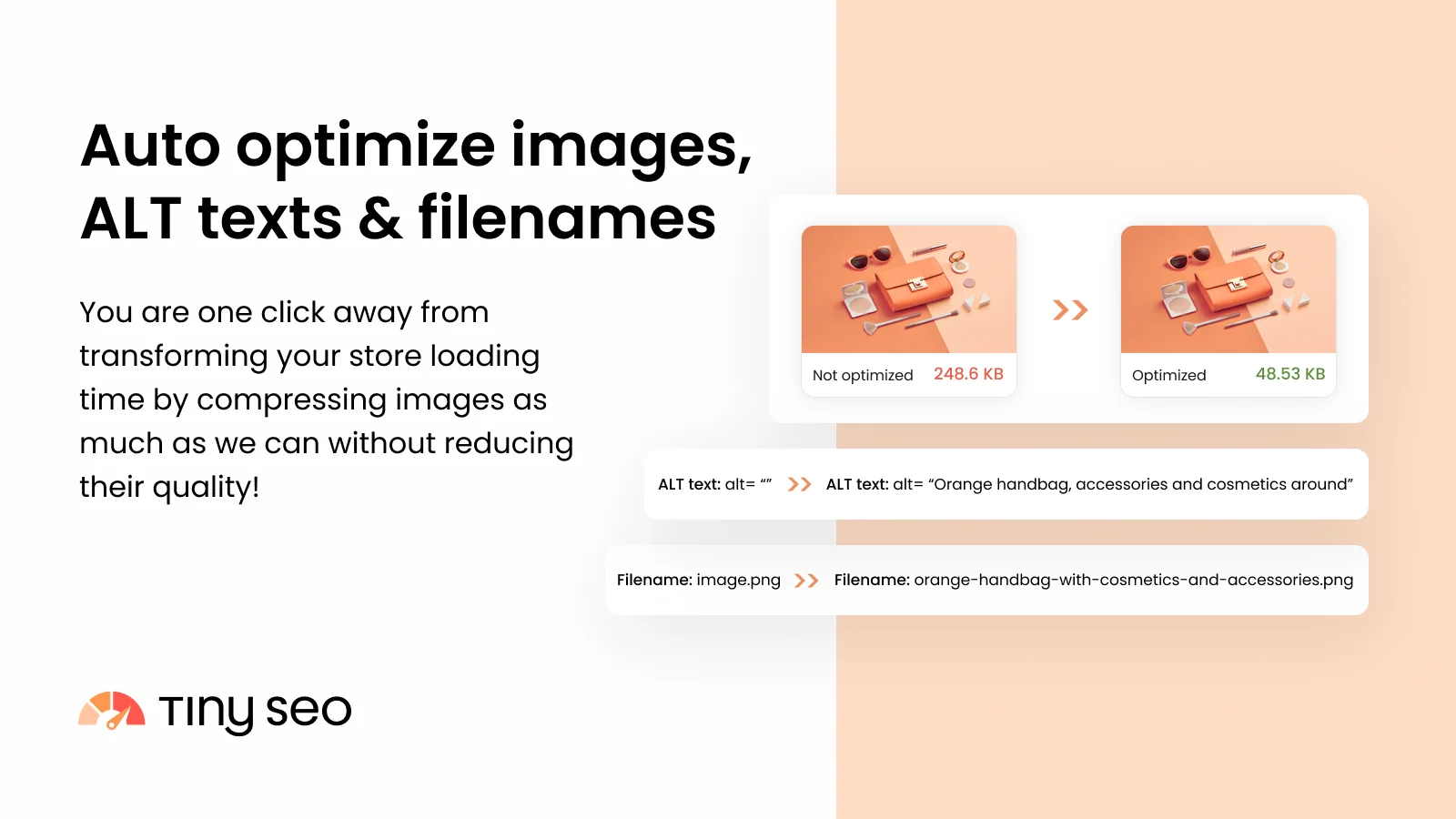
- Image optimization: automatic compression of new and existing images, SEO-friendly filenames and ALT texts, and resizing from the Beginner plan. Every plan keeps a 30-day backup, so you can restore the originals. Our guide to Shopify image optimization explains why this matters for image-heavy stores.
- A site audit for SEO and speed issues, with automated fixes on paid plans. According to the developer’s pricing page, the audit covers 50 pages on Free, 150 on Beginner, 500 on Advanced and 1,500 on Expert.
- JSON-LD structured data without coding, with return policy and shipping details from Beginner and extended schema on Expert.
- Broken link (404) detection and 301 redirects from Advanced, and automatic redirects when you delete a product on Expert.
- Speed tools: asset preloading, lazy loading from Beginner, and CSS and JavaScript minification and script control from Advanced.
- AI tools for blog posts, product descriptions and SEO metadata, which draw on monthly AI credits (10 on Free, 150 on Beginner, 300 on Advanced and 1,000 on Expert). Advanced adds automatic AI metadata generation, IndexNow instant indexing, an HTML sitemap and LLMs.txt files for AI search.
- 24/7 in-app support on every plan. The app interface is available in 16 languages, including French, German and Japanese.
Pricing and trial
The Shopify listing shows four plans. Free covers 50 image optimizations a month, ALT text and filename optimization, a 30-day image backup and an instant page speed-up. Beginner at $14/month ($140/year) includes 1,500 image optimizations a month, then 2¢ per extra image, and adds image resizing, JSON-LD with return policy and shipping details, the site audit with automated SEO fixes, lazy loading, asset preloading and the AI blog builder. Advanced at $23/month ($230/year) includes 5,000 images, then 1¢ each, and adds broken-link detection and redirects, automatic AI metadata, CSS and JavaScript minification, IndexNow and LLMs.txt files. Expert at $49/month ($490/year) includes 15,000 images, then 0.8¢ each, and adds extended JSON-LD, Google Search Console insights, auto-redirects on product deletion, metafields in metadata generation, an SEO and speed consultation and priority support. All paid plans come with a 7-day free trial.
Extra image optimizations above the plan allowance are billed as usage charges. According to the developer’s replies to reviews, you can set a monthly spending cap or turn off recharging in the app settings. The developer’s pricing page also doesn’t match the listing in every detail: it shows the AI blog builder, AI product descriptions and a 50-page site audit on the free plan, while the listing places the blog builder and the site audit on Beginner. Confirm the plan on Shopify’s approval screen before you subscribe.
Rating and reviews
On November 12, 2026, TinySEO had 5.0 from 2,587 Shopify reviews, 98% of them five-star, with 44 four-star, 3 three-star, 2 two-star and 8 one-star ratings. Merchants praise above all the support team, which answers around the clock and often fixes problems directly in the store, for example by removing duplicate structured data output by the theme and a review app. Others highlight bulk editing of meta titles and descriptions across large catalogs, the 404 redirects and the speed gains from image compression.
The critical reviews mostly concern billing. Several merchants were charged after uninstalling the app, in some cases after a trial; in its replies, the developer explains that Shopify bills the 30-day cycle already started and says the charges were refunded on request. A long-time user was billed for extra image optimizations above the plan limit. Other reviews report that enabling ALT text optimization replaced carefully written ALT texts, that images above the fold had to be excluded from lazy loading manually with support’s help, and that the JSON-LD settings are limited for custom schema. Many recent reviews describe help from a named support agent, so the rating reflects the service at least as much as long-term ranking gains.
Pitfalls
Check the filename setting if you run Google Shopping ads. Optimizing filenames changes image URLs, and one merchant reported that this reset the learning of their Google Shopping campaigns. According to the developer, URLs stay unchanged when filename optimization is turned off, so switch it off in the setup wizard before the first bulk run. If you manage your feed through an app, see our list of Google Shopping apps.
Protect hand-written ALT texts. Automatic ALT text optimization overwrites existing ALT texts. If you have written them carefully for key products, turn the feature off, or restore them within the 30-day backup window.
Budget for Advanced. Many features in the app description need a higher plan: 404 detection and redirects, minification, IndexNow and automatic metadata start on Advanced, and auto-redirects on product deletion are Expert-only. For a fashion store that retires seasonal collections, redirects are the main reason to upgrade. Shopify’s built-in URL redirects work for a handful of retired pages; TinySEO’s value is finding the 404s for you. If you’d rather keep sold-out products live than delete them, our own app Nada moves them to the bottom of collections.
Avoid overlaps and test first. If your theme or review app already outputs structured data, remove the duplicates (support offers to do it), and don’t run two image optimizers at once. Enable the speed features on a duplicate theme and share a theme preview link with your team to check product galleries and above-the-fold images on mobile. This review is based on the listing, merchant reviews and the developer’s published materials, not a hands-on installation.
Conclusion
TinySEO is a good fit for image-heavy stores, fashion boutiques included, that want image compression, ALT texts, structured data and 404 redirects in one app instead of several, and that value fast, hands-on support. Start on the free plan to see how much your images shrink, then use the 7-day trial on Advanced, the plan where redirects, metadata automation and minification come together. Switch off filename optimization if you run Google Shopping ads, and set a spending cap for extra images. If you mainly need schema, compare Schema Plus for SEO; for meta tag templates, Yoast SEO; for a similar all-in-one, Avada SEO or Booster. More options are in our lists of the best image optimization apps and the best Shopify apps for fashion boutiques, and our Shopify SEO checklist covers what no app can do for you.
Prices in USD. Pricing and ratings checked in November 2026.