
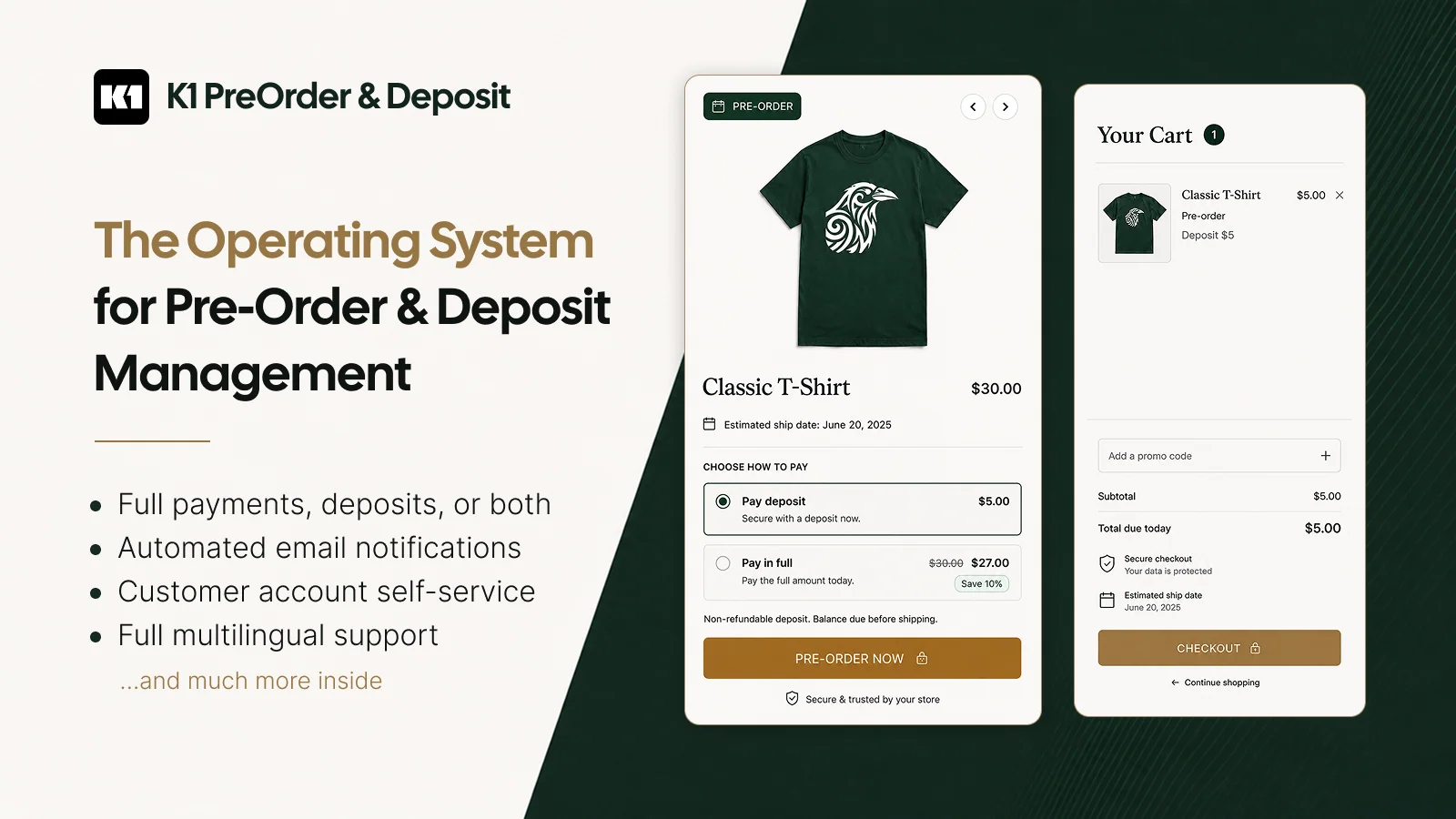
K1 PreOrder by K1 Apps, listed on Shopify as K1 PreOrder Now & Deposit, lets you keep selling products that are out of stock, coming soon or made to order. Beyond swapping the add-to-cart button, it handles the money side of pre-orders: deposits, scheduled balance charges, refunds and a self-service page in customer accounts. The app launched in December 2024 and carries the Built for Shopify badge.
Key features
- Rules that target products, collections or individual variants, each with its own messages, payment options and schedule. Pre-orders can run always, only when stock runs out, or below a threshold you set.
- Full payment, percentage or fixed deposits, and a balance charged automatically on a set date or collected offline, for example by bank transfer or in store.
- Smart Cart Allocation on Growth and higher plans: if a shopper orders more units than you have, the cart is split into in-stock and pre-order lines.
- A pre-orders dashboard showing amount paid, balance due and next charge date, with actions to charge, reschedule, refund or request a new card.
- A "My pre-orders" page in Shopify customer accounts, where shoppers can pay the balance early, update their card or cancel, within the policy you set.
- Pre-order limits, discounts per payment option, lifecycle emails, translatable storefront text, and Shopify Flow triggers and actions.
Pricing and trial information
Pricing scales with pre-order revenue rather than order count. The Shopify listing shows Free for up to $500 in pre-order revenue every 30 days, Starter at $4.99/month (up to $1,000), Essential at $9.99/month (up to $5,000) and Growth at $29.99/month (up to $10,000). The developer also lists Pro at $49.99 (up to $20,000), Scale at $99.99 (up to $50,000) and Unlimited at $199.99. Paid plans include a 7-day free trial and a 60-day money-back guarantee. Prices are in USD, checked on October 21, 2026.
The plan affects features as well as volume. Smart Cart Allocation, Shopify Markets targeting, mixed-cart shipping, manual pre-orders, Shopify Flow and a custom email sender domain all start at Growth. The Shopify listing and the developer's pricing table also disagree on whether free widget customization starts at Starter or Growth. Neither explains what happens when pre-order revenue exceeds your tier within a billing period, so ask before you commit. Preorder Wolf also bills by pre-order revenue, but its free plan is limited to development stores.
Rating and reviews
On October 21, 2026, the app had 5.0 from 47 Shopify reviews: 46 five-star ratings and one four-star rating, which contains no criticism. Merchant feedback is dominated by praise for fast support from founder Yauheni Kaziak, who is often named, with fixes delivered on a Sunday evening or over a weekend. Peruvian Connection and B&B Diecasts, each with six months of use, report few issues; B&B Diecasts says it tried about five other pre-order apps first. Moon Baby Shop and a Japanese bag maker value tag-based campaigns, dynamic shipping dates and automatic balance charges.
The caveats sit inside positive reviews. Soft Bebe' and Hola Hobby found that the pre-order button did not display correctly on their themes, What Waist and Evolve Skateboards needed customization work, and NOBLE & FRESH reported that customers could not complete orders after a Shopify update, an issue the merchant said did not originate with the app. Support resolved each case quickly, but setup is not always automatic. Of the 47 reviews, 25 were posted within a week of installing, several within hours, so the rating says more about onboarding and support than about long-term reliability.
Pitfalls
Deposits and charge-later balances rely on Shopify's purchase options, which work only with payment providers that support deferred charges, mainly Shopify Payments and PayPal. Shopify hides unsupported payment methods at checkout for these items, which matters if your customers prefer local payment methods. K1's full-payment mode keeps your normal gateways, but those lines are treated as in-stock items in the app's mixed-cart shipping options.
Plan the order lifecycle before launch. According to the developer's documentation, a refund issued in the app does not cancel the Shopify order, a partial refund leaves the remaining balance scheduled, and changing a charge date requires an extra Shopify permission. Mixed carts can be allowed, flagged with a notice or blocked, but blocking cannot be combined with Smart Cart Allocation. During the trial, test a deposit order, a failed balance charge, a cancellation and a mixed cart on your own theme.
The app requests broad access, including customer contact details, orders, discounts, checkout and theme content, saved payment methods and payment mandates, which is consistent with charging balances later. The admin is listed in English only; the developer documents a full Japanese version of the customer-account page with an English fallback, so check how it reads in your store's languages. Nearly every review reply is signed by the founder, so if pre-orders are a large share of your revenue, also ask about support coverage. This review is based on published sources and merchant feedback, without our own hands-on installation.
Conclusion
K1 PreOrder is worth shortlisting if you need more than a pre-order button: deposits, automatic balance collection, customer self-service and carts that mix stock with pre-orders. The free plan is enough to test the setup on a small campaign, but Growth at $29.99/month is the realistic plan if you need Smart Cart splitting or Shopify Flow. Confirm payment-provider compatibility and over-limit billing first, then test the full cycle from deposit to fulfillment. To compare alternatives, see our list of the best Shopify pre-order apps, including PreProduct and Early Bird for deposit-heavy workflows.