
Blockify is a fraud-prevention and traffic-control app for Shopify. At its simplest, it blocks or redirects a visitor by IP address or country. At its most useful, it becomes a layer for dealing with bot traffic, VPN and proxy traffic, unwanted markets, card testing, suspicious checkout attempts and repeat abuse. That breadth is what makes it compelling. It also means the app should be configured like an operational control, not installed and forgotten.
Key features
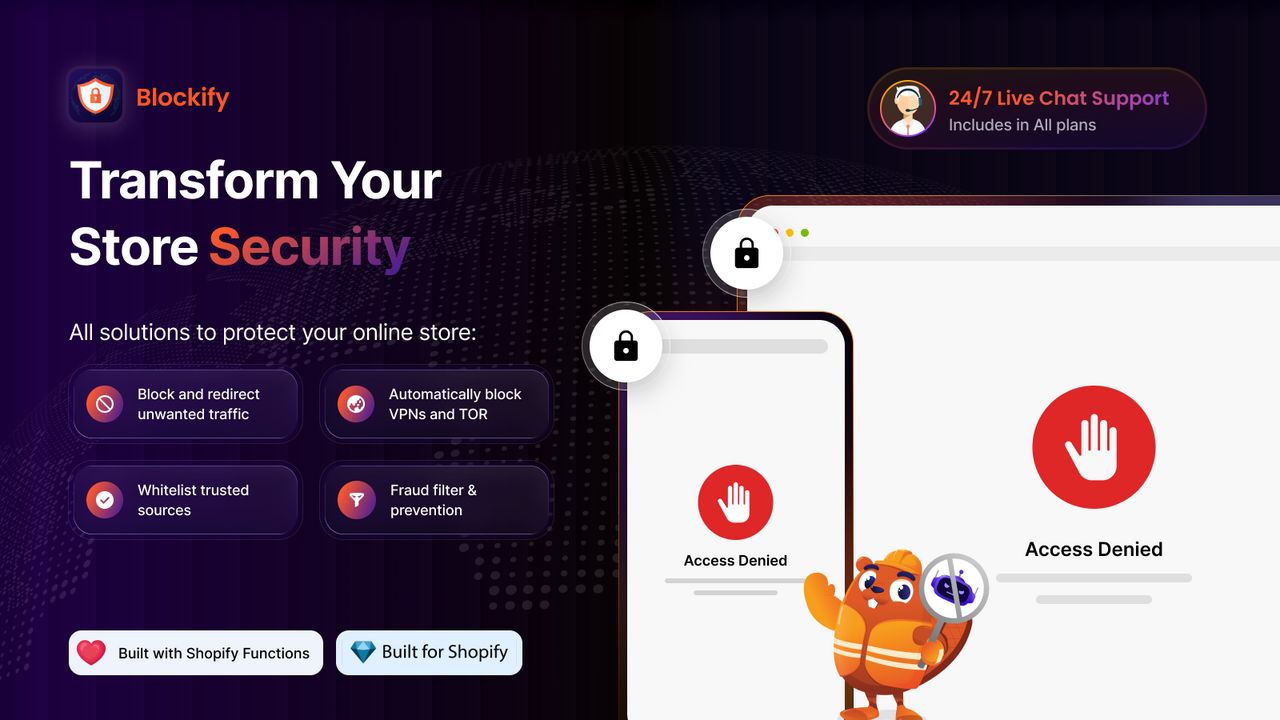
Blockify can block, redirect, or whitelist IP addresses and locations, including countries, states and cities. Paid plans add unlimited rules, unlimited visitor analytics, automatic VPN and proxy blocking, content protection and fraud-order analytics. Enterprise adds Tor detection, ISP and referrer URL rules, fraud filters, and checkout blocking based on conditions such as email, phone number, or name. The Shopify Plus plan includes automatic cancellation of high-risk orders.
The app also has geolocation redirects, visitor and fraud analytics, and integrations listed for Shopify Flow, Klaviyo, Checkout UI, Shopify Functions and Markets. That makes it useful for a store with a real abuse problem, not just a one-off IP to ban. The Blockify website also positions it as part of a wider traffic, checkout and compliance product suite, but this particular listing is the fraud filter and blocker.
Pricing and free trial
The free plan includes four IP or country block rules, four redirect rules, analytics for the first 200 visitors, and fraud-order analytics. Premium is $9.99/month, or $95.90/year, and is available to non-Plus stores. It adds unlimited blocking and redirects, unlimited visitor analytics, automatic VPN and proxy blocking, and content protection. Enterprise is $19.99/month, or $215.89/year, with the stronger fraud and checkout controls. Shopify Plus costs $39.99/month, or $431.89/year, and includes every feature, auto-cancellation for high-risk orders and 24/7 live-chat support.
Each paid tier has a three-day free trial. That is short for a security tool, so prepare your test cases before you start it. The free plan is enough to verify basic country or IP rules, but it does not tell you how the more important fraud and checkout logic will behave under real conditions.
Rating and reviews
At the time of review, Blockify has a 4.9 rating from 1,515 Shopify App Store reviews and is marked Built for Shopify. That is a meaningful volume, not just a handful of early ratings. Recent merchants repeatedly mention fast, patient support for bot attacks, fraud filters and complex Shopify Markets redirects. A number of reviews also make clear that support is part of the product experience, because the rule set can be more involved than a simple on and off blocker.
Pitfalls
The biggest risk is false positives or an overly broad rule. A recent merchant reported accidentally blocking their own market after misunderstanding a country-rule label. Blockify acknowledged the wording and the consequences as a UX problem. Before enabling any country, non-country, redirect or checkout rule, test it on a duplicate theme or with a narrow condition, whitelist your own team, and turn on rules one at a time. Do not combine several broad geographic exclusions and assume they will behave as a single exception list.
Blockify can reduce unwanted traffic, but it cannot guarantee that every bot, VPN user, fraudster or copied piece of content disappears. It also needs broad access to sensitive customer and device data, orders, analytics, Shopify Functions, theme data and Markets settings, so review those permissions carefully. Finally, the developer notes in review replies that blocked sessions may still appear in Shopify analytics because of Shopify's reporting behavior. If your goal is cleaner reports, check the results rather than assuming a block will erase every session from analytics.
For broader work on the customer side of checkout, not just fraud prevention, our Shopify checkout optimization guide covers a different set of conversion issues.
Conclusion
I would choose Blockify for a store dealing with persistent bot traffic, card testing, unwanted countries, or suspicious checkout behavior, especially when simple manual blocking no longer scales. Premium is enough for many stores that need robust traffic rules; Enterprise makes sense when checkout conditions and deeper fraud filters are the actual reason to install. The free plan is a good first check, but do not treat its small rule limit as a full evaluation. The right way to use Blockify is to start narrowly, measure the outcome, and only automate punitive actions once the rules have proven safe for legitimate customers.