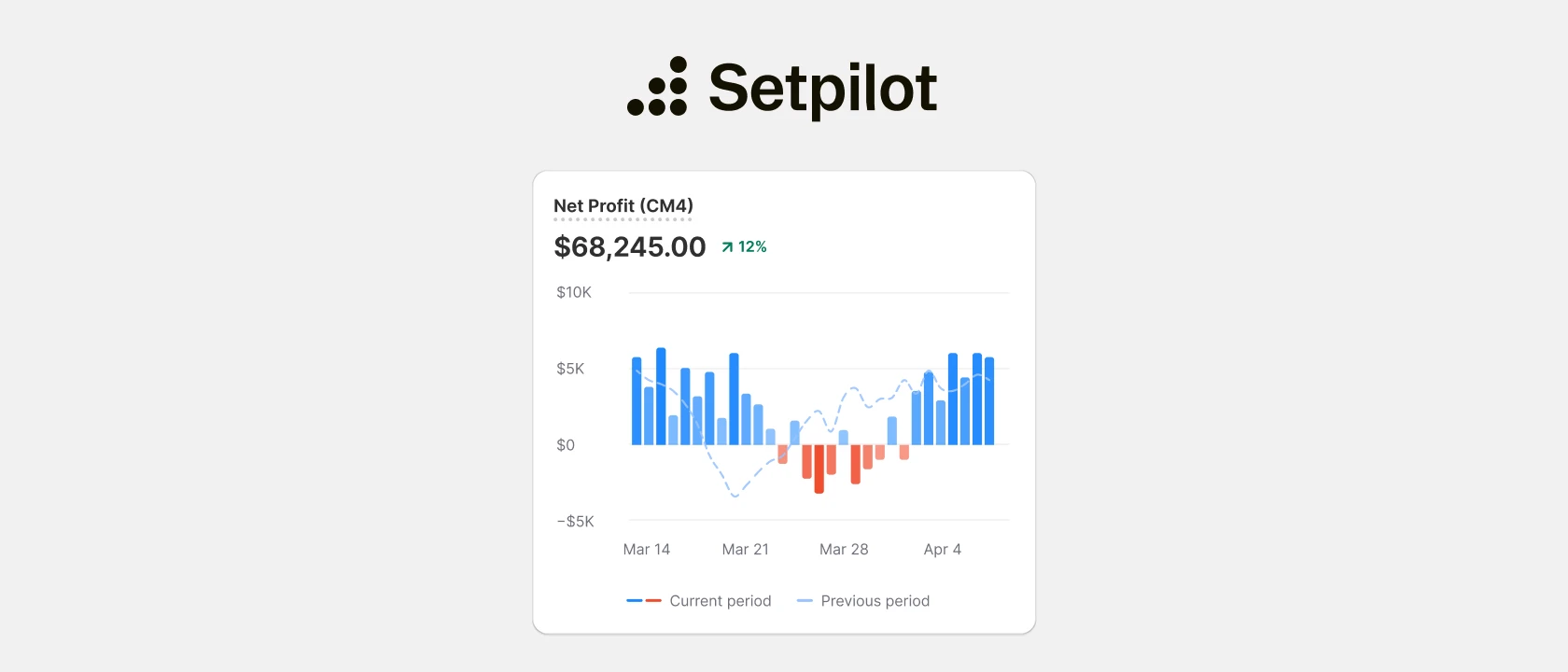
Dopo mesi di sviluppo e test con un gruppo selezionato di merchant, lanciamo la nostra nuova app sullo Shopify App Store: Setpilot. È uno strumento di profit analytics che fa una cosa sola e la fa bene: ti dice se gli ordini che stai festeggiando ti stanno davvero facendo guadagnare.
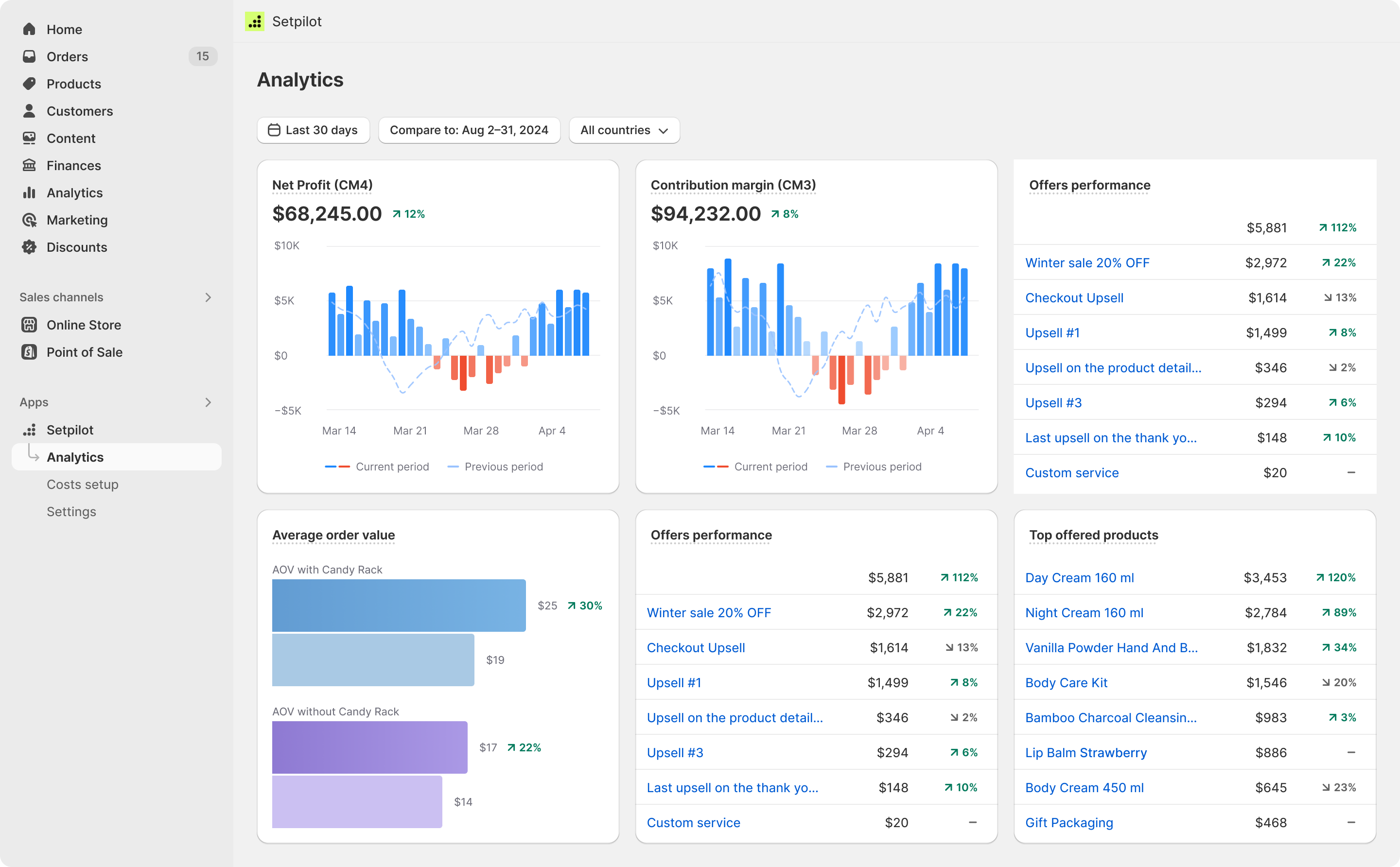
I report nativi di Shopify mostrano fatturato, unità vendute e una lunga lista di metriche di marketing. Quello che non mostrano, con vera precisione, è il profitto. Nel momento in cui inizi a tenere conto di COGS, spese di spedizione, commissioni di pagamento, spesa pubblicitaria, fulfillment e delle decine di costi minori che stanno tra le vendite lorde e il numero sul tuo conto, la dashboard di Shopify non basta più. È esattamente il vuoto che colma Setpilot.
Cosa fa Setpilot, in concreto
Nel suo nucleo, Setpilot mette insieme i tuoi dati di vendite, prodotti e magazzino di Shopify con i costi che gli fornisci — COGS, spedizioni, spesa pubblicitaria, commissioni di transazione, fulfillment e qualsiasi altra voce rilevante per il tuo P&L — e produce una vista in tempo reale del profitto per store, prodotto, ordine, paese e periodo.
Il risultato principale è una scomposizione del margine di contribuzione su quattro livelli: da CM1 a CM4. Se non hai mai strutturato il tuo P&L in questo modo, la versione breve è:
- CM1 sottrae il costo diretto della merce venduta.
- CM2 aggiunge i costi variabili per ordine — commissioni di pagamento, spedizioni, fulfillment, resi.
- CM3 include la spesa di marketing, così vedi il profitto dopo che Facebook e Google hanno preso la loro parte.
- CM4 somma i tuoi costi operativi fissi e ti porta al profitto netto reale.
La maggior parte dei merchant con cui parliamo conosce il proprio CM1 (margine lordo) e ha una vaga idea del CM3 (margine dopo l’advertising) grazie a un foglio Excel mantenuto alla meno peggio. Pochissimi hanno una vista pulita e aggiornata automaticamente di tutti e quattro i livelli — ed è lì che si prendono o si perdono le decisioni.
Pensato per chi ha già superato la fase «dashboard»
Setpilot è rivolto direttamente agli store Shopify in crescita e alle agenzie che li gestiscono. Se il tuo store fa qualche centinaio di ordini al mese o più e stai prendendo decisioni su budget pubblicitari, mix di prodotti, prezzi o magazzino basandoti sul fatturato invece che sul margine, questa app fa per te.
Non è l’ennesima dashboard generalista con venti widget. L’abbiamo costruita deliberatamente attorno alle domande che i merchant fanno davvero nelle riunioni operative:
- Quali prodotti sono profittevoli dopo la spesa pubblicitaria e quali sembrano vincenti nel report del fatturato ma in realtà perdono soldi in silenzio?
- Qual è il nostro ROAS reale una volta tenuti conto di spedizioni, commissioni e resi?
- Quali segmenti di clienti vale la pena acquisire al nostro CAC attuale?
- Dove il magazzino sta immobilizzando capitale e cosa dobbiamo riordinare prima di restare scoperti?
Setpilot risponde direttamente a queste domande. Profitto netto, margine di contribuzione, AOV e numero di ordini vivono in un’unica vista. Puoi confrontare periodi, filtrare per paese, scendere nel dettaglio di singoli ordini o prodotti ed esportare i dati quando devi condividerli.
Le integrazioni che contano
La principale fonte di rumore sui costi per la maggior parte dei merchant Shopify è la spesa pubblicitaria, perciò Setpilot si sincronizza direttamente con Facebook Ads e Google Ads. Una volta collegato, lo spend attribuito confluisce nel tuo P&L senza dover esportare CSV ogni lunedì. Supportiamo anche Axon Ads, Meta Ads e Google Sheets per gli store che oggi gestiscono i costi in un foglio di calcolo.
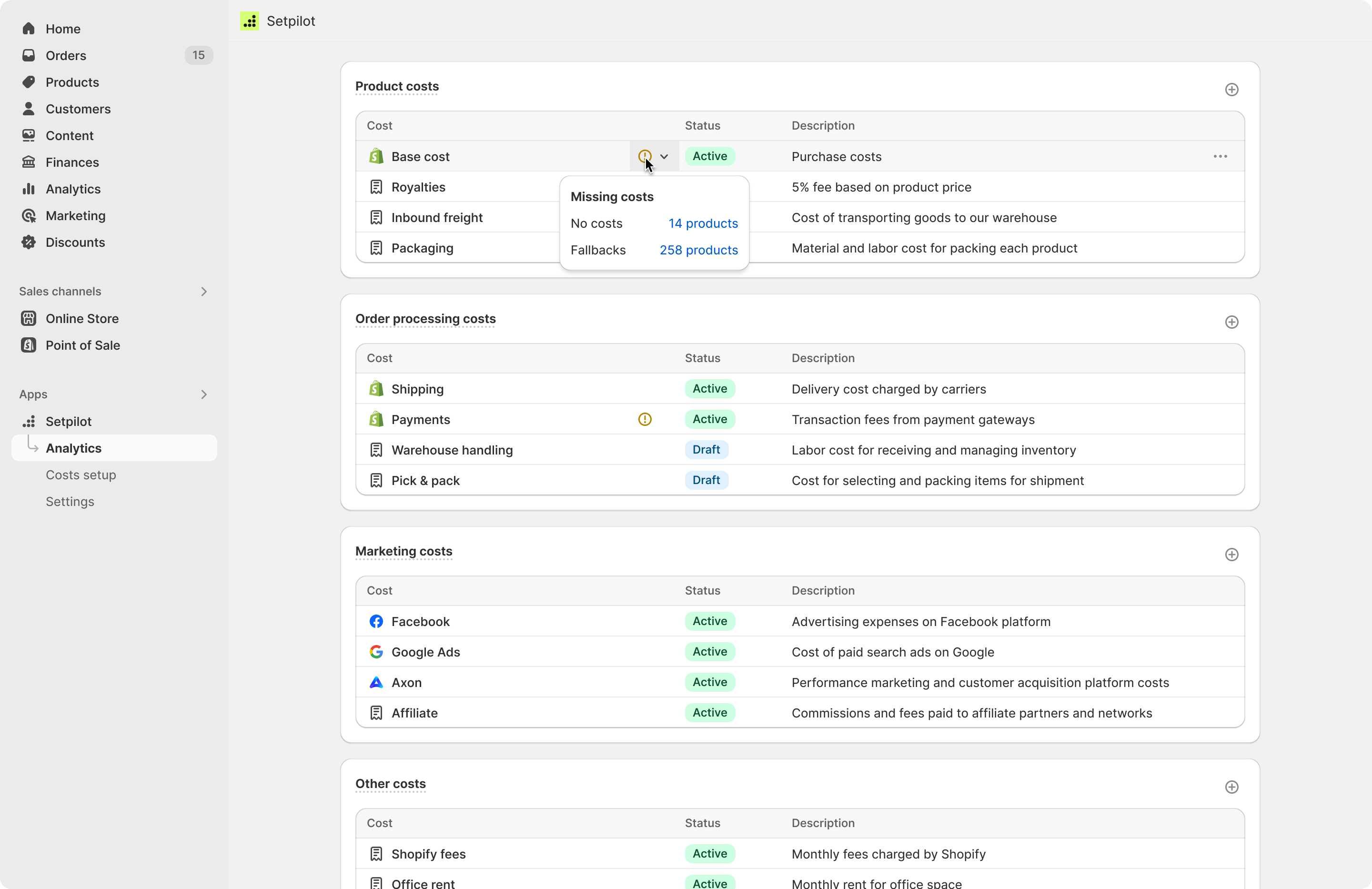
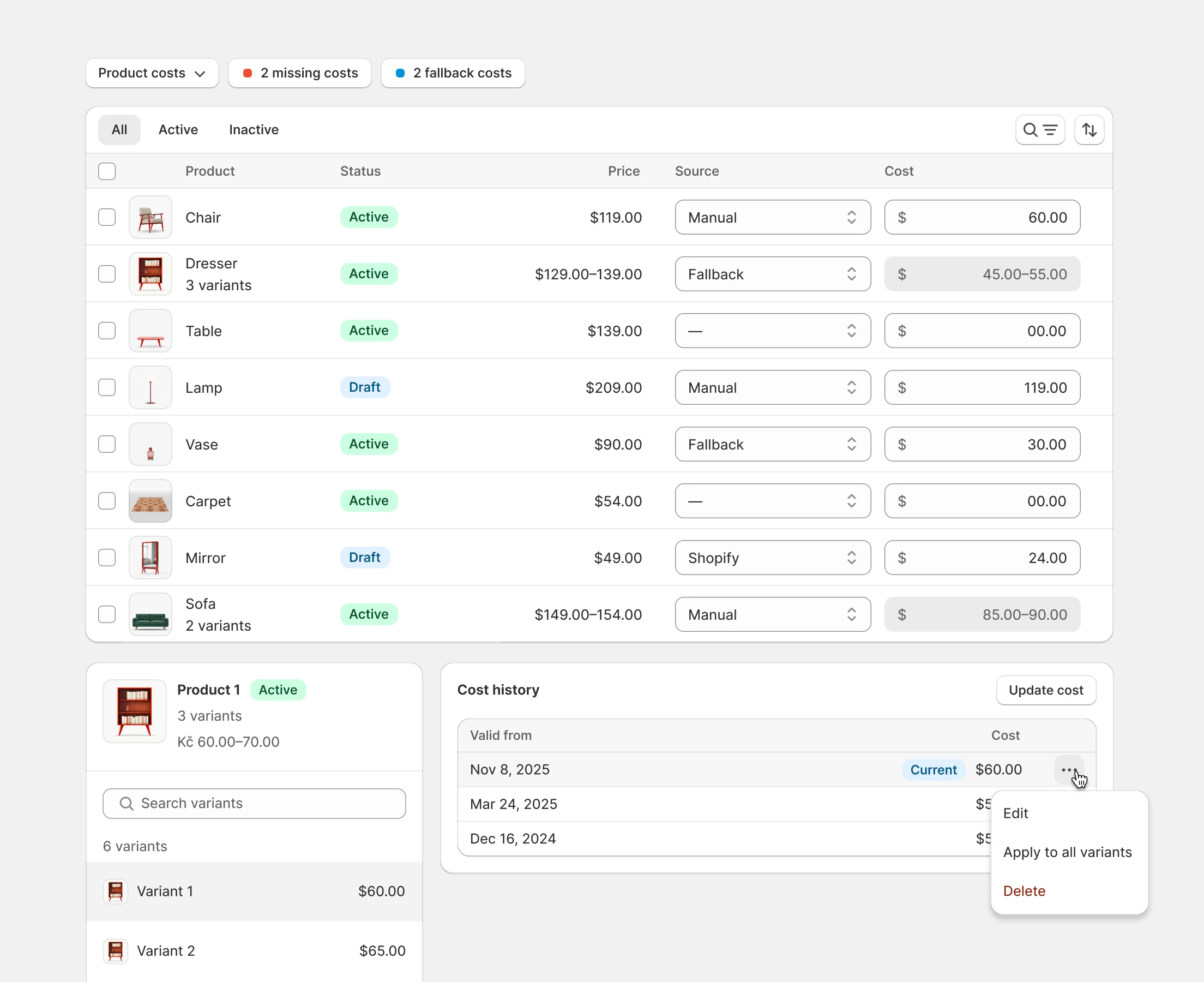
I costi difficili da automatizzare — fatture dei fornitori, packaging personalizzato, spese una tantum — si possono inserire manualmente e assegnare al livello di margine di contribuzione giusto. Questa parte manuale conta: per esperienza, c’è sempre qualcosa che non rientra in un’integrazione API pulita, e gli store che fingono il contrario si ritrovano con una dashboard bellissima ma inesatta.
Chiedi qualsiasi cosa ai tuoi dati
Una delle funzionalità che mi entusiasma di più è l’integrazione MCP di Setpilot. Se usi Claude, ChatGPT o un altro assistente AI compatibile con il Model Context Protocol, puoi collegarlo direttamente ai tuoi dati Setpilot e fare domande in linguaggio naturale:
- «Quali prodotti hanno avuto il CM3 peggiore il mese scorso?»
- «Com’è cambiato il nostro ROAS combinato rispetto allo stesso periodo dell’anno scorso?»
- «Qual è il profitto medio per ordine per paese, pesato sul volume?»
Nessun export, nessun copia-incolla di screenshot in chat. L’assistente prende i numeri in diretta dal tuo account e risponde. Per founder e operator che non vogliono vivere dentro l’ennesima dashboard, questo è il modo più veloce che abbia visto per ottenere risposte finanziarie reali da un business Shopify.
Prezzi
Setpilot è gratuito da installare, con un piano gratuito per gli store di prova e di sviluppo, e una prova gratuita di 14 giorni su ogni piano a pagamento. Il prezzo scala con il volume mensile di ordini:
- Start — 29,99 $/mese, fino a 300 ordini/mese
- Grow — 79,99 $/mese, fino a 1.000 ordini/mese
- Pro — 149,99 $/mese, fino a 3.000 ordini/mese
- Ultimate — 399,99 $/mese, ordini illimitati
Tutti i piani includono l’intero set di funzionalità: analisi CM1–CM4, dashboard P&L, sync della spesa pubblicitaria, gestione dei costi prodotto, scomposizione del profitto per ordine, tracking del magazzino e supporto 24/7 via chat ed e-mail. Non blocchiamo nulla nei piani superiori solo per spingere gli upgrade.
Come iniziare
L’installazione richiede pochi minuti:
- Installa Setpilot dallo Shopify App Store.
- Collega i tuoi account pubblicitari (Facebook, Google, Meta, Axon) così lo spend attribuito si importa in automatico.
- Aggiungi i costi dei tuoi prodotti — caricando un CSV, importando da Google Sheets o lasciando che Setpilot recuperi i valori di cost-per-item già presenti in Shopify.
- Apri la dashboard. I tuoi margini reali dovrebbero apparire subito, compresi i dati storici a importazione conclusa.
Se vuoi una mano per mappare la tua struttura dei costi nel framework CM1–CM4, il nostro team di supporto può affiancarti. Abbiamo già fatto onboarding di abbastanza merchant da avere opinioni piuttosto chiare su cosa va dove.
Perché l’abbiamo costruito
In Digismoothie abbiamo lavorato con migliaia di merchant Shopify — la maggior parte tramite Candy Rack e le nostre altre app — e lo schema più ricorrente è: store che inseguono la crescita del fatturato senza una visione chiara sulla salute dei profitti. Un Black Friday da fatturato record può lasciarti messo peggio di un ottobre tranquillo se lo stack di sconti, la spesa pubblicitaria e i resi giocano contro di te. Non puoi sistemare ciò che non vedi.
Setpilot è lo strumento che volevamo per noi stessi: chiaro, veloce, onesto sui costi e costruito specificamente per come funzionano davvero gli store Shopify. Se vuoi sapere se sei profittevole — oggi, non a fine trimestre — provalo.
Installa Setpilot dallo Shopify App Store →
O leggi di più su setpilot.com.