
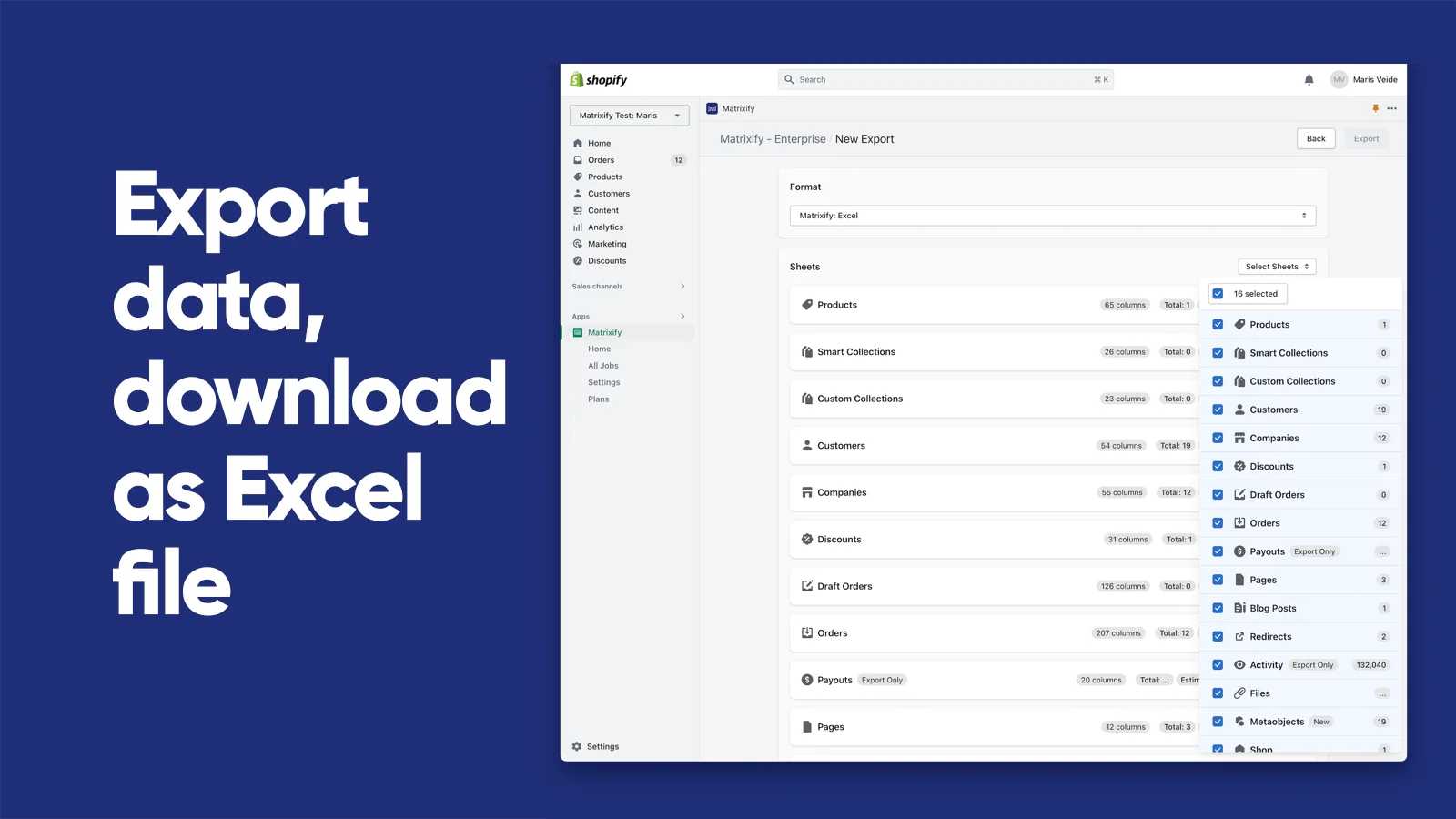
Matrixify, formerly called Excelify, is a Built for Shopify data management app from ITissible. It is designed for jobs where Shopify's native CSV tools become too limited, including large catalog updates, scheduled supplier feeds, backups, store copies, and full platform migrations. The app works through structured spreadsheets and can process files up to 20 GB, which makes it especially relevant to larger stores, agencies, and operations teams that already understand how their Shopify data is organized.
Key features
- Broad import and export coverage: Work with products, variants, collections, customers, B2B companies, discounts, orders, draft orders, payouts, pages, blog posts, redirects, files, metaobjects, metafields, menus, translations, and more.
- Bulk updates and store copies: Update only selected columns, copy data between Shopify stores, restore exported data, or migrate from WooCommerce, WordPress, Magento, BigCommerce, Lightspeed, and other platforms.
- Flexible file sources: Use Excel, CSV, ZIP files, Google Sheets, Google Drive, Dropbox, SharePoint, FTP, SFTP, or a public file URL.
- Automation: Schedule imports and exports, repeat jobs automatically, save export presets, and connect recurring supplier or reporting workflows.
- Job control: Matrixify analyzes a file before import, estimates the job, shows progress, keeps job history, and produces a results file with row-level warnings and errors.
Pricing and trial information
Matrixify does not advertise a time-limited free trial. Instead, it offers a permanent Demo plan for testing small files. The Demo plan is limited to 10 products, 10 collections, 10 customers, 10 companies, 10 orders, and similarly small limits for most other data types per file. Metafields are unlimited.
Basic costs $20 per 30 days and supports up to 5,000 products per job. Big costs $50 and raises that limit to 50,000 products. Enterprise costs $200 and makes supported entities unlimited, while adding batch imports, at least 10 parallel threads per job, and two parallel manual jobs. Pick a plan based on the largest file you need to process, not only the total size of your catalog.
Rating and reviews
At the time of this review, Matrixify has a 4.9 rating from 1,387 reviews on the Shopify App Store, with 95% of ratings at five stars. Merchants repeatedly praise its reliability, the ability to handle very large catalogs, detailed import results, and responsive support. Recent reviews describe it as essential for complex product operations and controlled migrations.
The negative reviews are a small minority, with 27 one-star ratings. The recurring complaints concern a difficult interface, unclear errors, billing or cancellation confusion, and damaged data after complex imports. The developer replies to many of these reviews and often points to file setup or Shopify API issues, but the pattern still shows that Matrixify rewards careful preparation more than casual use.
Pitfalls
Matrixify is powerful, but it is not a simple no-code migration wizard. You need to understand its templates, identifiers, commands, and Shopify's own data limits. Canceling an import stops the remaining work, but rows already processed are not rolled back. Before a large change, follow Matrixify's safe import checklist: export a backup, test one or two records, review the analyzed job, and only then run the full file.
The app also requests broad read and write access because it can work with customers, orders, products, discounts, store credit, Online Store content, files, legal policies, and other store data. Matrixify's privacy notice says imported and exported job files are stored on AWS in US regions and are deleted within one month after uninstalling the app or using its file-erasure function. Review those permissions and retention settings against your own requirements. This is an operational consideration, not legal or compliance advice.
Finally, the app interface is available only in English, and the free plan is too limited for a real migration. Simple product updates may still be faster with Shopify's native CSV importer.
Conclusion
Matrixify is one of the most capable data tools available for Shopify. It is a strong choice for large catalogs, repeated supplier feeds, backups, store-to-store copies, and migrations where native CSV files fall short. The free Demo plan is useful for learning the workflow, but a paid plan and disciplined testing are realistic requirements for production work.
For a simple one-off edit, stay with Shopify's native tools. For a business-critical migration, Matrixify can handle the data layer, but it should be part of a wider plan covering redirects, integrations, storefront QA, and launch checks. If you prefer to have that work planned and tested for you, our Shopify store service includes product imports and third-party integrations.