
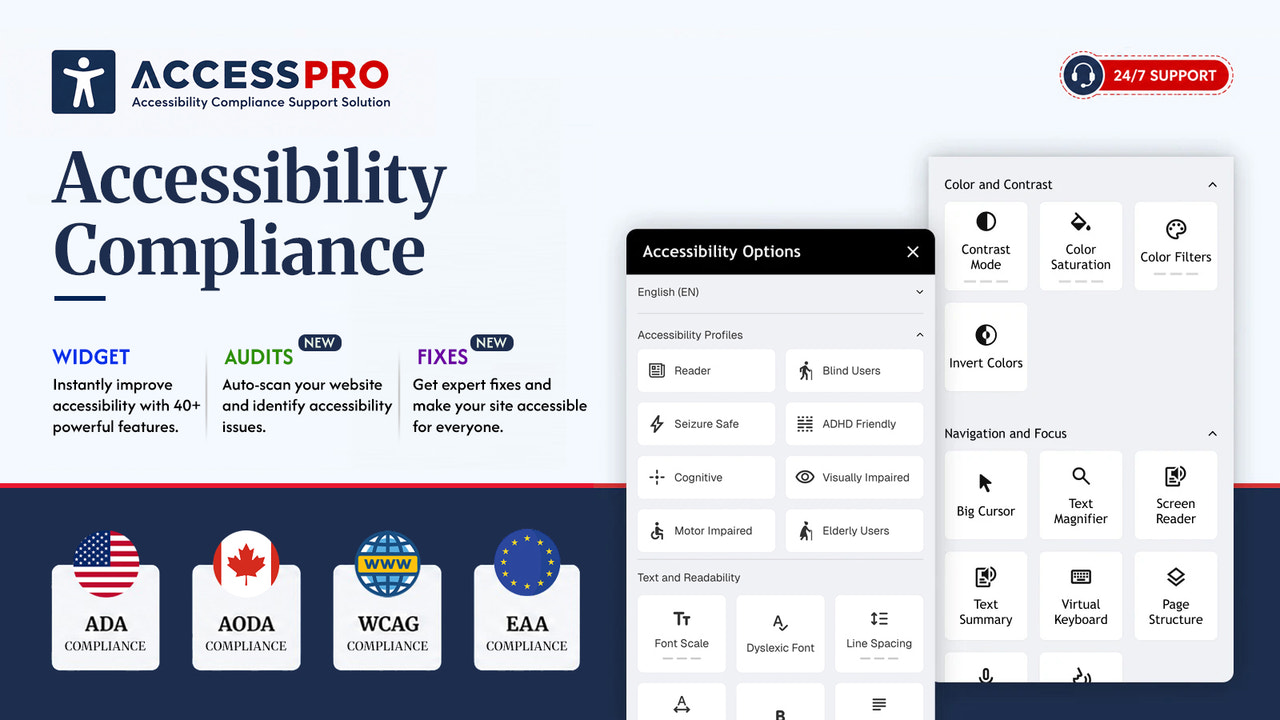
AccessPro is a Shopify accessibility widget from Entangle Commerce. It adds visitor-facing controls such as contrast, text size and spacing, text-to-speech, animation controls and AI image descriptions, plus optional site audits and reports. It is a sensible starting point for a merchant who wants to make the storefront easier to use quickly. Just be precise about what it does: AccessPro runs in the browser and the developer says it does not replace source-code remediation. It can improve the experience and document progress, but it cannot by itself make a Shopify theme WCAG, EAA, AODA or ADA compliant.
Key features
- A customizable accessibility toolbar with 40+ controls, including contrast, brightness, fonts, text size and spacing, link highlighting, cursor options, grayscale, reading tools, animation pause and text-to-speech.
- Accessibility profiles, multilingual widget settings and brand controls for the widget's colors, position and style. The listing names 27 supported languages, including English, French, German, Spanish, Italian, Japanese and Czech.
- AI-powered image descriptions and an accessibility statement template. Treat generated descriptions as a starting point and review important product images yourself.
- The free plan includes 5,000 monthly store impressions, widget and cookie-banner customization, analytics, and live chat and email support.
- Growth removes the impression limit and adds a homepage scan report. Standard adds automated audits, website scans, real-time alerts and reports. Pro adds scheduled audits, coding assistance, compliance reports and phone or Google Meet support.
Pricing and trial information
The Shopify App Store currently lists a free plan, Growth at $4.99 per month, Standard at $9 per month and Pro at $99 per month. The free plan is unusually capable for a basic toolbar, while Standard is the first plan with ongoing audit monitoring. Growth has a first-month $1 promotion at the time of checking. The App Store does not list a free trial.
There is an important detail here: AccessPro's website still shows a 30-day trial and different annual, page-view-based plans in several places. That may reflect a separate or older direct offering, but it is not aligned with the current Shopify listing. I would use the App Store checkout as the price source for a Shopify installation and ask support to confirm the exact plan, trial, renewal terms and scope of any coding assistance before paying.
Rating and reviews
AccessPro is rated 4.9 out of 5 from 86 Shopify App Store reviews, with 80 five-star ratings and four four-star ratings when checked. The recurring positives are an easy setup, a useful free version and responsive human support. One longer review describes a non-critical header issue found on a Saturday, then validated as fixed by the following Tuesday. This is a positive early signal, although 86 reviews is still a modest evidence base compared with established accessibility apps.
Pitfalls
- The toolbar is not a substitute for accessible HTML, heading structure, keyboard behavior, labels, focus states, checkout customizations or manual testing with assistive technology. AccessPro's own website makes this distinction, which is the right message.
- Do not treat an accessibility statement template, a scan score or the word “compliance” in an app listing as legal advice or proof of conformance. Test the real storefront, including navigation, search, product pages, cart and any apps that alter those flows.
- The linked privacy policy deserves a closer read. It refers to a different application and company name, while the Shopify listing requests access to store-owner and contributor data, products, theme, Online Store pages and files. Ask the developer to clarify the policy and the need for each permission before installation.
- One merchant reported an intrusive review prompt and limited back navigation during setup. The same review says the issue was corrected within 24 hours and the finished widget worked well, but it is worth testing the onboarding on a duplicate theme before enabling it on a busy store.
- The Shopify pricing and trial information conflicts with parts of the developer site. Confirm it in writing if a trial or annual plan affects your decision.
Conclusion
AccessPro is worth trying if you want a fast, low-cost way to add useful visitor controls and begin regular accessibility monitoring. Start with the free plan, check the widget on desktop and mobile, then manually test the customer journey with a keyboard and a screen reader. Move to Standard only when you will use its audits and alerts. If a contract, regulation or customer requirement demands actual WCAG conformance, plan a separate source-code remediation project and consider getting Shopify developer support for the theme work. The widget can be part of that effort, but it is not the whole effort.