Shopify ha pubblicato la sua edizione Spring '26 il 17 giugno 2026: oltre 150 novità, come sempre, ma stavolta con un filo conduttore chiaro. I tuoi prodotti devono comparire ovunque le persone acquistino, e questo significa sempre più spesso all'interno delle conversazioni con l'IA, non solo sul tuo negozio.
Ho passato in rassegna tutto al posto tuo. Ecco le mie 10 funzioni preferite, quelle che meritano davvero l'attenzione di un merchant. Alcune sono i titoloni ovvi, altre aggiornamenti più silenziosi che non finiranno in nessun riepilogo ma contano più di quanto pensi una volta che gestisci davvero un negozio. Per ciascuna, una nota sul perché è importante e su cosa fare, semmai.
1. Il canale di vendita agentico
Agentic Storefronts è il titolo principale di questa edizione e la prima cosa da cui partirei. È un canale di vendita nel tuo admin che invia automaticamente i tuoi prodotti a ChatGPT, Microsoft Copilot, AI Mode in Google Search, Gemini, Perplexity e Shop. Tutto passa da Shopify Catalog, senza app da installare e senza commissioni oltre alla normale elaborazione dei pagamenti.
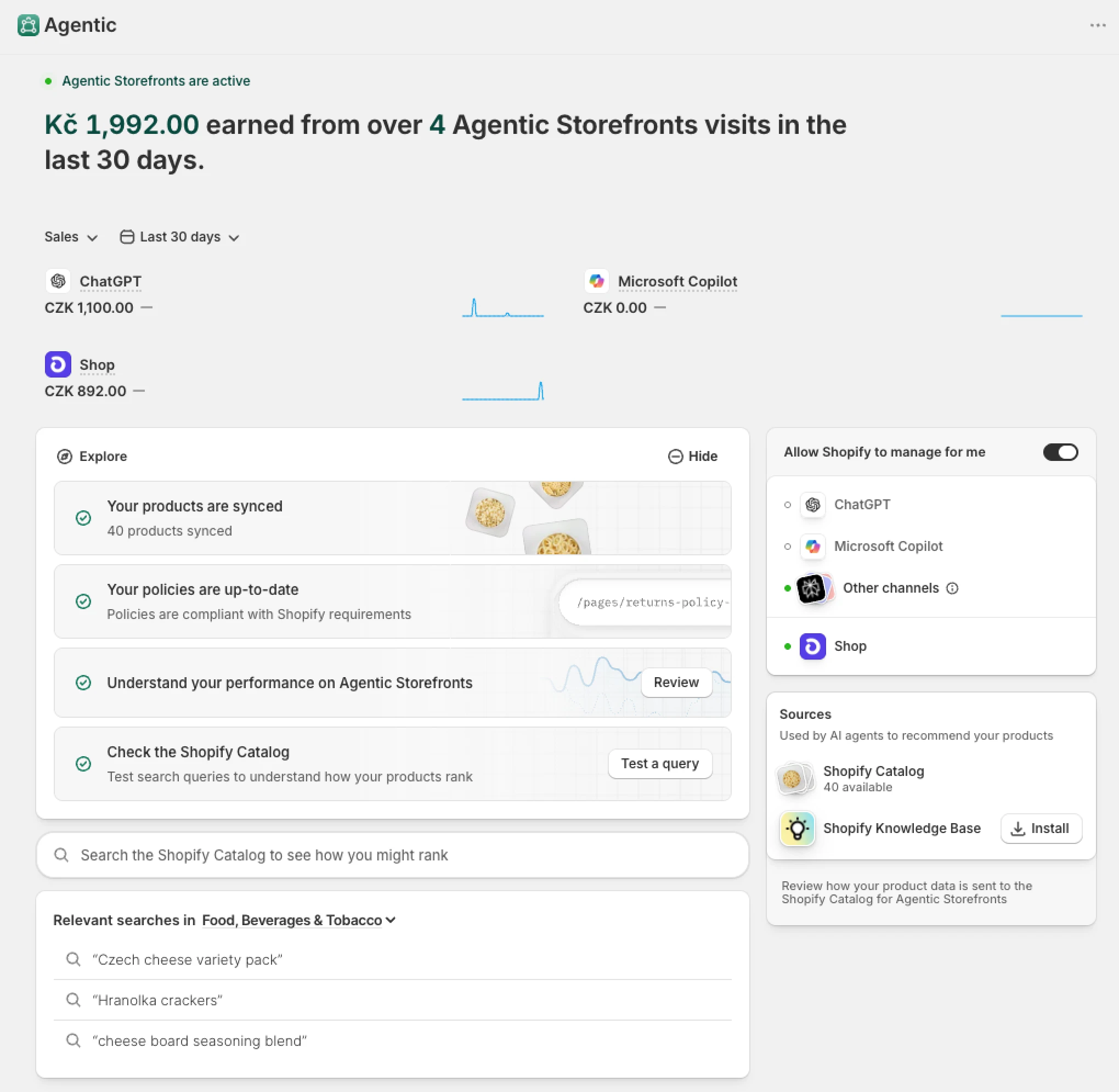
Il traffico e le vendite che vedrai nella dashboard saranno probabilmente bassi, e alcuni canali potrebbero non essere ancora attivi (per esempio, i canali ChatGPT e Copilot funzionano solo negli USA). Potresti comunque vedere vendite attribuite a canali disattivati, perché l'attribuzione può avvenire anche tramite parametri URL (come utm_source=chatgpt.com).
2. L'AI Toolkit per (non) sviluppatori
Lo Shopify AI Toolkit è ora disponibile per tutti: un unico plugin open source che collega la documentazione di Shopify, gli schemi delle API, i dati live del negozio e la CLI direttamente agli strumenti di coding con IA come Cursor, Claude Code e VS Code, così un assistente costruisce correttamente su Shopify invece di tirare a indovinare. Per un'agenzia come la nostra riduce i tempi di rilascio di app e integrazioni, in linea con come usiamo già l'IA ogni giorno.
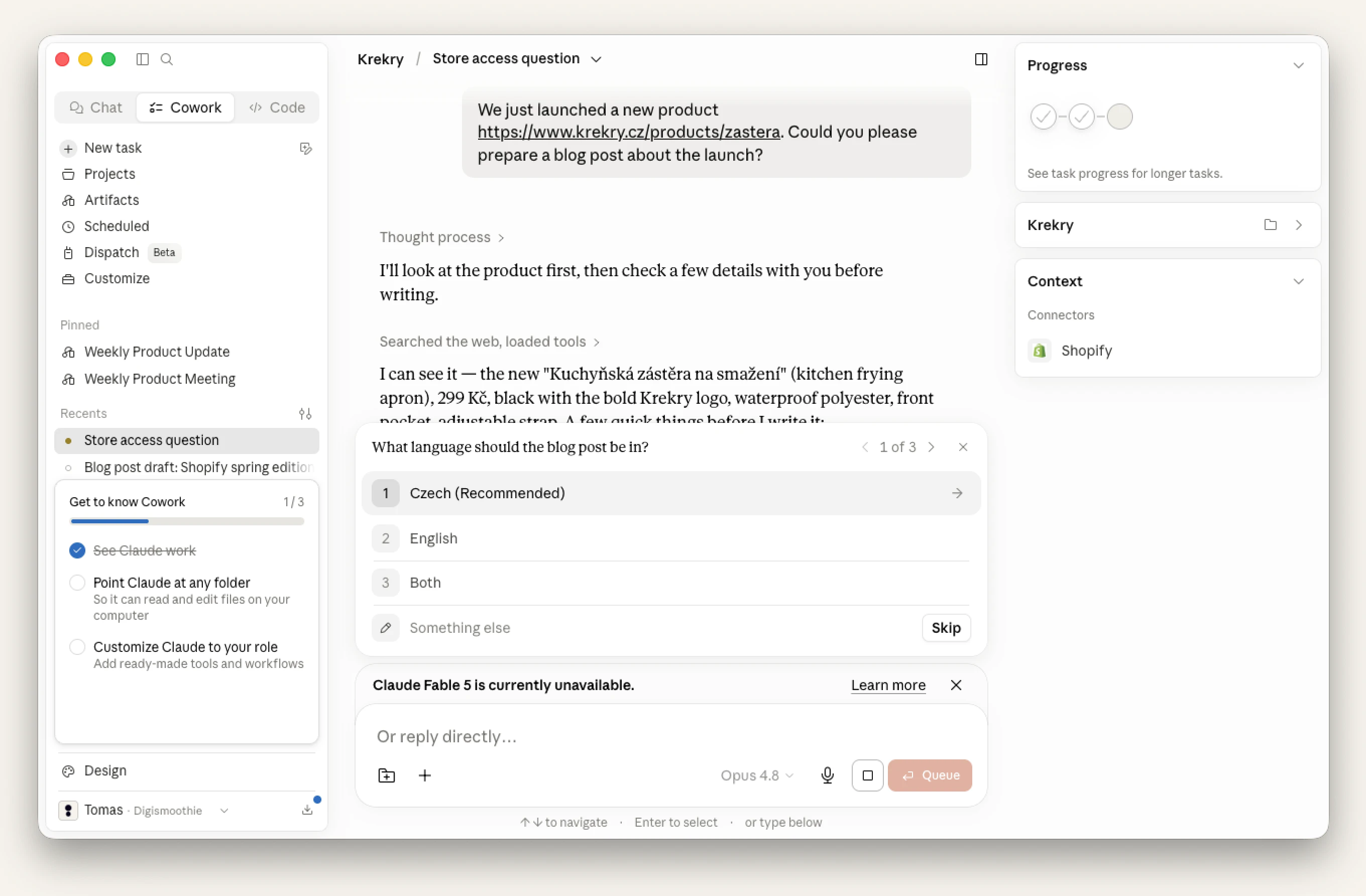
Per i merchant, il vantaggio principale è il connettore Shopify per Claude. Colleghi il tuo negozio e lo gestisci dal client di Claude. Qual è la differenza rispetto a Sidekick? Direi il modello migliore: la qualità del codice è superiore e gestisce senza problemi anche i compiti complessi. Per esempio, carichi dei documenti (immagini, scheda fornitore, ecc.) e chiedi a Claude di inserire i prodotti nel tuo negozio. È ottimo anche per programmare modifiche al tema su misura e nuovi blocchi del tema.
3. A/B test nativo del checkout
Finora potevi fare A/B test su un tema, ma non sul checkout, cosa che mi è sempre sembrata la lacuna più strana, dato che è al checkout che il denaro cambia davvero di mano. Rollouts finalmente la colma: puoi programmare, distribuire gradualmente o lanciare un vero A/B test tra due configurazioni di checkout e lasciare che siano i dati a scegliere il vincitore. Mostro come funziona in questo breve video. Senza sorprese, il mio primo A/B test lanciato è finalmente il checkout in un solo passaggio contro quello in più passaggi.
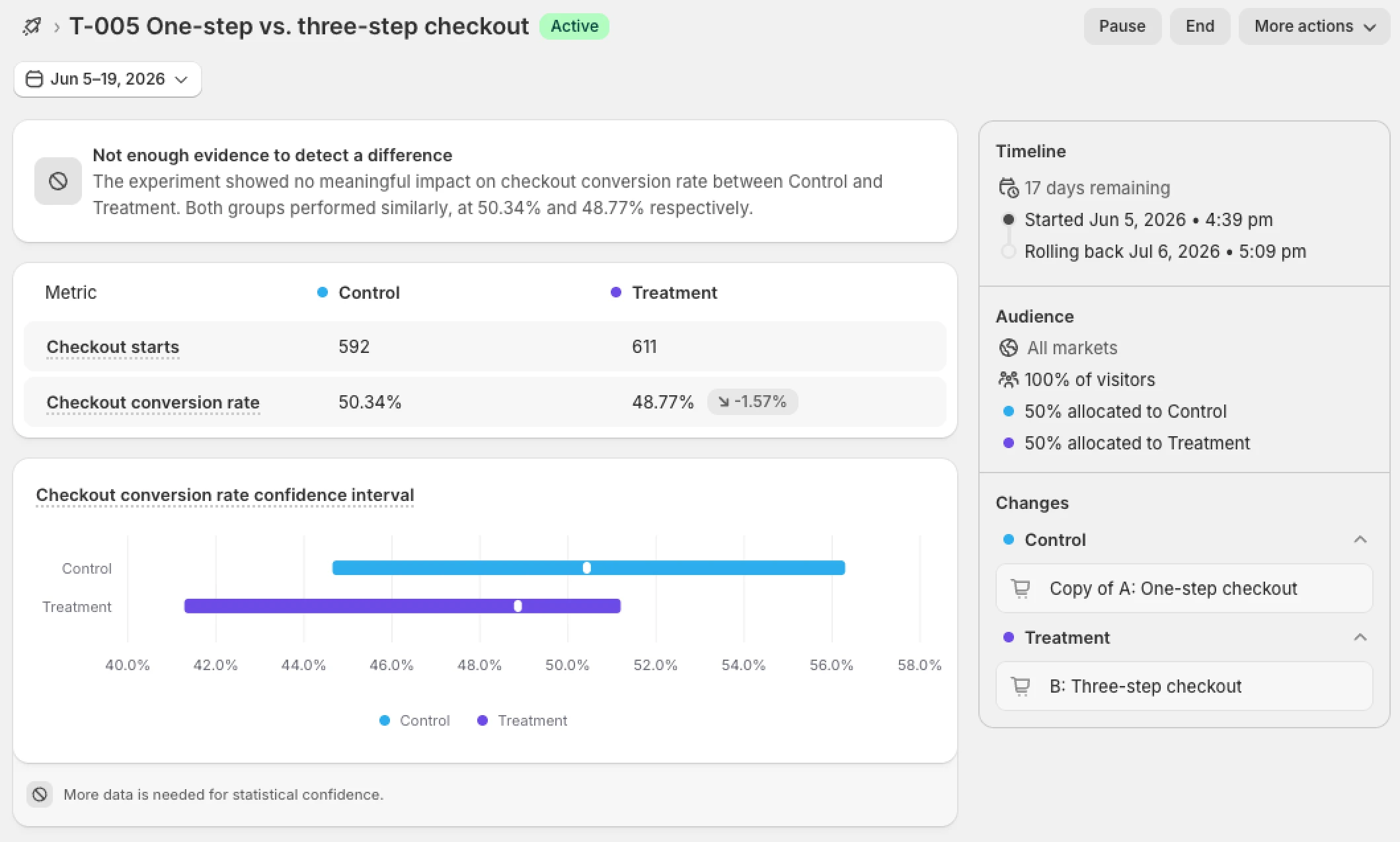
Oltre al checkout, puoi testare altre pagine, temi o le pagine account.
Nota: se cerchi l'app Rollouts nell'App Store, lascia perdere, non esiste. Vai semplicemente nell'admin del tuo negozio > Markets > Rollouts.
4. Integrazione di Sidekick con le app di terze parti
Sidekick App Extensions consente ai tuoi altri strumenti di rispondere direttamente a Sidekick. A partire da Judge.me, Klaviyo, Loop, Smile e oltre 15 partner, puoi chiedere a Sidekick di una campagna Klaviyo o delle tue statistiche di fedeltà e ottenere un'unica risposta che combina i dati dell'app con il contesto del tuo negozio.
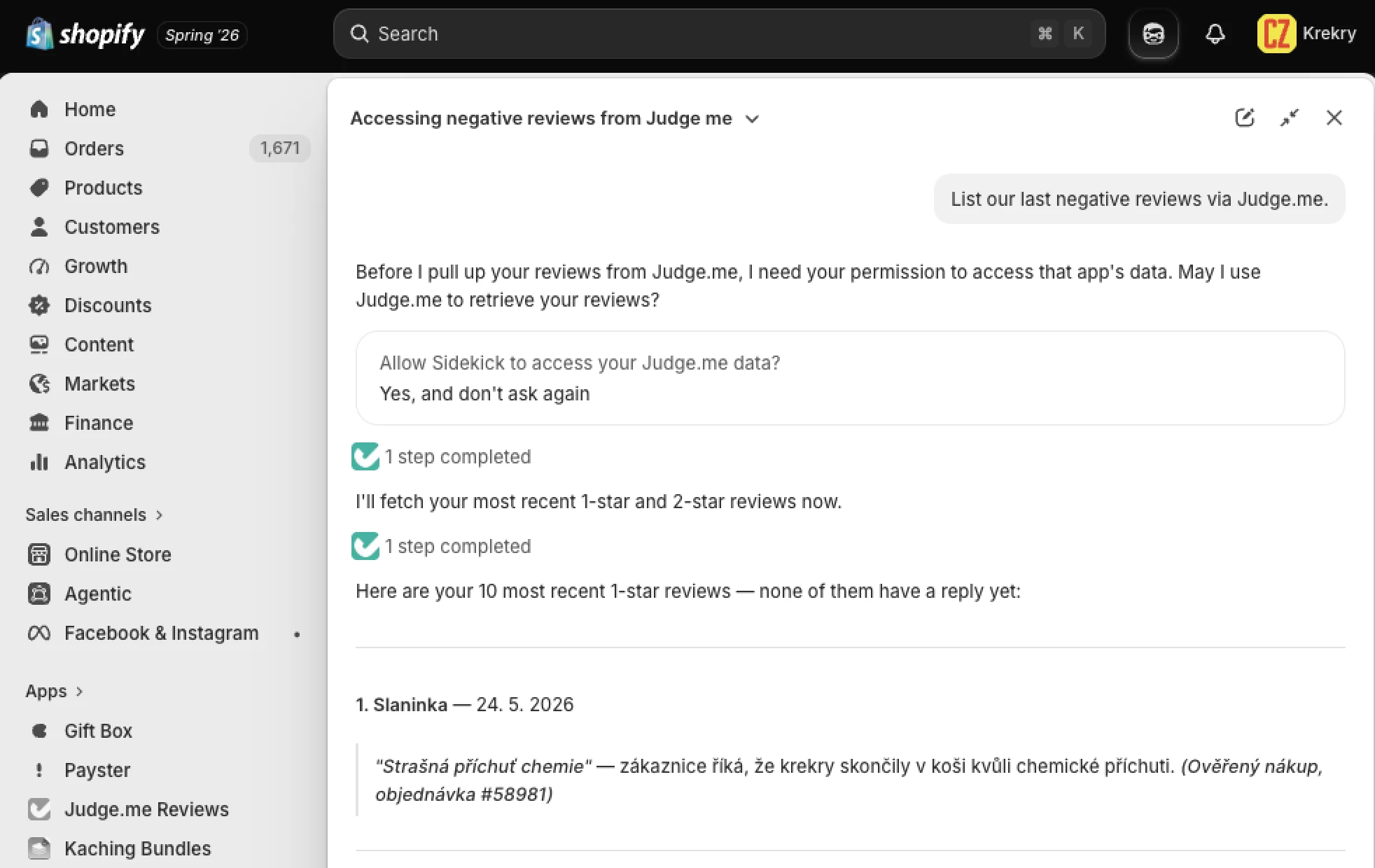
Le action extension vanno oltre: preparano modifiche all'interno di un'app che confermi senza lasciare la conversazione. Fa parte dell'impegno di Shopify a gestire tutto da un unico posto, e non vediamo l'ora di collegare Candy Rack. Se non hai ancora sfruttato Sidekick, vale la pena provarlo.
5. Campaign Autopilot
Campaign Autopilot è il tentativo di Shopify di gestire il tuo marketing a pagamento al posto tuo, direttamente dall'admin (ora rinominato Growth). Imposti un budget mensile e dei limiti, approvi ciò che va online, e lo strumento pianifica, lancia e ribilancia le campagne su Meta, Shop ed e-mail, con ChatGPT Ads, Microsoft Advertising e Snapchat in arrivo. Usa le tue foto prodotto reali invece di creatività generate dall'IA e non tocca le tue campagne esistenti. È gratuito, a parte la spesa pubblicitaria vera e propria.
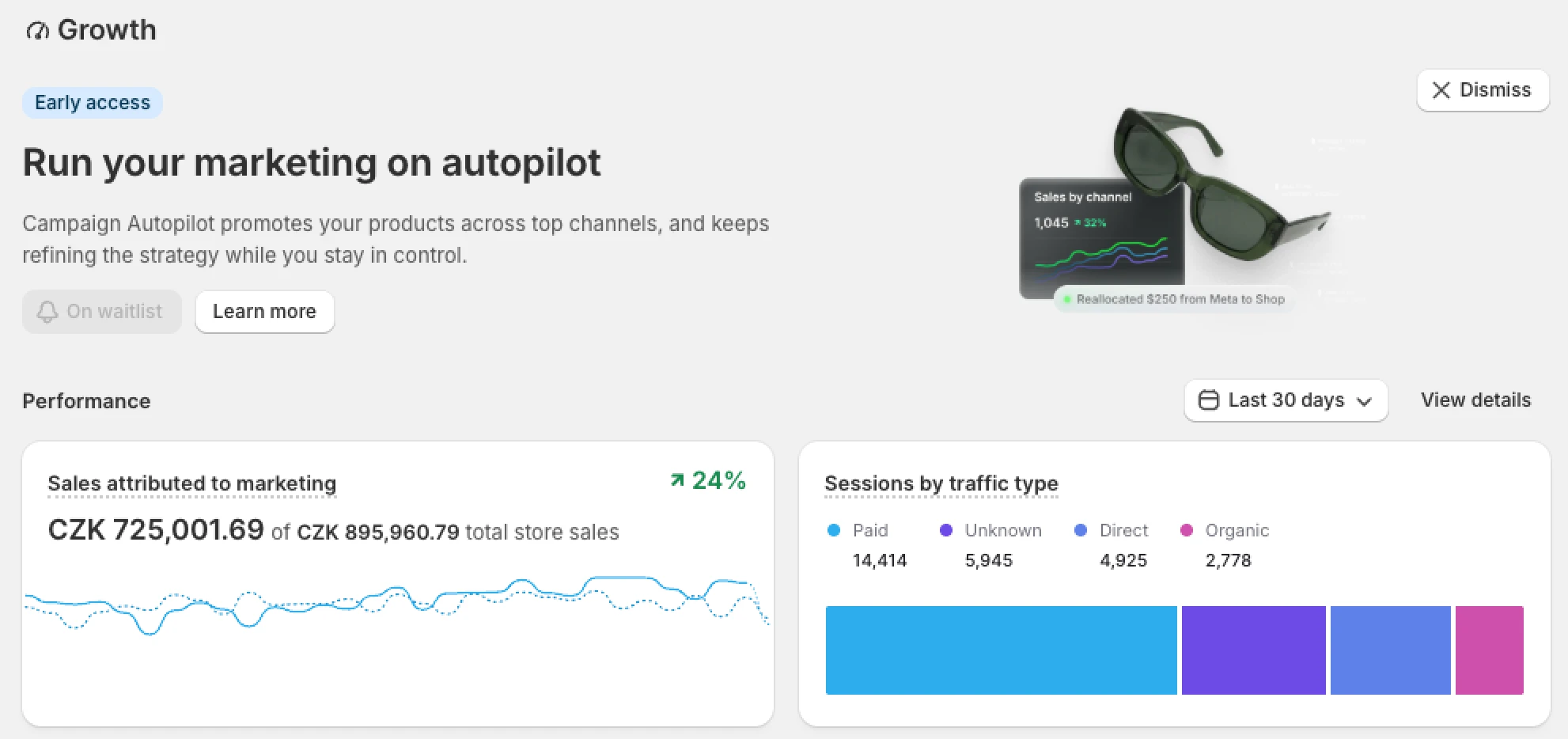
Il rovescio della medaglia: è solo in accesso anticipato, e sul mio negozio non era ancora disponibile, così mi sono iscritto alla lista d'attesa sperando di poterlo provare presto.
6. Un checkout migliorato
Il checkout di Shopify è già la sua superficie con la conversione migliore, e questa edizione aggiunge una serie di miglioramenti più piccoli che fanno la differenza, soprattutto se hai sede in Europa:
- I metodi di pagamento vengono ordinati automaticamente in base alla posizione e alle preferenze del cliente. Così non devi più creare personalizzazioni del checkout macchinose per nascondere e riordinare i metodi di pagamento in base al mercato.
- Completamento automatico degli indirizzi più preciso offre suggerimenti e convalida più accurati per gli acquirenti di USA, Canada, Australia, Francia e Paesi Bassi.
- Più metodi di pagamento locali: MobilePay (paesi nordici), TWINT (Svizzera), BLIK e Przelewy24 (entrambi in Polonia) sono ora disponibili in più paesi tramite Shopify Payments.
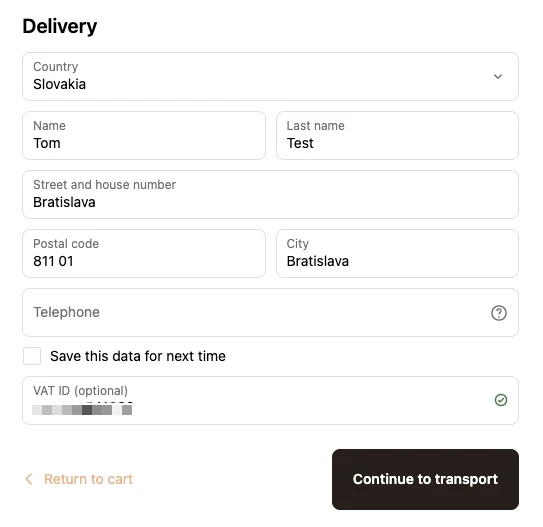
- Convalida della partita IVA ti permette di raccogliere e verificare la partita IVA degli acquirenti al checkout con Shopify Tax nell'UE e nel Regno Unito. Guarda la demo nel mio video YouTube.
- Checkout e account personalizzabili permettono finalmente di cambiare il logo a seconda del mercato. Per noi era un grosso ostacolo.
7. I nuovi account cliente
Qui arrivano tre grandi aggiornamenti che, insieme, rendono l'account cliente degno di attenzione.
- Le pagine sono state ridisegnate: un layout a colonna singola, pensato prima per il mobile, una pagina di accesso personalizzabile e consigli su misura per i visitatori che non hanno ancora ordinato.
- Le sessioni di accesso ora durano fino a 365 giorni, così i clienti restano connessi per un anno e possono riprendere da dove avevano lasciato.
- E ora puoi raccogliere il consenso al marketing via e-mail direttamente nella pagina di accesso, trasformando un accesso in un opt-in.
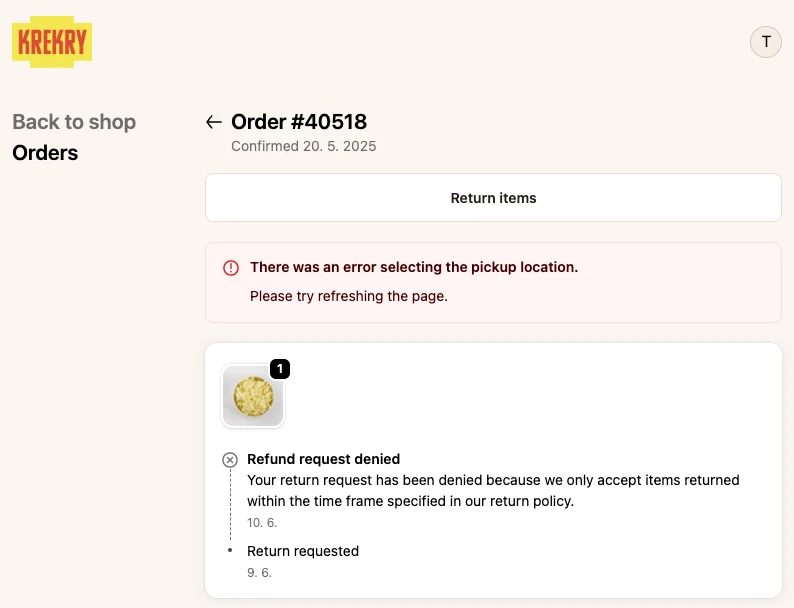
Il mio motivo personale per dargli peso: l'account riceverà molto più traffico, perché è lì che gli acquirenti dell'UE eserciteranno il nuovo diritto di recesso in vigore dal 19 giugno 2026. Una pagina account più chiara e coinvolgente si ritrova all'improvviso a fare anche lavoro di conformità.
8. Visibilità a livello di variante
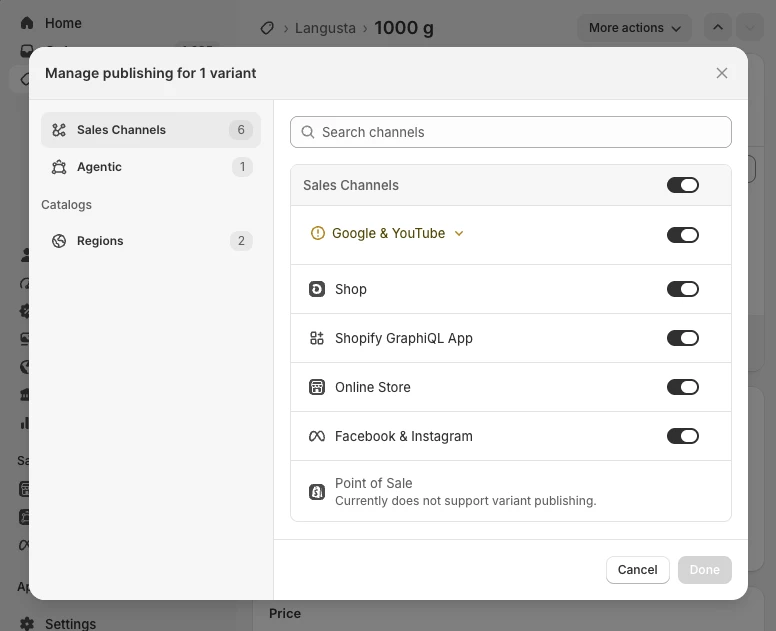
È il tipo di correzione silenziosa che mi rende felice in modo sproporzionato. Ora puoi pubblicare o rimuovere singole varianti per canale di vendita, non più solo a livello di prodotto. L'uso ovvio per la maggior parte dei negozi è nascondere le varianti esaurite, ma copre anche le opzioni specifiche per paese o riservate al B2B, senza duplicare prodotti né ricorrere a codice nella vetrina.
Per modificare la visibilità a livello di variante:
- Vai nell'admin del tuo negozio > Prodotti > seleziona un prodotto
- Scorri fino alle varianti e clicca su una variante
- In alto, clicca su Tutti i canali
- Sposta l'interruttore su "off" per il canale Negozio online per rimuovere la variante dalla vetrina
La porteremo presto in Nada, così potrai nascondere le varianti esaurite senza scrivere una riga di codice.
9. Sconti cumulabili a livello di prodotto
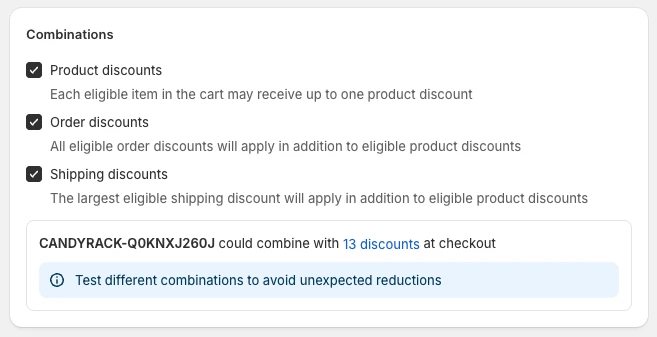
Combinare sconti di tipo diverso era già possibile: uno sconto sull'ordine poteva stare insieme a uno sulla spedizione, ed entrambi potevano sommarsi a uno sconto sul prodotto. L'unica combinazione che Shopify bloccava ancora erano due sconti prodotto sullo stesso articolo: una percentuale e un importo fisso non potevano colpire entrambi lo stesso prodotto senza Scripts o un'app di terze parti. Quest'ultimo blocco cade: con le tue combinazioni di sconti impostate per cumularsi, puoi sovrapporre più sconti prodotto sullo stesso articolo in un unico ordine.
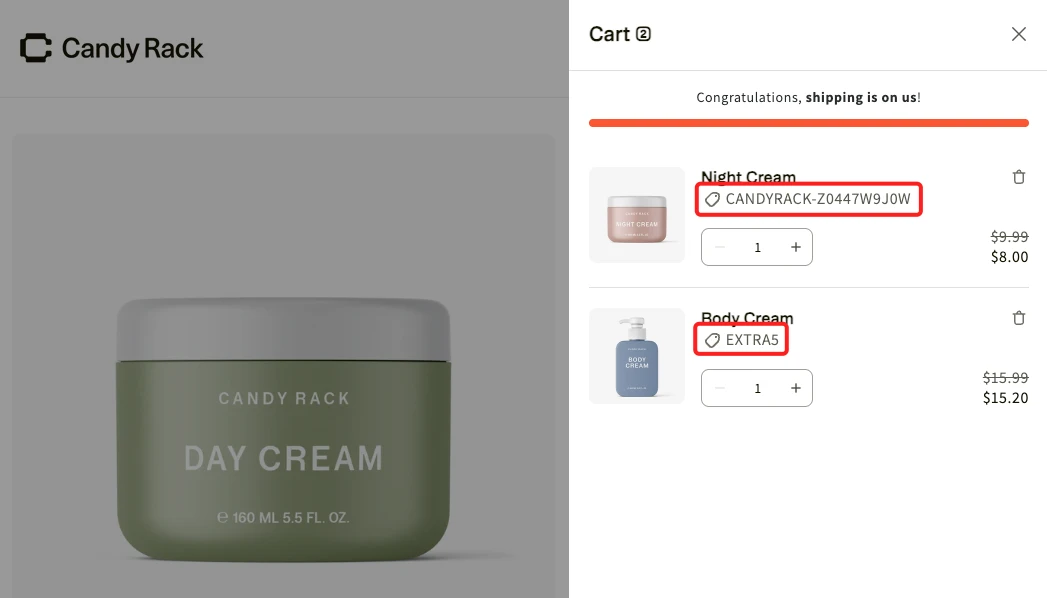
Non dimenticare di attivare la combinazione degli sconti nelle impostazioni dello sconto.
10. Il B2B su ogni piano
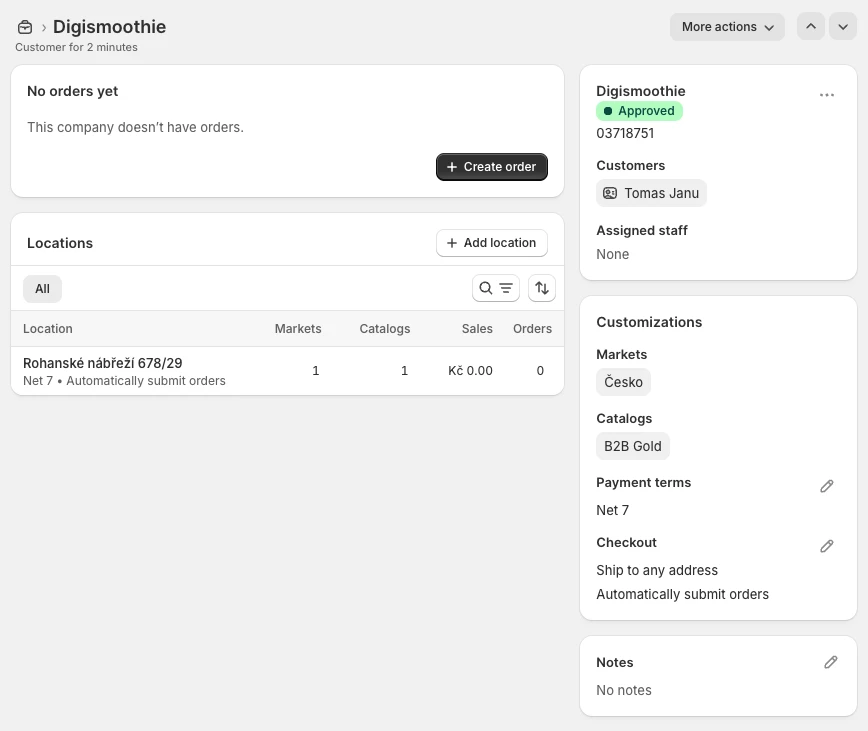
Se hai mai rifiutato una richiesta all'ingrosso o per grandi quantità perché il B2B era riservato a Shopify Plus, questa fa per te. Il kit B2B essenziale è ora nativo su Basic, Grow e Advanced senza costi aggiuntivi: profili aziendali per gli acquirenti all'ingrosso, fino a tre cataloghi personalizzati con i propri prezzi, sconti per quantità e regole di quantità, termini di pagamento e carte salvate.
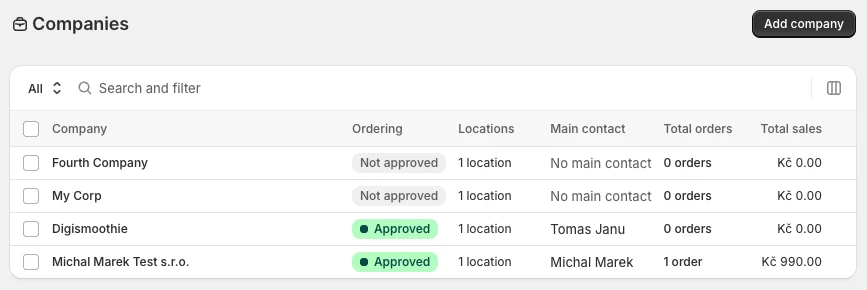
Funziona nello stesso admin del tuo negozio DTC e con Flow, Markets e Payments, così l'ingrosso smette di essere un'aggiunta posticcia. Plus resta la scelta migliore per configurazioni complesse, con cataloghi illimitati, acconti e pagamenti parziali, ma la maggior parte dei merchant che gestiscono qualche ordine all'ingrosso ogni tanto non ha più bisogno di passare a un piano superiore per farlo bene.
In conclusione: da dove iniziare?
Se c'è un filo che attraversa tutti e dieci, è che Shopify fa due cose insieme: spinge i tuoi prodotti verso canali guidati dall'IA che non controlli ancora del tutto e, allo stesso tempo, toglie silenziosamente attrito dalle parti che controlli. Non devi fare tutto oggi, ma ecco da dove ti consiglio di iniziare:
- Prendi confidenza con Claude e il connettore Shopify. Imparare a delegare attività reali del negozio a un agente IA è l'abitudine che ripaga più in fretta. Prima di aprire l'admin del negozio, prova a chiedere a Claude di fare esattamente ciò che stavi per fare. Questa piccola abitudine ti aiuterà a capirne vantaggi e capacità e a distinguere le attività da gestire a mano da quelle che puoi "delegare".
- Tieni sempre almeno un A/B test attivo, sulla vetrina o al checkout, ora che Rollouts rende testabili entrambi. Un test che non si ferma mai batte il grande restyling occasionale.
- Apri il canale agentico e leggi i numeri. Guarda dove compari, dove no, e inizia a correggere i dati prodotto che ci stanno dietro.
Se vuoi una mano per mettere in pratica tutto questo, è esattamente ciò per cui esistono i nostri servizi di agenzia, quindi contattaci.