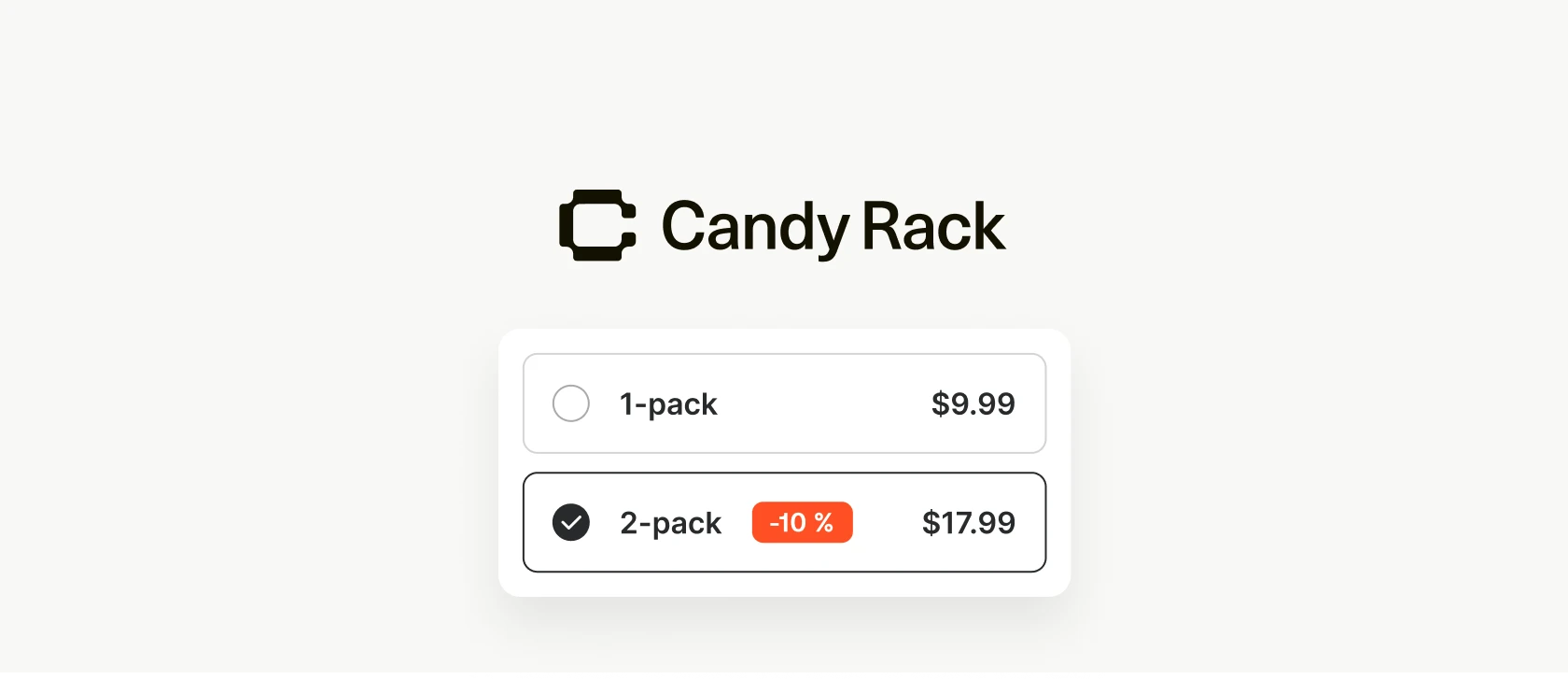
Die meisten Candy Rack-Angebote fügen der Bestellung ein anderes Produkt hinzu. Mengenrabatte lösen einen einfacheren Fall: Der Kunde möchte das Produkt bereits haben, und das beste Upsell ist mehr vom Gleichen.
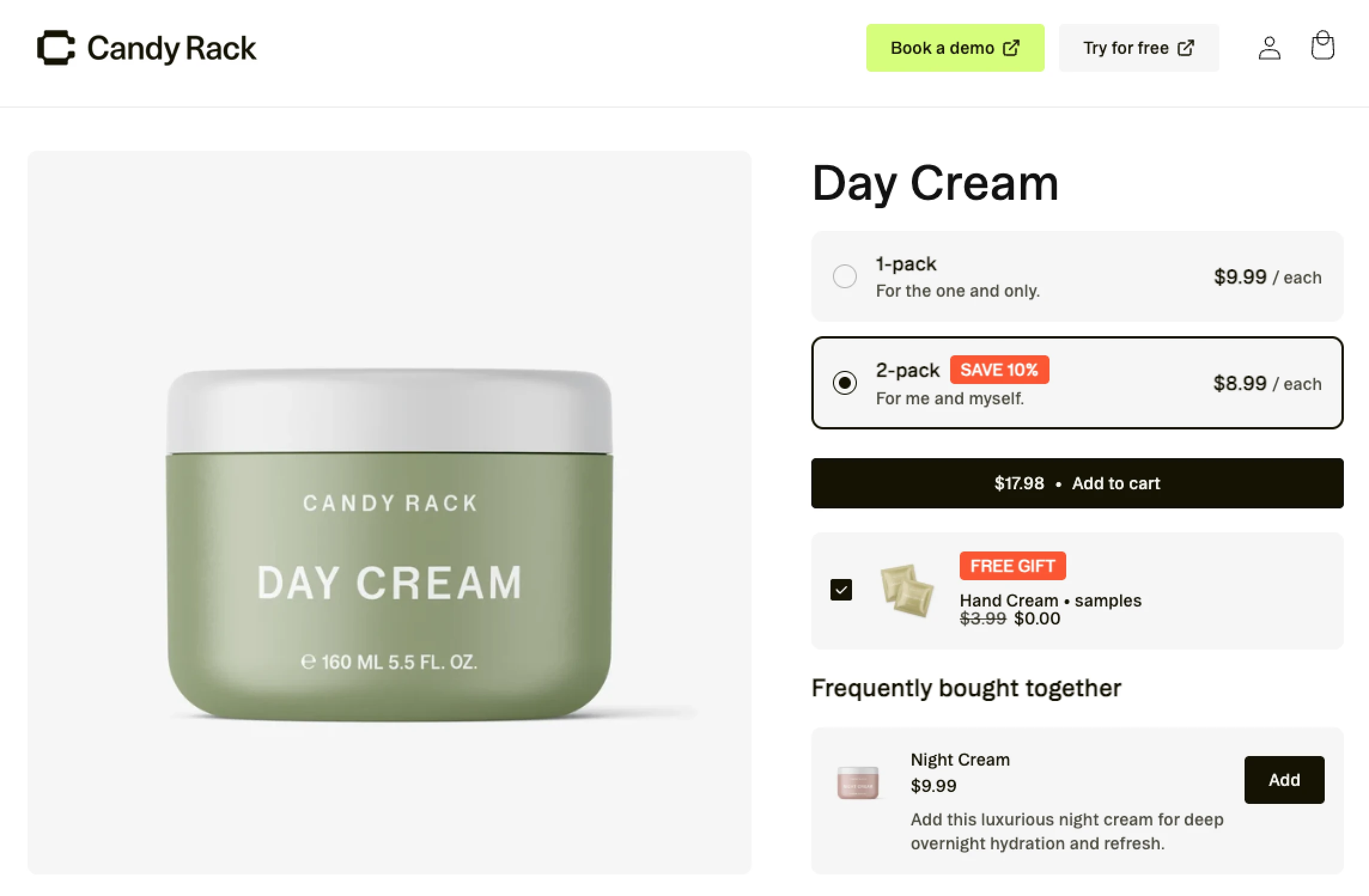
Mengenrabatte ermöglichen es Ihnen, ein Produkt in ein gestaffeltes „Mehr kaufen, mehr sparen“-Angebot zu verwandeln. Ein Kunde kann direkt auf der Produktseite eine Einheit zum vollen Preis, zwei mit einem kleinen Rabatt oder drei mit einem größeren Rabatt wählen. Candy Rack fügt dann die gewählte Menge hinzu und wendet den entsprechenden Preis im Warenkorb und an der Kasse an.
Was Kunden sehen
Das Angebot erscheint als neues Bundle-Layout, das auf der Produktseite eingebettet ist. Jede Staffel ist eine auswählbare Zeile mit den Informationen, die der Kunde zum Vergleich der Optionen benötigt:
- Menge, wie z. B. 1 kaufen, 2 kaufen oder 3 kaufen
- Ein Titel und optionaler Untertitel, zum Beispiel „4-Wochen-Vorrat“
- Stück- und Gesamtpreise
- Der ursprüngliche Stückpreis bei Anwendung eines Rabatts
- Ein automatisch berechnetes $X sparen-Badge
- Optionale benutzerdefinierte Badges, wie „500g“ oder „Bestes Angebot“
Sie wählen aus, welche Staffel beim Laden der Seite vorausgewählt ist. Wenn der Kunde die Staffel wechselt, werden Preise, Ersparnis und Auswahlstatus sofort aktualisiert. Der reguläre „In den Warenkorb“-Button des Produkts fügt dann die Menge aus dieser Staffel hinzu, sodass das Angebot im normalen Ablauf der Produktseite bleibt.
Wenn das Produkt Varianten hat, können Sie auch Varianten pro Artikel aktivieren. Ein Kunde, der drei T-Shirts kauft, kann beispielsweise für jede Einheit eine andere Größe oder Farbe wählen, bevor er das Bundle hinzufügt. Das Angebot ist weiterhin auf ein Produkt beschränkt, aber die Einheiten müssen nicht alle dieselbe Variante verwenden.
So richten Sie einen Mengenrabatt ein
- Öffnen Sie Candy Rack und erstellen Sie ein neues Angebot.
- Wählen Sie unter Platzierung die Optionen Produktseite, Eingebetteter Block und Bundle-Layout.
- Legen Sie fest, ob das Angebot für alle Produkte, bestimmte Produkte oder bestimmte Kollektionen angezeigt werden soll.
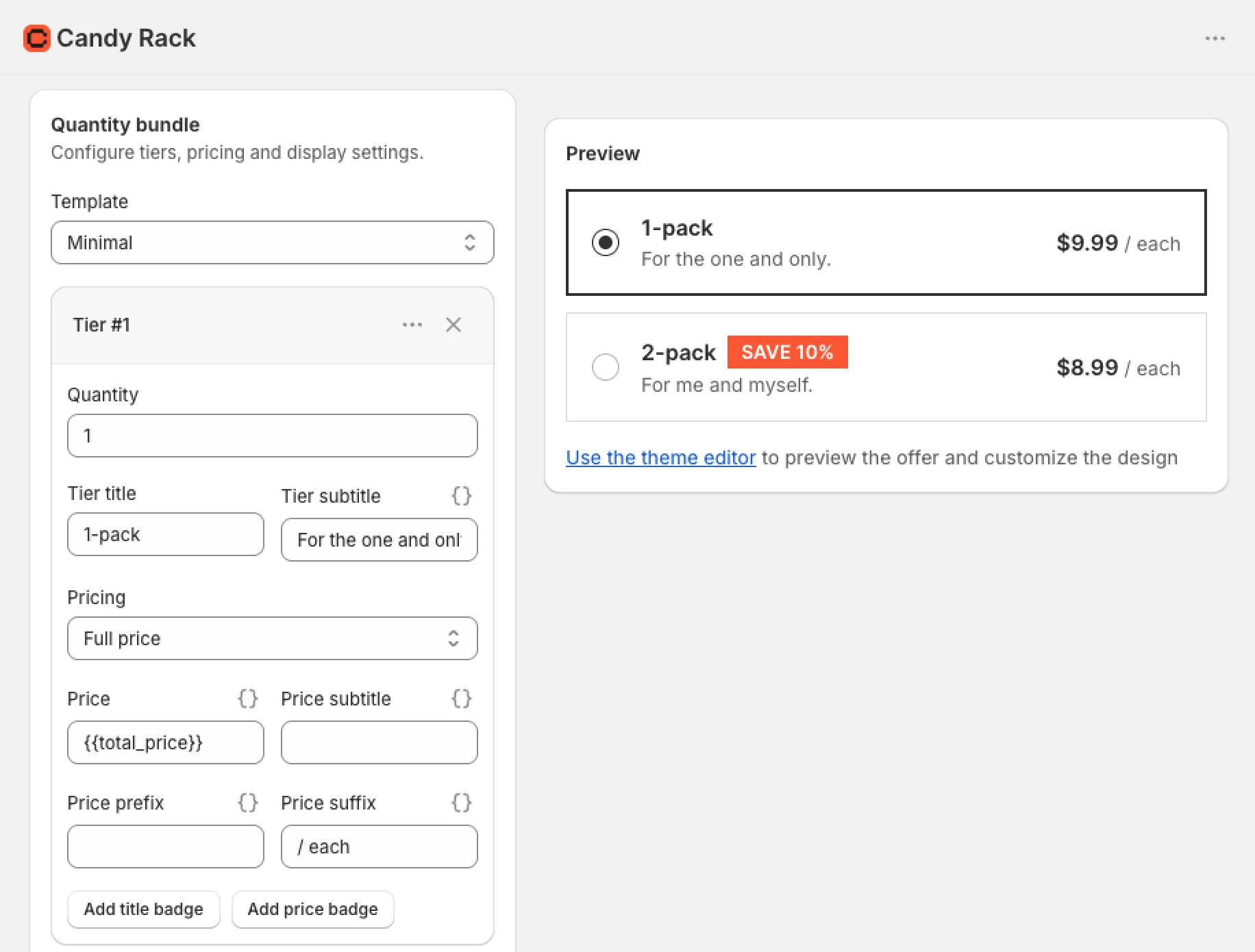
- Fügen Sie Ihre Staffeln hinzu. Legen Sie Menge, Titel, Untertitel, Preise, Preisfelder und Badges für jede Staffel fest.
- Wählen Sie die Staffel aus, die standardmäßig ausgewählt sein soll.
- Aktivieren Sie Varianten pro Artikel aktivieren, wenn Kunden für jede Einheit eine Variante wählen können sollen.
- Speichern Sie das Angebot, öffnen Sie den Theme-Editor und positionieren Sie den Bundle-Layout-Block.
- Testen Sie jede Staffel im Storefront-Checkout, bevor Sie das Angebot für alle Kunden veröffentlichen.
Dieser letzte Test ist wichtig. Die Admin-Vorschau ist nützlich für Text und Layout, aber im Storefront können Sie die Verfügbarkeit von Varianten, Abstände im Theme, das Warenkorbverhalten und den endgültigen Rabatt überprüfen.
Passen Sie das Bundle an Ihr Theme an
Der Theme-Editor steuert die Darstellung im Storefront. Sie können Titel und Meldungen für nicht verfügbare Varianten ändern, Schriftgrößen und Eckenradien anpassen sowie Farben für die aktive Staffel, den Hintergrund, Text und Fehlermeldungen festlegen. Auch der obere und untere Innenabstand sind konfigurierbar.
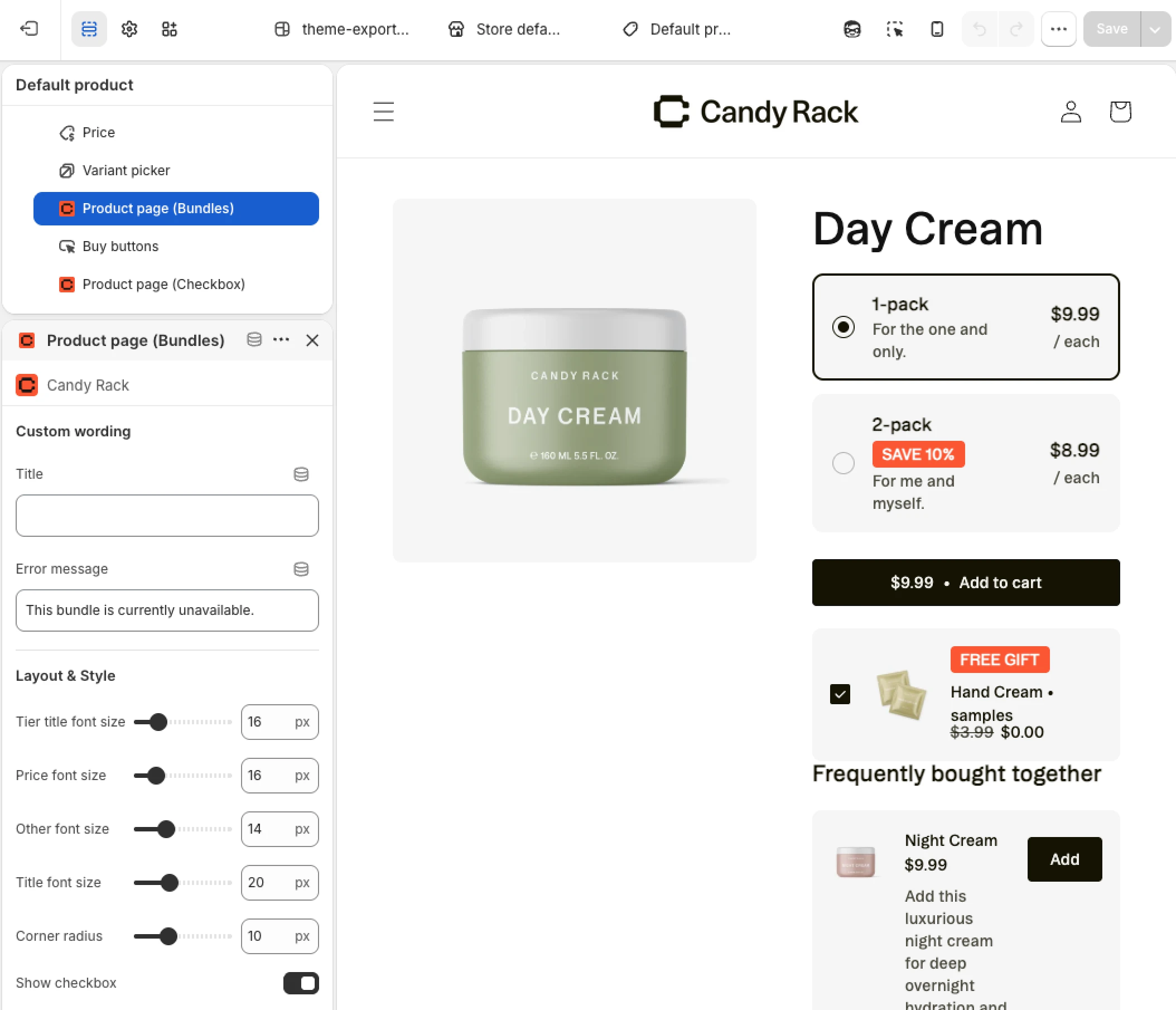
Sie können auch das Kontrollkästchen ein- oder ausblenden, den Block mit bestimmten Angebots-IDs verknüpfen oder ausgewählte Angebote ausschließen. Ein Feld für benutzerdefiniertes CSS steht für Änderungen zur Verfügung, die nicht durch die Standardeinstellungen abgedeckt sind.
Kombinieren Sie Bundles mit anderen Platzierungen
Das Bundle-Layout macht das Produkt nicht exklusiv für Mengenrabatte. Es steuert lediglich das Mengenangebot auf der Produktseite, während andere Candy-Rack-Angebote für dasselbe Trigger-Produkt und an anderen Stellen der Customer Journey aktiv bleiben können.
Sie können Mengenrabatte parallel zu folgenden Angeboten nutzen:
- Ein Pop-up auf der Produktseite, das nach dem Klick auf „In den Warenkorb“ erscheint
- Weitere eingebettete Blöcke auf der Produktseite, einschließlich Checkbox- und Button-Angeboten
- Angebote im Slide-Warenkorb und Warenkorb
- Checkout- und Post-Purchase-Angebote, sofern der Shop und das Angebot dafür infrage kommen
So kann der Kunde eine größere Menge des Hauptprodukts wählen und erhält dennoch ein Upsell für ein ergänzendes Produkt. Jedes Angebot behält seine eigene Platzierung und Logik, während Candy Rack die gewählte Bundle-Menge und den Rabatt separat verarbeitet.
Warum wir diese Funktion entwickelt haben
Mengenrabatte sind eine der direktesten Methoden, um die Artikel pro Bestellung zu erhöhen. Der Kunde muss kein zweites Produkt entdecken oder ein kompliziertes Set verstehen. Die Entscheidung ist einfach: Ist der bessere Stückpreis den Kauf einer größeren Menge wert?
Der Kompromiss ist auch für den Händler klar: Sie geben etwas Marge pro Einheit auf, erhalten dafür aber einen höheren Bestellwert. Candy Rack bietet Ihnen nun die Steuerungsmöglichkeiten, diesen Kompromiss zu gestalten, klar zu präsentieren und die resultierenden Aufrufe, Warenkorb-Ereignisse, verkauften Produkte und Umsätze in den bestehenden Analysen zu verfolgen.
Mengenrabatte sind ab sofort in Candy Rack verfügbar. Wenn Sie die App bereits nutzen, erstellen Sie ein neues Angebot und suchen Sie nach dem Bundle-Layout unter den eingebetteten Blöcken der Produktseite. Falls Sie neu bei Candy Rack sind, können Sie es über den Shopify App Store installieren.