
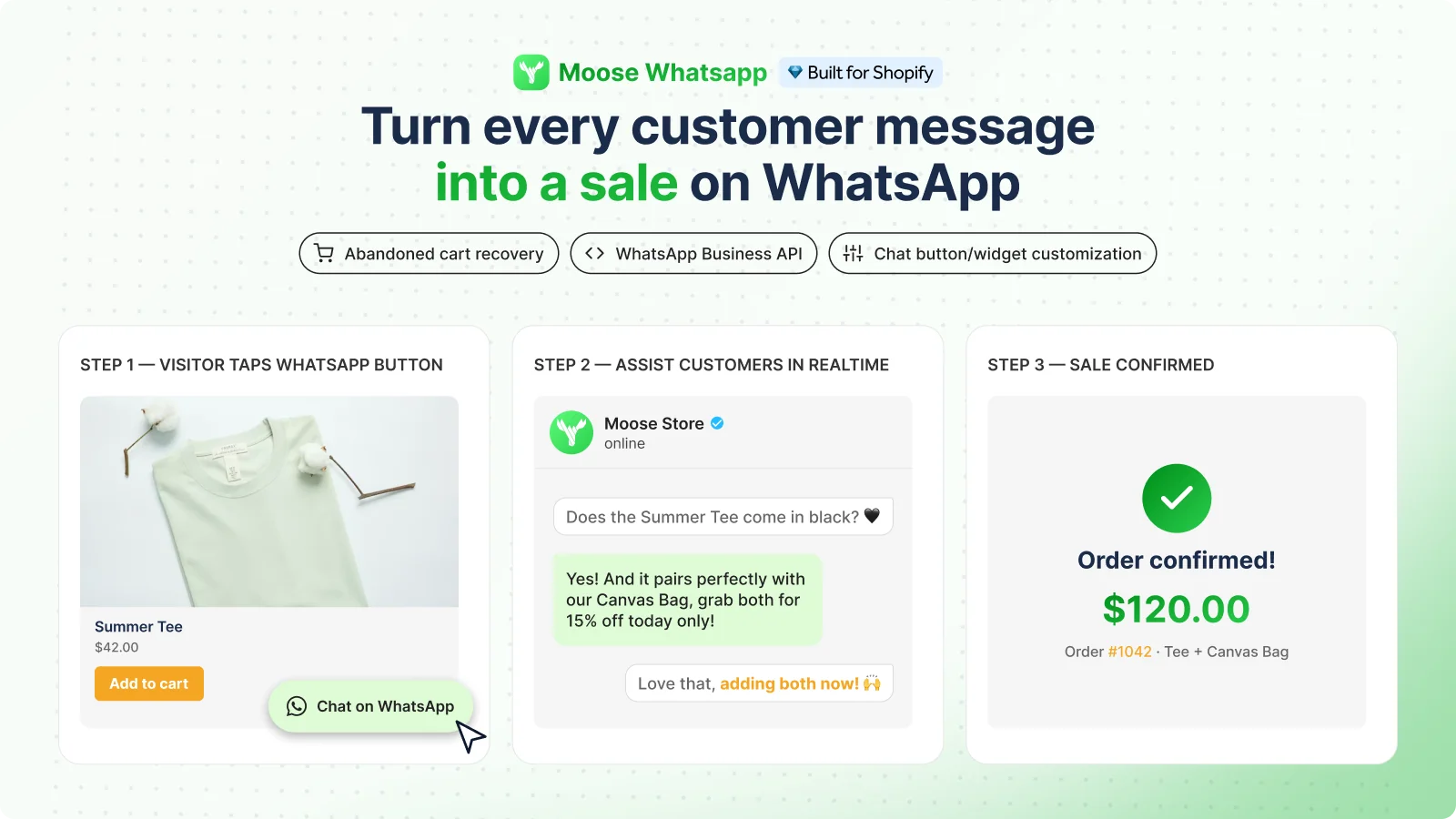
Moose WhatsApp Chat Button is a Built for Shopify app from Vegahub Technology Inc. that connects your store to WhatsApp. It started as a chat button and now also offers an inbox and abandoned cart reminders. It makes the most sense for merchants whose customers already use WhatsApp and who can respond to incoming questions. This review covers the WhatsApp app, a separate product from the developer's MooseDesk AI chatbot.
Key features
- Customizable chat button: Adjust the icon, colors, font, size, position, greeting, and visibility across devices to fit your storefront.
- WhatsApp inbox: Manage conversations inside the app, segment customers, and prioritize important chats.
- Business API connection: Connect your WhatsApp number through Meta Business Manager for the integrated messaging workflow.
- Cart recovery: Send WhatsApp reminders to shoppers who abandon checkout. The developer's guide describes automatic sending using an approved recovery template.
- Analytics: Track button clicks with Google Analytics and Meta Pixel. The website also advertises conversation and recovered-revenue reporting.
Pricing and trial information
The Shopify App Store lists Moose as free, with no paid app plans or time-limited trial displayed. You can therefore test the app without a subscription fee. The public website does not provide a detailed breakdown of message allowances, agent limits, or any additional recovery charges.
Free app access does not mean every WhatsApp message is free. Meta's Business Platform pricing charges for delivered marketing messages, including abandoned cart reminders, with rates varying by market and category. Service replies within the customer service window are free. Confirm how Moose handles Meta charges and any usage limits before enabling recovery at scale.
Rating and reviews
On September 5, 2026, the live Shopify review page shows 5.0 from 156 ratings: 154 five-star, one four-star, and one one-star. Across all 16 pages, the strongest pattern is praise for responsive support, help with customization, and straightforward setup. Several merchants describe activation or theme issues that support resolved.
Many reviews were submitted after minutes or hours of use. Some merchants report recovered sales, but two detailed recovery testimonials use almost identical wording. That does not establish their origin, but it limits their value as independent evidence of results. The ratings are more convincing evidence of helpful onboarding than of sustained revenue gains.
The four-star review from Wegsute says the widget remained after uninstalling and support was unreachable. The developer acknowledged a weekend support-system problem and offered to investigate; the public reply does not confirm a fix. The one-star rating contains no written explanation, so it cannot support a specific product criticism.
Pitfalls
The public materials are less precise about advanced workflows than about the button. The listing says to prepare for automation, while the developer's WhatsApp guide describes automatic recovery. Verify the actual triggers, template controls, and reporting in your account. Do not assume that AI replies, broad marketing sequences, or the channels pictured in website mockups are included.
Test the button on mobile and desktop, check the number format, and make sure someone monitors replies. The interface is listed in English, and reviewers request Spanish localization. After removing the app, check that the widget is gone, given the reported uninstall issue.
Permissions extend beyond a simple chat link: the listing includes customer and browsing data, recent order history, and access to edit web pixels and files. The privacy policy states that data is stored in the United States and deleted within 48 hours of uninstalling. For outbound reminders, review WhatsApp's opt-in and template requirements. These are setup and data-handling considerations, not a guarantee of legal compliance.
Conclusion
Moose is worth testing if you want an accessible WhatsApp contact channel with helpful setup support and the option to add cart reminders. Start with the button, measure actual conversations, and validate recovery costs and delivery before expanding. If your customers prefer chatting directly on your site, compare it with Shopify Inbox. A high rating is encouraging, but the right choice depends on the channel your customers use and your team's ability to answer.