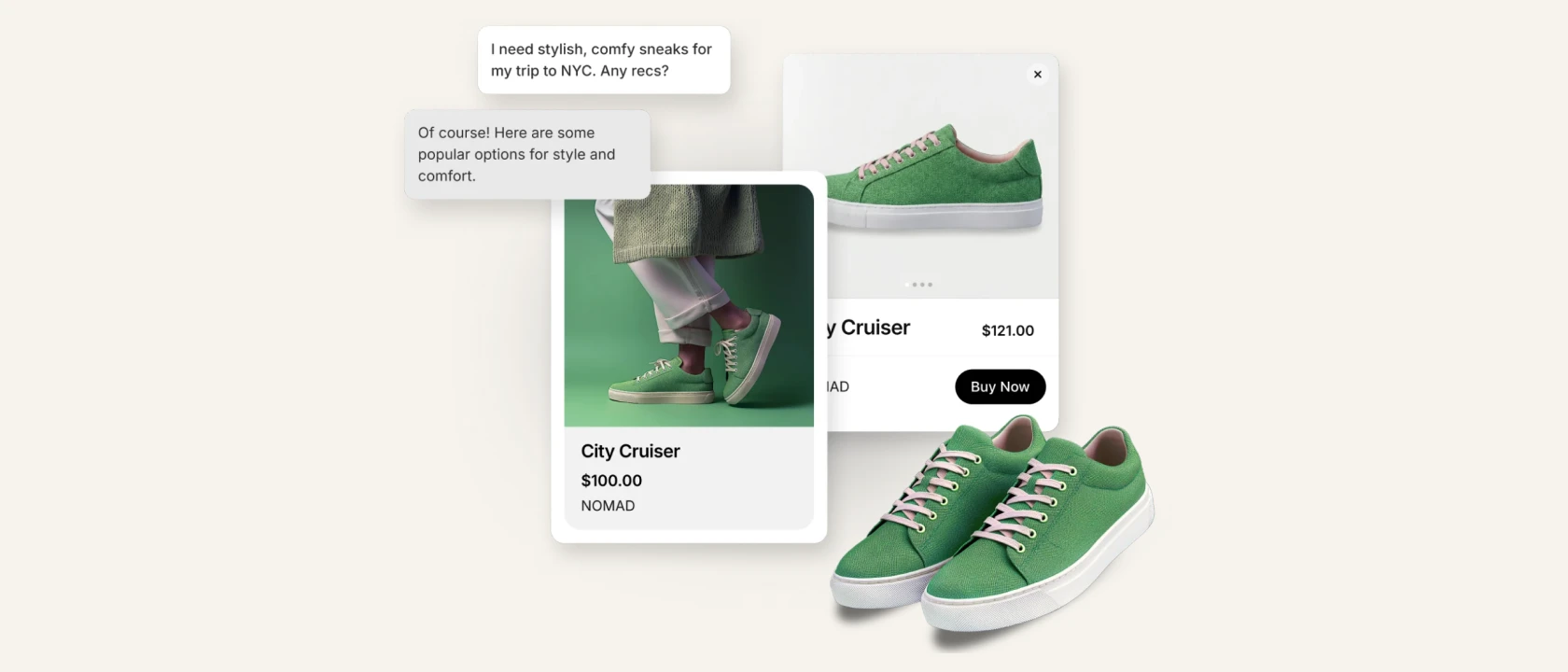
Doesn't matter if you believe the agentic commerce will be a major e-commerce channel generating $1.5 trillion in 2030 or just a rounding error cannibalizing organic search. You can't deny it's coming and you'd better be ready as an e-commerce merchant.
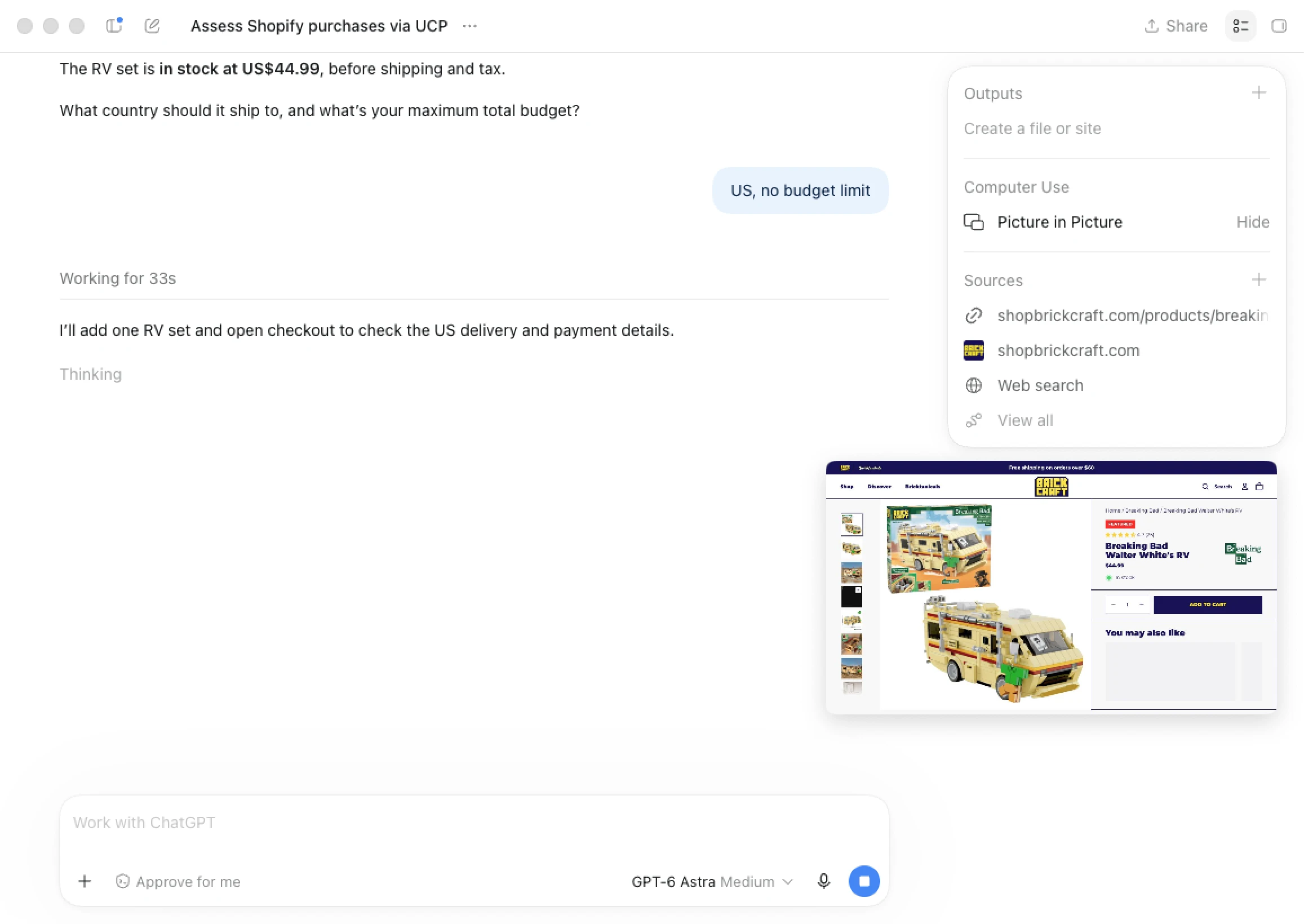
We are receiving the questions about the agentic readiness quite often, so I have decided to put together this guide. I have also invited Mack McConnell who runs GEO agency, Geostar, to help me. Not just he knows a lot, but more importantly he has ton of practical experience with GEO for Shopify stores.
Choose the right e-commerce platform
I don't want to compare different commerce platforms here, but I think it's fair to say Shopify is the best positioned platform for agentic commerce from the "mainstream" ones. There are a few fresh ones that focus solely on agentic commerce, but personally I would rather build on Shopify that covers much more.
Here are just a few examples why I think Shopify is positioned to succeed in agentic commerce:
- Universal Commerce Protocol (UCP): Shopify partnered with Google to bring product research and checkout into AI engines like Gemini.
- Agentic sales channel: Every Shopify merchant has an agentic dashboard with overview and basic controls over the setup.
- Storefront catalog: Each store has automatically a full product catalog available via MCP for AI agents.
If you have decided to choose Shopify or you are already using it, continue reading because these tips are for you.
The basics
1. Review the Agentic sales channel
From May 2026, all Shopify store owners can review and set their visibility in the agentic space using the Agentic dashboard listed under the Sales channels. You can turn on/off catalog access for different LLMs (Gemini, ChatGPT, Copilot, etc.), review your store performance on this channel (i.e., how many sales did ChatGPT brought over the last 30 days), test queries etc.
Consider it as your agentic homepage. It won't exactly tell you what you should improve (except the basics like store policies or catalog readiness), but it's a great start.
I also recommend pushing your products to Google (AI overviews and Gemini) by pushing them to Google Merchant Center via the official Google & YouTube Shopify app.
Note that some agentic capabilities are still isolated to US-only. For example ChatGPT requires US shipping, Copilot and Google works only for the US-based merchants.
2. Complete your store policies and payment/delivery info
Make sure to carefully create all store policies in the store admin > Settings > Policies. That includes
- Return/refund policy
- Privacy policy
- Terms of service
- Shipping policy
- Contact
- Legal notice (a.k.a. Impressum in Germany)
- Subscription cancellation policy (if applicable)
Luckily nowadays it's relatively easy to create these and you don't need to hire a lawyer. Just ask a solid AI model and provide inputs.
I also recommend creating dedicated pages for Delivery and Payment options. Describing all your methods per region including estimated delivery times and price. This is not just useful for AI agents, but also for your customers.
3. Fix the technical foundation
If your store can't be accessed or is not fully readable by AI crawlers, your products won't be recommended. The good thing is that if you are on Shopify, you are mostly covered. I also highly recommend using Google Search Console which can help you identify some of the technical issues.
Page speed and JavaScript dependency
For any agent and customer your page speed is important. By default Shopify is fast and it got even 29% faster in September 2026. To check your store speed score I recommend using PageSpeed Insights and entering your key pages (i.e., homepage, collection page, product page). You probably won't be able to optimize most of the findings, but reviewing your app stack is always a good start. You actually don't need to uninstall apps you are not using, you can just turn off their embed in theme settings and they won't impact your store speed.
Most of the crawlers can't execute JavaScript, so I recommend viewing your store with JS disabled. You can disable in your browser (Chrome, Safari, Firefox). You can also use tests like NoScript to understand the difference between JS enabled and disabled.
Files overview
All these files below are automatically created and we are listing them just for your reference so you can review them:
- Robots.txt file is managed and automatically generated by Shopify. You can find it at www.your-store.com/robots.txt and you can also customize it via robots.txt.liquid template.
- The agent interactions with your store are described in the agents.md file located at www.your-store.com/agents.md. This file is automatically created and managed by Shopify platform and you can't customize it.
- Another file that is automatically generated by Shopify is the llms.txt file (located at www.your-store.com/llms.txt). It describes your store to agents, you can't edit it and its importance has been also questioned recently based on the ahrefs research (97% of llms.txt never get read).
- Last but not least, the sitemap.xml file which sits at www.your-store.com/sitemap.xml. The file is further divided into multiple sitemaps like sitemap_products_1.xml, sitemap_pages_1.xml, sitemap_collections_1.xml and sitemap_agentic_discovery.xml. You can browse each of them to make sure no important info/product is missing.
Get your catalog in shape
1. Set product categories and parameters
Your products will get recommended by AI engines only if the engine understand them. For that healthy product catalog is an absolute must.
Make sure to precisely fill-in all fields and product parameters. Thanks to Shopify AI, you get a lot of recommendations which you can just review and accept.
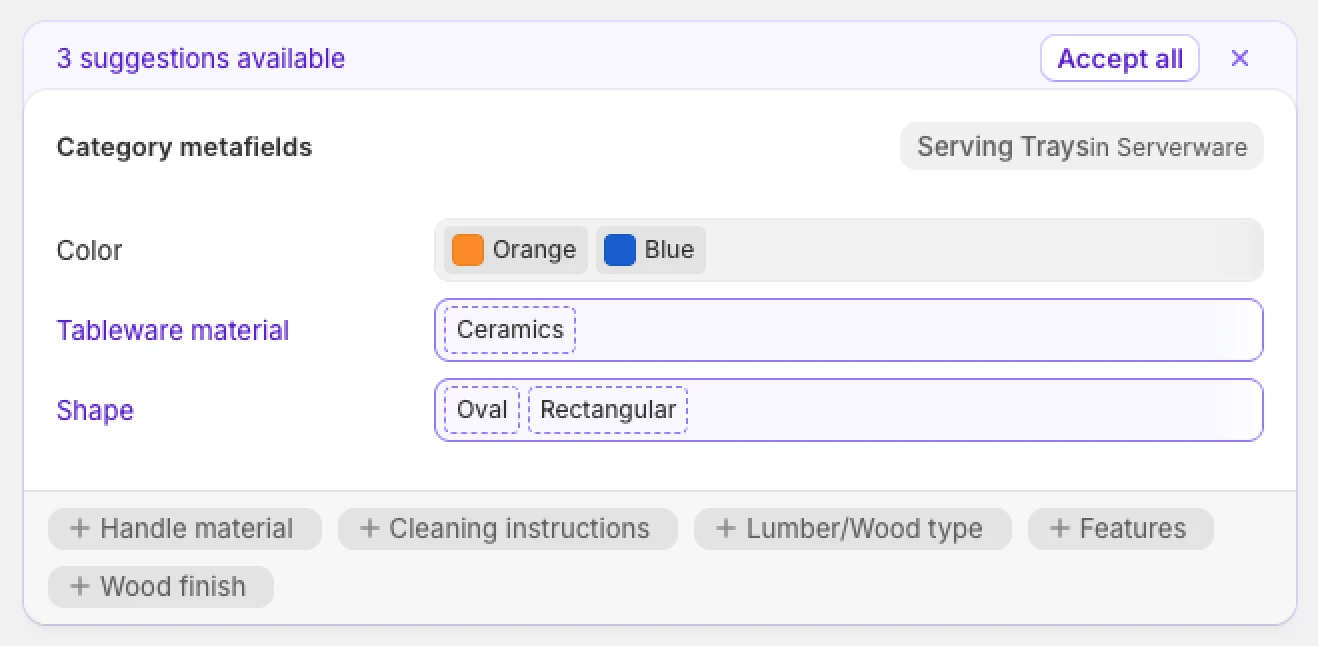
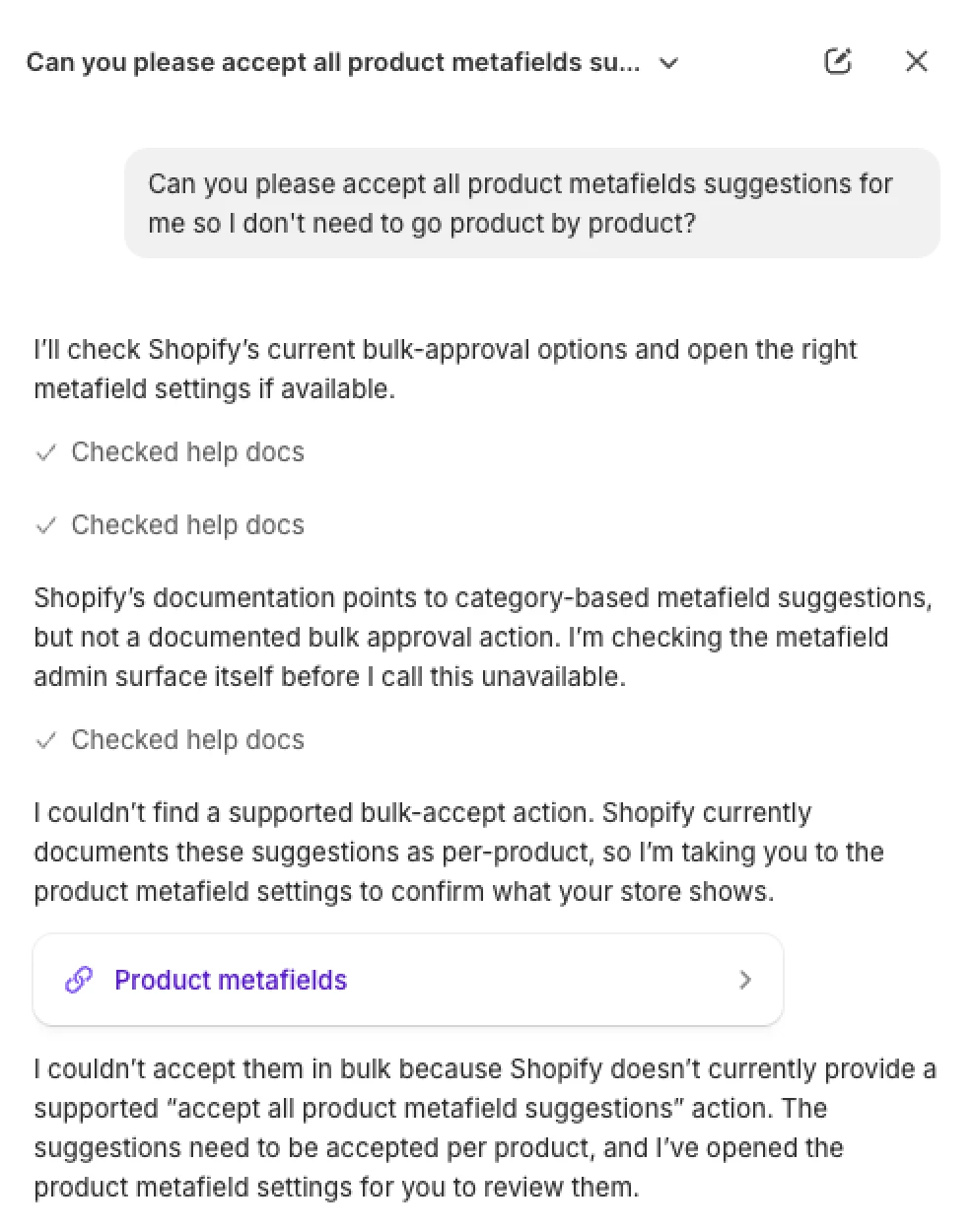
Unfortunately, bulk approval is not possible and neither Sidekick will help you. There is in fact a feature request for bulk suggestions approval from July 2025, but apparently it hasn't been done yet which is a bit surprising to me.
If your products have GTIN, UPC, EAN or any other barcode, don't forget to add them as well. This needs to be done on the variant-level and you can add multiple barcode types.
2. Describe your products in detail
Be descriptive and describe even what's visible on the pictures, so AI agents can see it "too". Don't use too much marketing fluff in the product description, stick to facts and real benefits using plain text or simple HTML (tables).
If you want to use a more "customer-friendly" product description, create a dedicated metafield/metaobject which you populate on the product page.
3. Add variant images and alt texts
Most Shopify merchants don't add variant images if the product is the same for all variants. That's a mistake because the specific variant needs to have a dedicated own image.
If one product has a different ID in your catalog, for example one product per color, consider using Shopify Combined Listings to group them together.
Alt text parameter describes to engine the contents of the image. Make sure all your catalog images have descriptive alt texts (i.e., "Young man wearing a black t-shirt during the lunch."). These can also help you with SEO (better image search) not just GEO.
4. Use deep collection categorization
Collection and categorization helps AI crawlers to better understand the product context. If your collection is Men > T-shirts, it's probably not enough. Shopify doesn't natively support nested collections, but you can use multiple collections to organize your products. On the storefront, you can still
For example T-shirts can be break down to different categories Sports, Casual, Business, and Simple, Colorful, Motive, or Heavyweight, Regular, Functional, etc. You can also create collections like "Casual heavyweight plain t-shirts".
The fact that you are not using collection description on the storefront, doesn't mean it should stay empty. Describe the collection products as AI crawlers will use it.
Don't forget to use filters using category metafields.
5. Manage sold-out inventory
If some of your products or product variants goes out of stock, make sure to unlist them from the storefront. Don't delete them or set them to draft as that would only create broken link for any crawler.
If the product is discontinued, set the manual redirect to relevant collection or similar product instead. Use our app Nada to manage the sold-out inventory and redirects fully automatically.
Building content and online presence
To be recommended by the AI engines, you also need to build a solid onsite and off-site presence. Here are some of the proven ways to do that.
1. Customer reviews and social proof
Genuine customer reviews are not only tremendously helping your store conversion rate, but also your agentic performance. Positive and fresh reviews are clear validation for agents that the store (and product) is great and could be recommended.
Display the review widget right on your PDPs and push the ratings into your product data as well. There are plenty of review apps for Shopify to help you with that.
If you have any other recognitions, certifications or awards (i.e., TrustPilot, Google Reviews, local e-commerce award, etc.), make sure to share them as well. Connect each with a dedicated blog post explaining it in detail. These can work wonders in the agentic space.
2. Blog posts & FAQs
Your customers often ask LLMs questions like "What shoes are good for running in the forest?" or "Is this laptop good for gaming?". If you answer those questions on your PDPs or dedicated blog posts, your store will very likely be cited.
How to find what customers are asking? Install the free Shopify Knowledge Base app that gives you a query log of questions asked by your customers in AI chats. Also check your internal channels like support or social media. You can also use any LLM to give you some ideas about the questions, but I recommend compiling the answers and content manually.
3. PR
You may think that investing into PR doesn't make sense if you run an e-commerce store. However, in the age of agentic commerce (and citations) the more your brand/products are talked about or referred, the more likely you will win the citations.
Allocating a small budget into working with small media or blogs, ambassadors or reviewers, can work wonders and create a valuable references that will exist for a long time.
4. Listicles
Do you know the top 10 articles like "The 10 best running shoes for men in 2026"? They are published on various sites, blogs and online stores. Try to get featured in the top 3 in one of them.

Here are my two proven tips how to actually get featured and not ignored:
- When contacting the medium, prepare where exactly you are able to feature them or at least give them a backlink/mention in return. If you don't offer anything, you will be ignored.
- Start producing these articles on your blog and you'll start getting the "get listed" requests yourself. Use these to get your products reviewed/recommend in exchange.
Last checks and useful tools
Now once you have everything optimized and ready to dominate in the agentic space, it's useful to check how agent actually "see" your store.
I recommend these tools:
- Otterly: For tracking citations of generic non-commerce sites. There are plenty of other "AI trackers" but Otterly provides lot of advanced features for only $29 per month.
- Geostar: For Shopify stores who want to get serious in the agentic space. It's a bit more expensive, but you will get a dedicated team providing you with actionable insights that really drives your store AI visibility.
- PageSpeed Insights: For testing your store speed and Core Web Vitals. From May 2026 it also includes a section called Agentic Browsing that tests how easy is your site browsable for AI agents.
- Google Rich Results Test or Schema.org Validator: Check some of your key pages and products and see what kind of data (rich results) are they serving and whether there are any errors/duplicates.
- Google Merchant Center: For understanding how are your product data viewed by Google in AI Mode and Gemini. Very useful to reveal issues and warnings that may lead to not displaying your products. Use the official Google app for Shopify to get started.
- No Script Test: For previewing your store with JavaScript disabled to simulate how agents read it.
- Shopify Agentic Readiness Scan: Only useful if you are actually not using Shopify. If you are already on Shopify it will only tell you "Good news — this store is on Shopify."
- Shopify endpoints (yourstore.com/agents.md; /llms.txt; /.well-known/ucp): Testing whether the agent endpoints load and display correct information.